Synchronize Prepare Instance Objects with Ingest Instance Objects
In Timextender, the synchronization of data sources and objects is necessary to ensure that the Ingest Instance metadata matches up with that in the data source. Synchronization can be performed either as a task for the entire data source or on specific data source objects.
This article describes the difference between the synchronize task and synchronizing objects in an Ingest Instance, and when to use each feature respectively.
Synchronize Task
The synchronize task on the data source level synchronizes the structure of the source with the metadata stored in the Ingest Instance. For example, if a column is added in the source, and the Ingest Instance is configured to include all the columns from that data source table, then executing the synchronize task will ensure that the column is also added to the Ingest Instance metadata. Furthermore, when the transfer task is subsequently executed the new column will also be included. If a column is renamed in the data source, then executing the synchronize task will ensure that an invalid column name error is not thrown the next time the transfer task is executed.
Synchronize Prepare Instance Objects
Synchronize objects in the Ingest Instance identifies Prepare instances that are impacted by structural changes in the Ingest Instance. For example, if a column is renamed in the source, and the synchronization task has been run, the Ingest Instance transfer task will succeed, but the Prepare Instance table execution (with a mapping to this field that has undergone the name change) will fail with the following error.
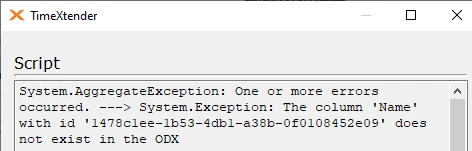
In this example, the “Name” column in the Currency table was renamed to “CName”. As a result, the “Name” column no longer exists in the Ingest Instance, and the next execution of the table will fail because the mapping of the field has been broken in the Prepare Instance table. Perform the following steps to resolve this type of error.
- Open the Prepare Instance that contains the objects to be synchronized.
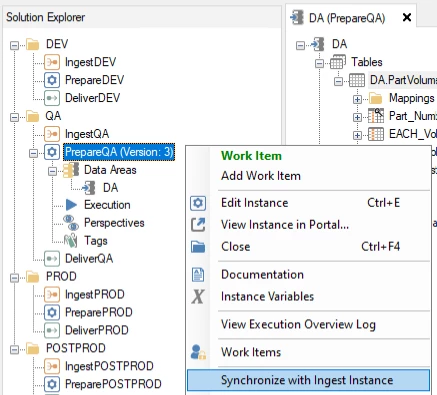
- Right-click on the Prepare Instance and select Synchronize with Ingest Instance.
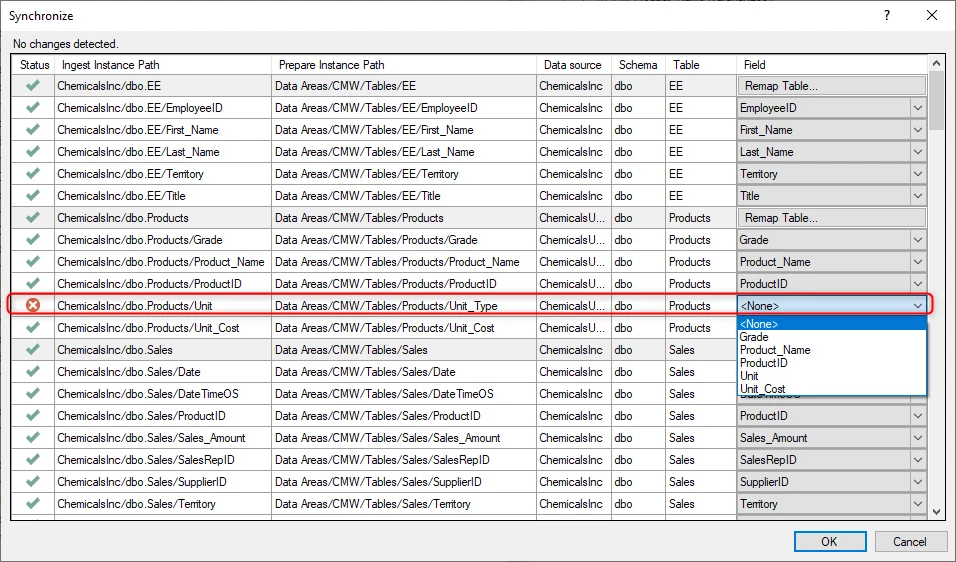
- Timextender will identify any columns in the Prepare Instances that were affected by a change in their field name.
- In the Synchronize window, fix the broken mapping by selecting the new field name from the drop down menu. Click OK.
- Additionally, if the renamed field selected in the Synchronize window has a different data type than the target column, then Timextender will suggest a data type for the synchronization. Once selected, the data type of the field in the Prepare Instance table will be updated accordingly. Review the data type change and click OK.
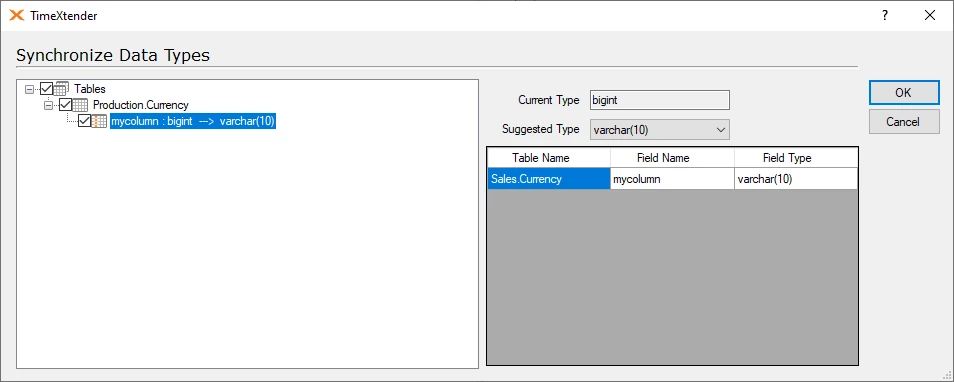
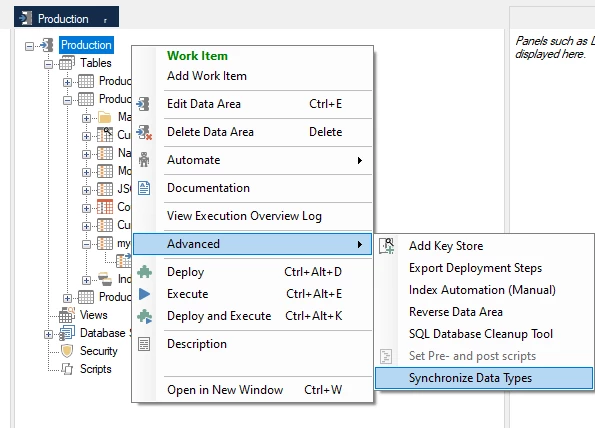
The data type suggestion can also be reviewed by right-clicking on the Prepare Instance data area or table, clicking Advanced, and then selecting Synchronize Data Types.
Discussed in the community
Looking for related questions…
Didn't find your answer? Ask the community about this page — questions are answered by Timextender experts, partners and other users.