Remove Unused Objects from a Prepare instance
This article describes how to remove unused objects from a Prepare instance. The purpose of removing unused objects is to remove table references (also referred to as sources) that no longer exist in the Prepare instance. For example, if a table is brought into a data area from an Ingest instance and then this data area table is later deleted, then selecting remove unused objects will remove table references that no longer exists from the Prepare instance repository.
Note
Removing unused objects does not delete tables from the Prepare instance storage. In order to delete tables within a Prepare instance storage, that have been removed from a data area, please use the SQL database cleanup tool
Removing Unused Objects
- Open the relevant Ingest instance
- Expand the relevant Prepare instance and then open the relevant data area which contains unused table references
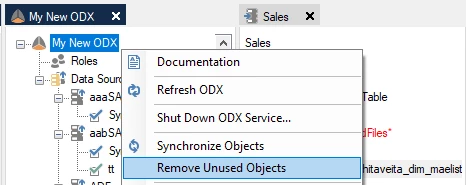
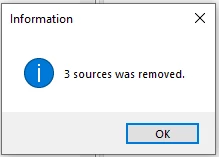
- Right-click on the Ingest instance and select Remove Unused Objects
Discussed in the community
Looking for related questions…
Didn't find your answer? Ask the community about this page — questions are answered by Timextender experts, partners and other users.