User Access Filter Examples in Data Enrichment
In Timextender Data Enrichment, the feature User Access controls which row (or rows) the user is able to view in a Data Enrichment table. This can be particularly useful when you need to protect sensitive information or restrict access between different departments.
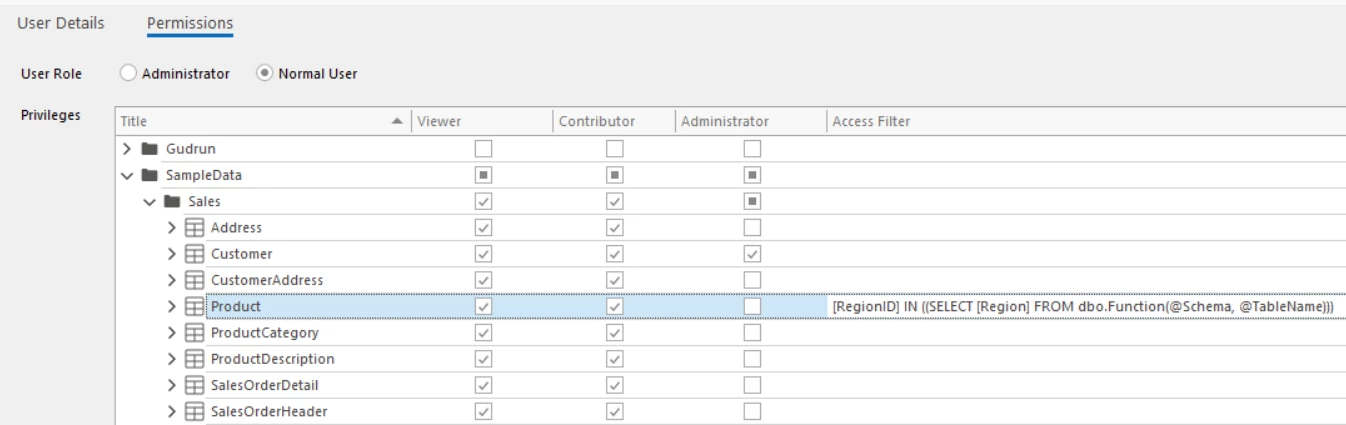
Available parameters
An administrator can use four parameters when configuring user access:
- @UserId - UserId of the current user
- @Schema - Schema of the table
- @TableName - Database name of the table
- @DBName - Schema and database name of the table
Specific user access can also be determined from a different table or function by using curly braces (e.g. { }) around the select statement.
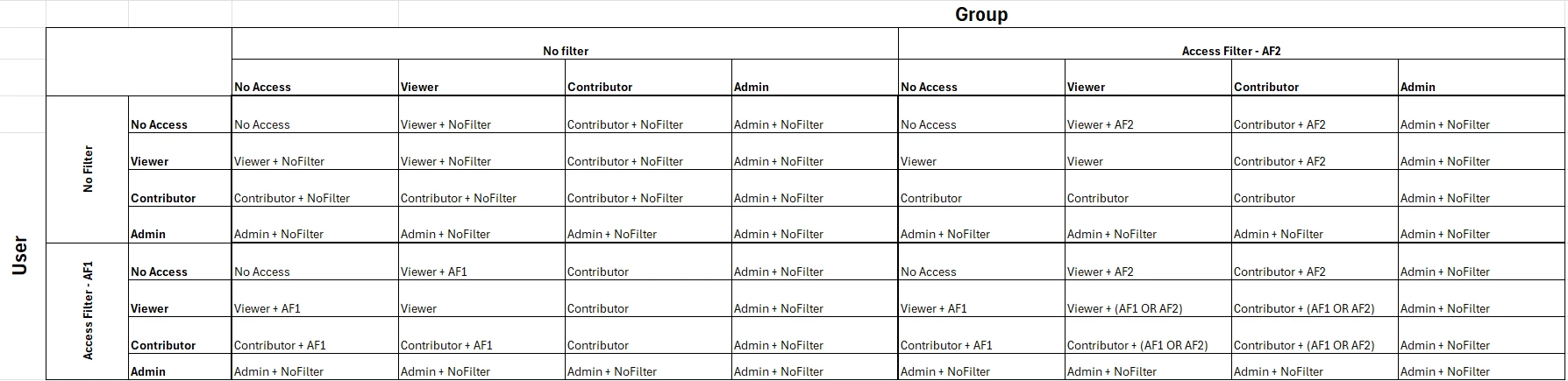
Access filters for users and groups combined
When a user belongs to multiple groups, access filters are combined according to the highest access level assigned by the user or any of the user’s groups. If either the user's individual permission or any group membership grants the highest access level (Viewer, Contributor, or Administrator) without a filter, the user will receive unrestricted access—meaning no filter is applied. However, if one or more of their permissions (either direct or inherited from groups) include a filter, all active filters are combined using the logical OR operator. As a result, the user will have access to any data that matches at least one of the applied filters.
Examples
Example 1
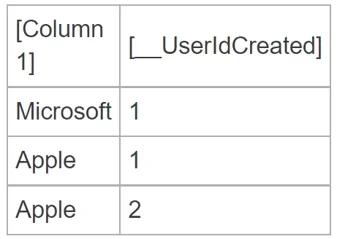
Here are some examples of valid User Access statements in Data Enrichment
The user can view rows created
In this example, the user with UserId 1 would only see the first two rows.
Example 2
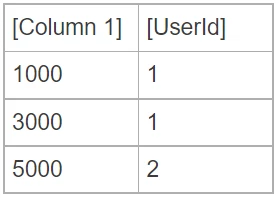
This restricts user access to only view rows where [Column 1] is less than 2500.In this example, the user with UserID 1 would only see the first row.
Example 3
The user can view rows where [UserId] in [dbo].[Table] is equal to the user's UserId and [Column 1] in exMonDM table and [Col1] in [dbo].[Table] are equal.
Example 4
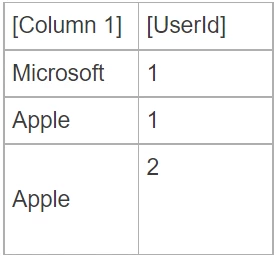
The user can view rows where [dbo].[Function] with the table's schema as a parameter returns a list including the same value as [Column 1] in the Data Enrichment table contains.
In this example, If [dbo].[Function] would return 'Microsoft', the user would only see the first row.
Example 5
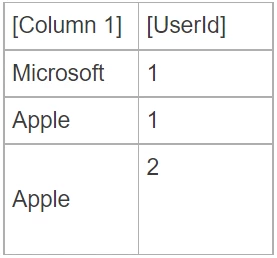
The user can view rows where [dbo].[Function] with the table's name as a parameter returns a list including the same value as [Column 1] in the Data Enrichment table contains
In this example, If [dbo].[Function] would return 'Microsoft', and the user would only see the first row.
Example 6
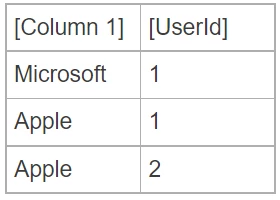
The user can view all rows where the UserId of the user is equal to the [UserId] column of a row with [Column 1].
In this example, a user with UserId 1 would see all 3 rows
Discussed in the community
Looking for related questions…
Didn't find your answer? Ask the community about this page — questions are answered by Timextender experts, partners and other users.