View Audit
Data interaction is stored in an Audit Log. There are two different Audit Levels.
- Normal Audit - Keep audit of changes but no information about data. Changes are logged to a central Audit table.
- Full Audit - Keep a full audit of all changes with data. A separate Audit table is created for each table.
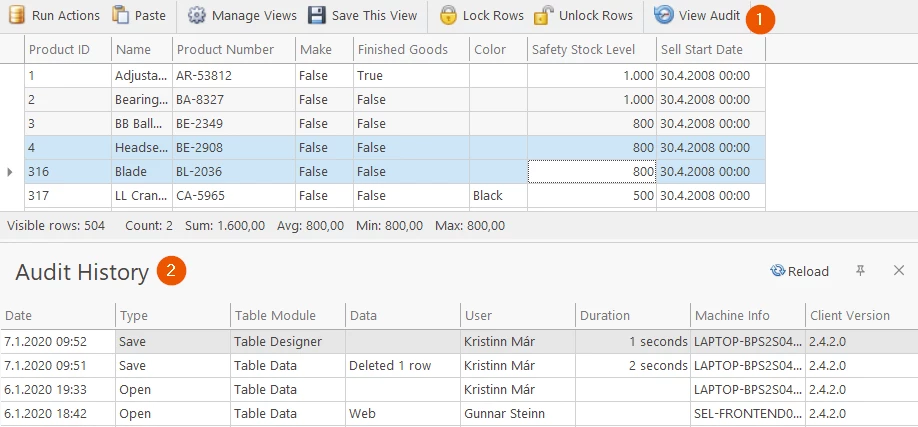
Viewing Normal Audit in the Audit Log
- Click on View Audit
- The audit will appear in a table, similar to the one below
Full Audit
The Information for Full audit data changes can only be viewed from the database.
Discussed in the community
Looking for related questions…
Didn't find your answer? Ask the community about this page — questions are answered by Timextender experts, partners and other users.