Extract Data from SharePoint Lists
Prerequisites
Create an Azure App Registration
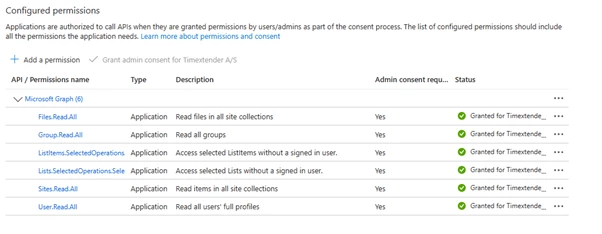
The App Registration should use the Microsoft Graph API with the following permissions:
Finding the List ID
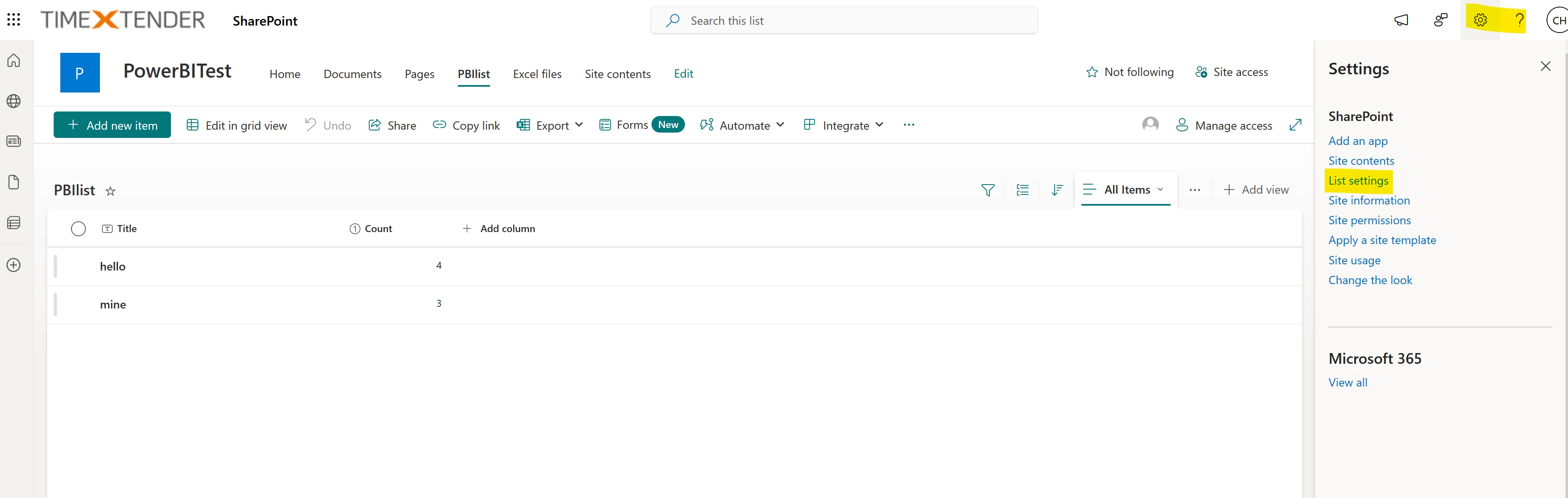
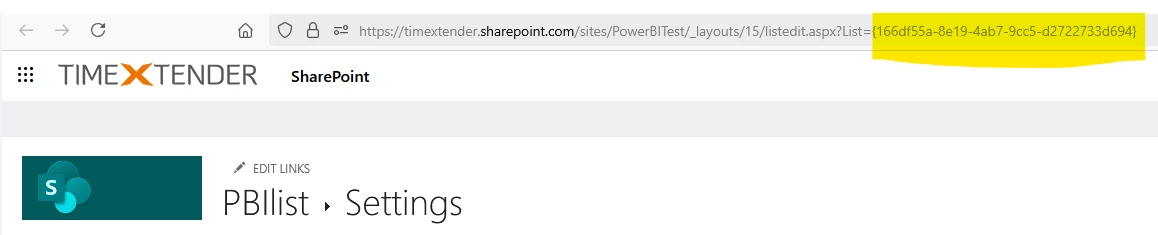
Use Postman to find the Site ID. Use the Site ID to find the List ID. You can find these by using Postman and by looking at the Graph API collection Graph Fork. You can use the app to connect to this and locate the SharePoint folder under Application. In there you have two requests, https://graph.microsoft.com/v1.0/sites and https://graph.microsoft.com/v1.0/sites/{{SiteID}}/lists. Use sites to find the site ID and use the SiteID to find the List ID. You can also find the ListID by navigating to the SharePoint list and then clicking List settings and then copying the ListID from the URL
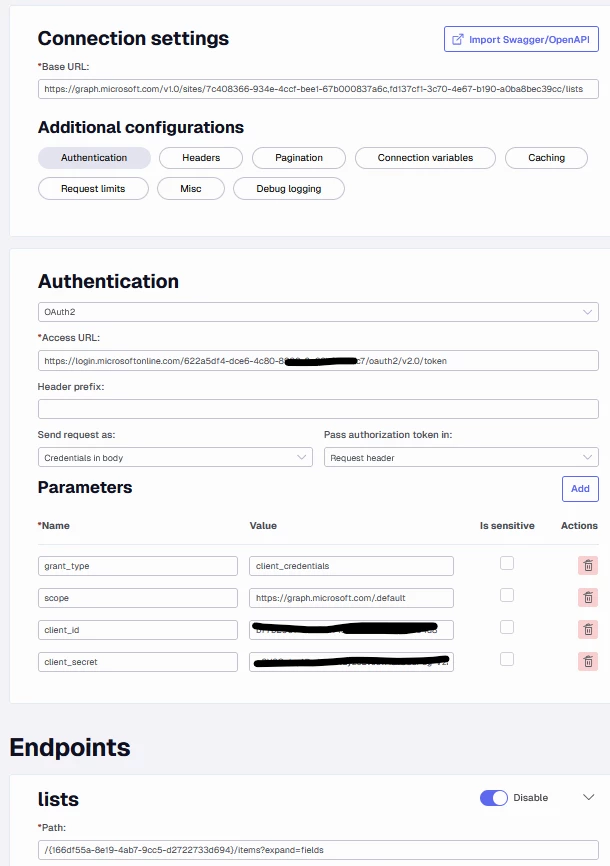
Use the Timextender REST data source connection

Connection Settings
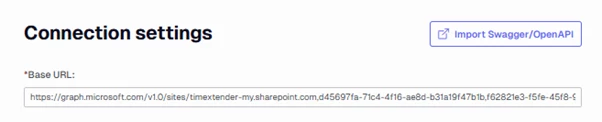
Use the following Base URL (where {{SiteID}} is the Site ID found in Postman):
https://graph.microsoft.com/v1.0/sites/{{SiteID}}/lists
Endpoints
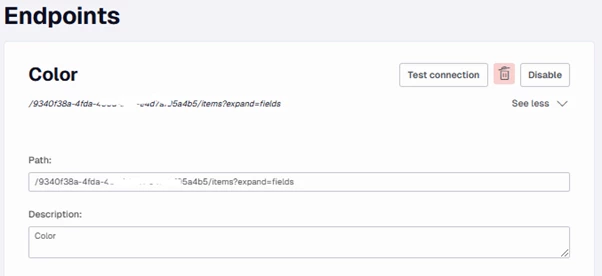
Create the endpoint using the following path (where {{ListID}} is the List ID found in Postman). If you have more than one SharePoint List, then create an Endpoint for each one.
Use the Timextender OData source connection
Connection Settings
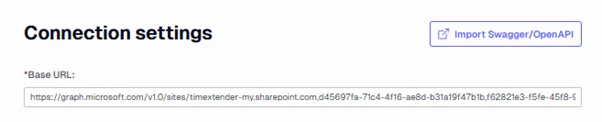
Use the following Base URL (where {{SiteID}} is the Site ID found in Postman):
https://graph.microsoft.com/v1.0/sites/{{SiteID}}/lists
Endpoints
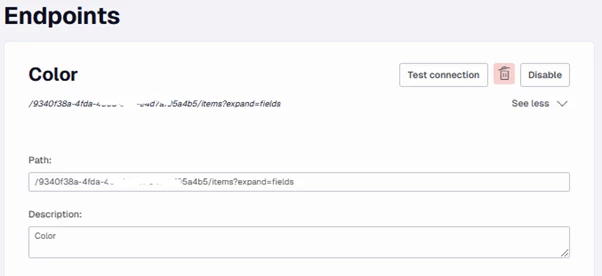
Create the endpoint using the following path (where {{ListID}} is the List ID found in Postman). If you have more than one SharePoint List then create an Endpoint for each one.
Discussed in the community
Looking for related questions…
Didn't find your answer? Ask the community about this page — questions are answered by Timextender experts, partners and other users.