How to avoid duplicates in a custom table
If you have a script that is used to fill a custom table, you may get duplicates, if you do nothing about it.
The reason it doesn't get truncated, is that there is no data transfer on a custom table.
The setup for duplicates
You have a custom table insert. It uses a select statement instead of a table Insert Into command to fill a table.
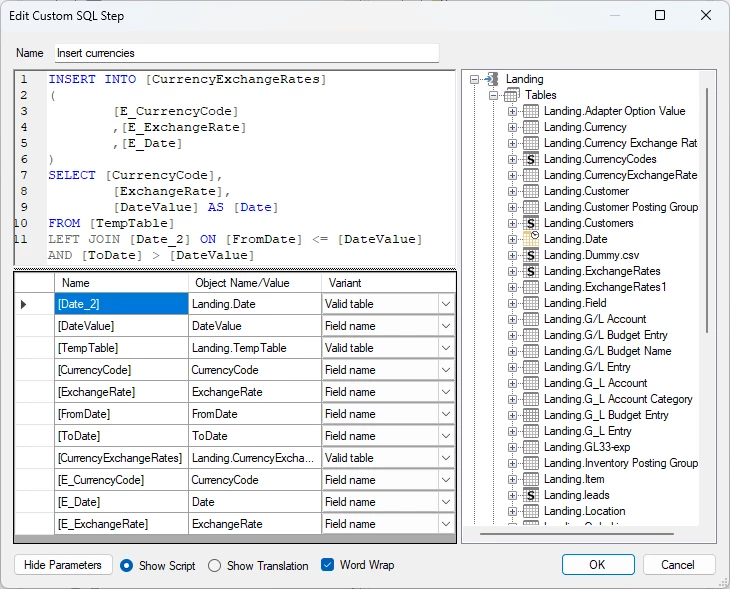
Every time you execute this the line amount doubles.
The solutions
There are three methods to fix this.
- You add a truncate [dbo].[tablename_R] as the first line of the script.
- You add a check on the table for truncation of the r table after the data cleansing.
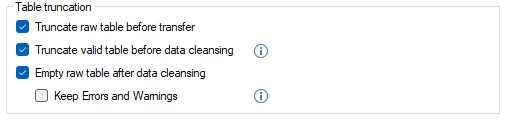
- Instead of using a custom script and then calling it as a Pre Step. You use the Custom Table Insert feature. Guide here. You use the same script as before, but remove the insert into the statement. This truncates the table.
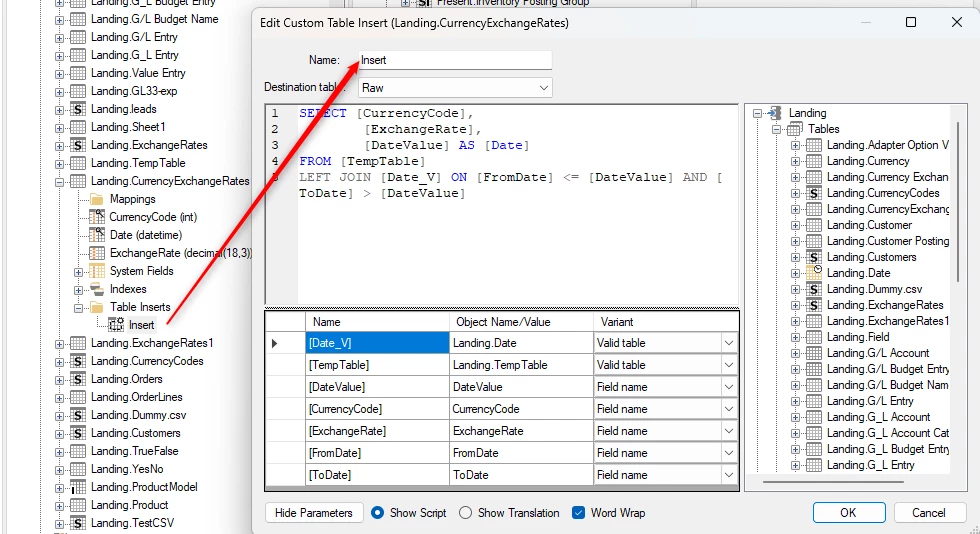
The benefit of using method 3 is that it is easy to see what the script does and what table it affects.
Discussed in the community
Looking for related questions…
Didn't find your answer? Ask the community about this page — questions are answered by Timextender experts, partners and other users.