ADF execution error: ADLS Gen2 operation failed for: Operation returned an invalid status code 'Forbidden'
Symptoms
When using ODX Server with an Azure Data Lake Gen2 storage (ADLS) and an Azure Data Factory (ADF) data source, ADF execution consistently fails with this error:
Failure
ADLS Gen2 operation failed for: Operation returned an invalid status code 'Forbidden'
Cause
Firewall is blocking ADF from reading or writing files in the Data Lake.
Resolution
- In the ADLS storage account networking options, allow access from "All networks"
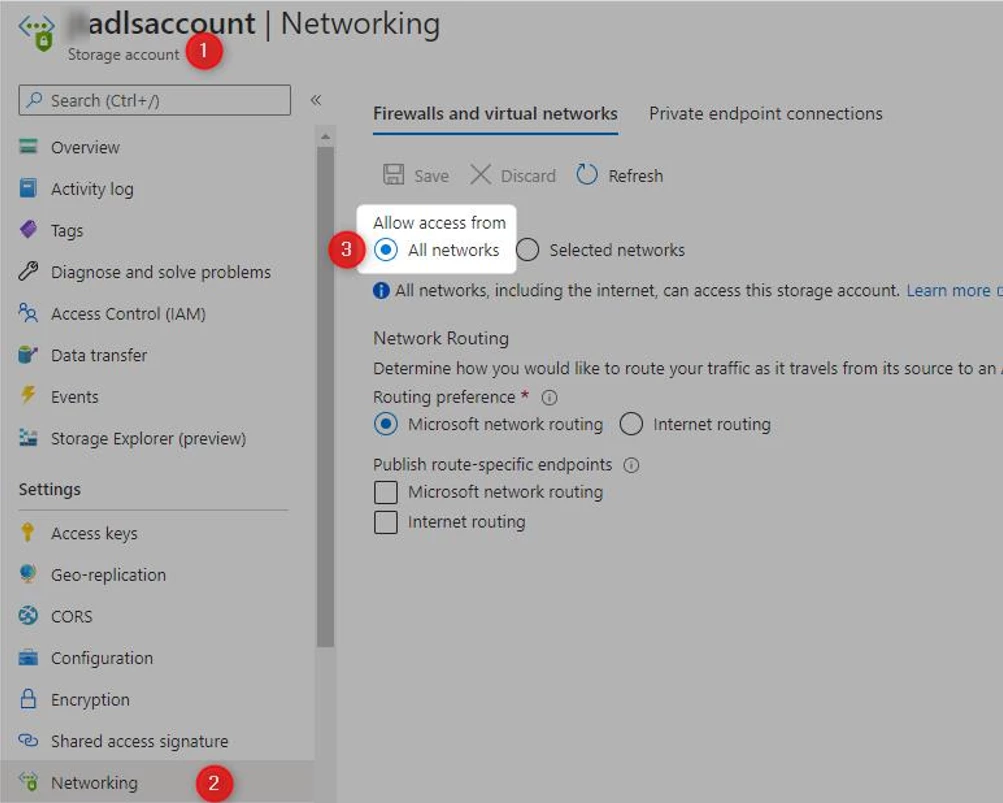
OR
- Modify firewall settings on storage account (ADLS Gen2) to allow access from ADF.
Notes
Configure Azure Storage firewalls and virtual networks | Microsoft Docs
Discussed in the community
Looking for related questions…
Didn't find your answer? Ask the community about this page — questions are answered by Timextender experts, partners and other users.