Tagging a Field
Tagging a Field
Tags can be set on fields in order to provide the basis for Prepare Instance perspectives and for the instance documentation.
When tagging a field to create data impact documentation, it is recommended to tag fields as "early" in the data flow as possible, in order for the documentation to capture the complete data journey as the data moves from its source to the endpoint.
Tags must first be created before they can be used to tag fields.
To add a new tag
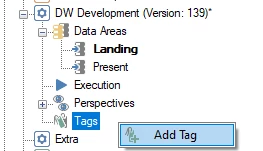
- Right click Tags in the Solution Explorer and click Add tag. Name the tag and click OK.
To add a tag to a field
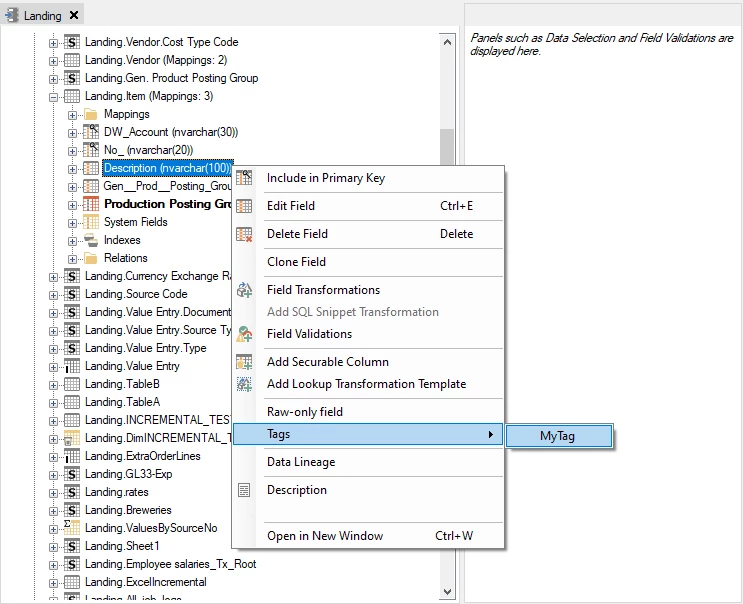
- Right click the field, click Tags and select the appropriate tag to be added to the field.
Discussed in the community
Looking for related questions…
Didn't find your answer? Ask the community about this page — questions are answered by Timextender experts, partners and other users.