 Ask the community about this page
Credits and Billing
Note
This article is about the legacy consumption pricing model, which is not available for new customers. For current pricing options, see Timextender Pricing.
This article describes how to view credit balance and track monthly usage within the Timextender Portal.
Accessing Credits and Billing in the Timextender Portal
Sign in to the Timextender Portal, and under Admin, select Credits and billing.
This page shows the current credit balance, and gives a monthly overview of usage.
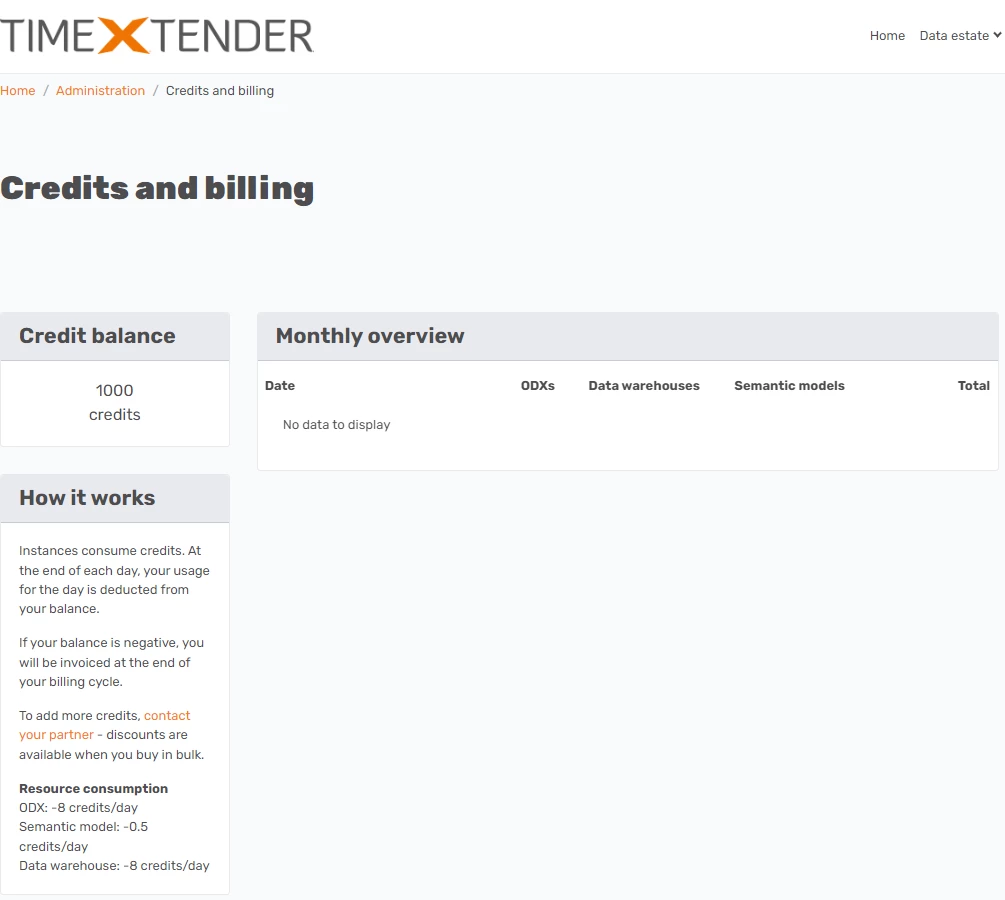
Once credits have been added, they will be shown in the credit balance.
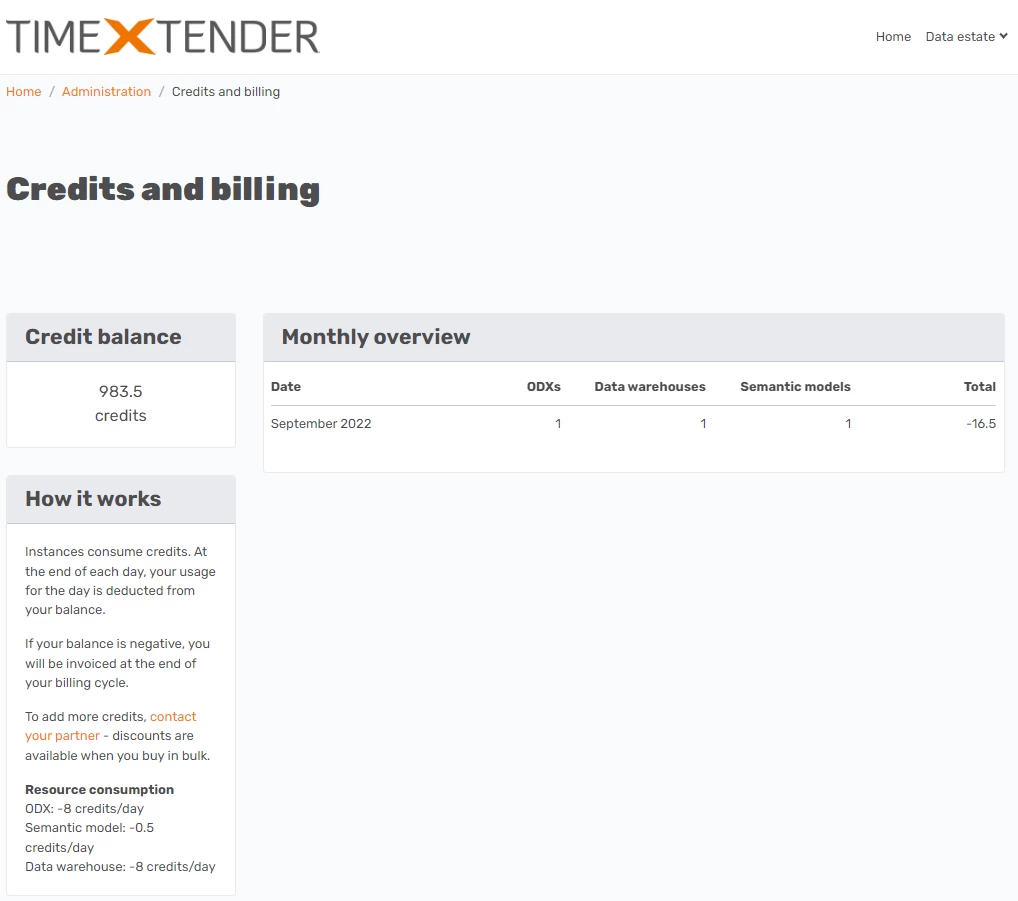
The monthly overview table shows the number of ODX, Data Warehouse and Semantic Model Instances. The Total column in the monthly overview table shows the total number of credits used throughout the month. At the end of each day, usage for the day is deducted from your balance, based on the number of instances that have been setup. If more credits are consumed, than those available, the credit balance becomes negative, and you will be invoiced at the end of your billing cycle.
Example
If 1000 credits were added on day 0 of usage, the Credits and billing page shows the following. I then add 3 instances (1 ODX, 1 Data Warehouse and 1 Semantic Model instance).
After 1 day of usage of my 3 instances (1 ODX, 1 Data Warehouse and 1 Semantic Model instance), the Credits and billing pages shows the following. The credit balance has fallen from 1000 to 983.5 credits, as a total of 16.5 credits were used during the first day of usage. During the first day, 8 credits were used for my ODX instance, 8 credits were used for my Data Warehouse instance, and 0.5 credits were used for my Semantic Model instance.
Discussed in the community
Looking for related questions…
Didn't find your answer? Ask the community about this page — questions are answered by Timextender experts, partners and other users.