Restore an instance
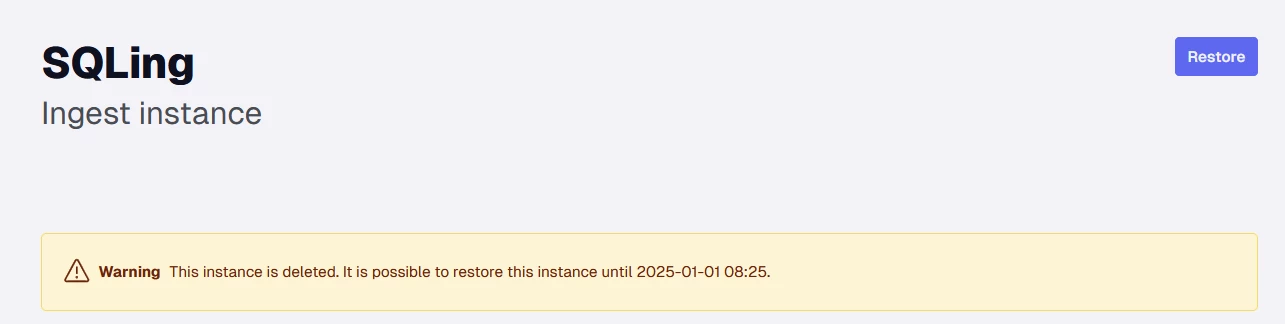
Deleting instances is now done using soft deletes. This means you can now restore a deleted instance for up to 30 days after deletion. The instance will be permanently deleted after 30 days, at which point any data source connections that are mapped to the deleted instances will also be permanently deleted.
Restoring an instance
- Navigate to instances in the portal
- Click Show deleted instances

- The instances that have been deleted are shown with exclamation mark (!)
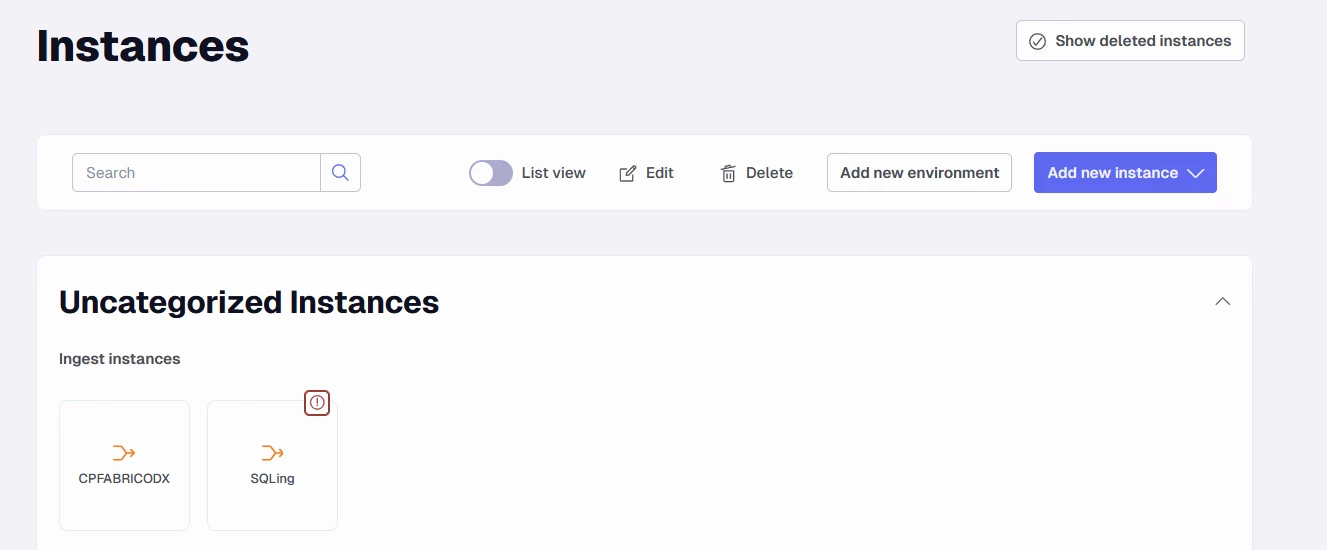
- Click on a deleted instance
- Click Restore
Discussed in the community
Looking for related questions…
Didn't find your answer? Ask the community about this page — questions are answered by Timextender experts, partners and other users.