 Ask the community about this page
Calculation Groups
Info
Released in Timextender Data Integration 6505.1
Use Calculation Groups to speed up development of measures in Power BI and Tabular endpoints for Deliver instances. This is particularly useful for time intelligence measures, for example simply create one Calculation Group Item to calculate the last year values for all other measures. For more information on Calculation Groups, see the following documentation:
Prerequisites
Calculation Groups are only visible in the when Tabular and/or Power BI Premium are selected in the the model. To setup Calculation Groups:
- Right-click on the Deliver instance model and select Deliver Instance Settings
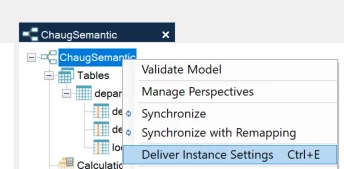
- Ensure that Tabular and/or Power BI Premium are selected
Note
For Tabular it will only be applied on deployment when Deployment Target is set to Automatic or Universal and the target Analysis Services is version 2019 or above
Adding Calculation Groups
- Add measures to be used in Calculation Group Items
- Right-click on Calculation Groups in the Deliver Instance and select Add Calculation Group
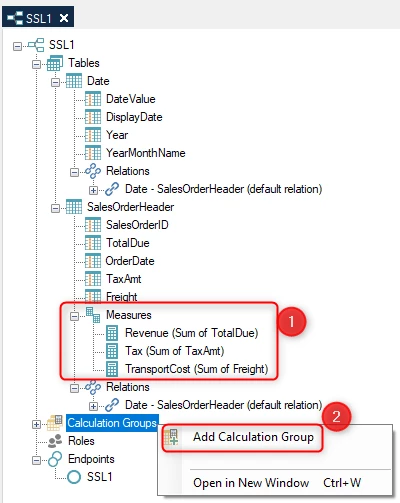
- Provide a name for the Calculation Group and click OK
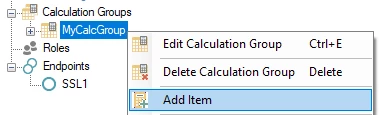
- Right-click on the Calculation Group and click Add Item
- Create an Item by following the steps below: - Select the relevant endpoint - Enter the formula in the Script section - Map the necessary parameters - Click OK
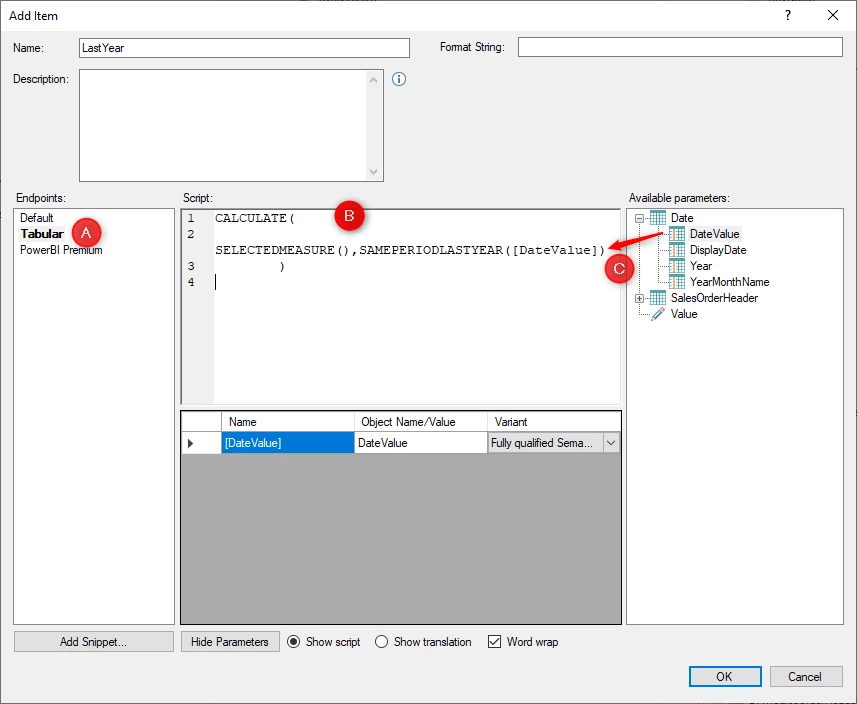
- Deploy and execute the Deliver Instance
Columns within Calculation Groups
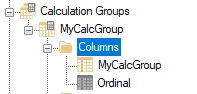
A calculation group will by default be set up with two columns. One column with the same name as the calculation group and an Ordinal column. The Ordinal column is hidden by default. The Ordinal column is used to order the items in the calculation group. Ordering of items is determined by the order set in the Deliver instance
Using Calculation Groups in Perspectives
Calculation Groups can be part of SSAS Perspectives. The Calculation Group precedence is calculated from the order of the Calculation Groups within the Deliver instance. Calculation Groups can be reordered within the Deliver instance using drag-and-drop.
Discussed in the community
Looking for related questions…
Didn't find your answer? Ask the community about this page — questions are answered by Timextender experts, partners and other users.