Filtering on endpoint name using deliver instance variables
Use deliver instance endpoint name variable, in combination with data selection rules, to perform different data selections for different endpoints in the same deliver instance. This way, each department can get their own endpoint with a subset of data relevant to their division. This can help improve load performance, report performance and help manage costs by keeping individual models smaller. This also helps avoid creating multiple deliver instances for different departments.
How to filter use data selection rules for specific endpoints
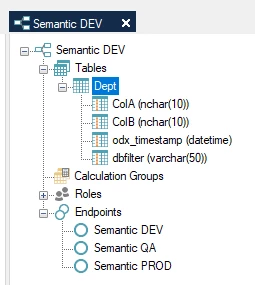
- Create a Deliver instance with multiple endpoints
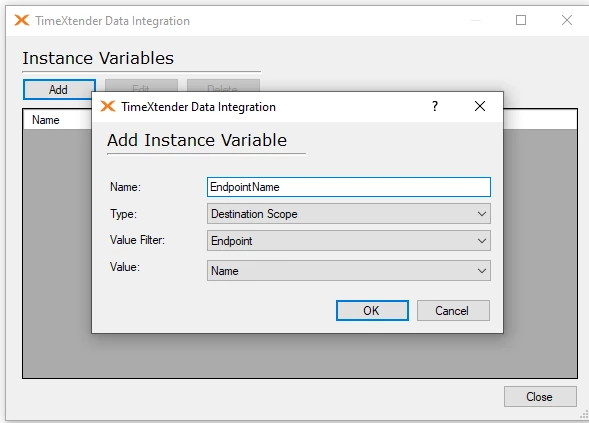
- Close all instances in Timextender Data Integration and then open the Deliver instance in Timextender Data Integration and click Tools > Instance Variables. Then click Add, and add an instance variable of type Destination Scope, setting the Value Filter to Endpoint and setting the Value to Name. Then click OK and close.
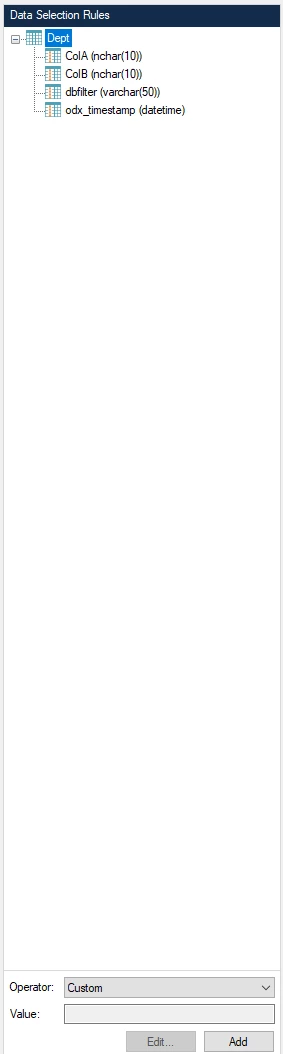
- Right-click the table you would like to create filter on and select Add Data Selection Rule. Then click on the table name in the right-hand Data Selection rule pane, and ensure Custom is selected as the operator and then click Add.
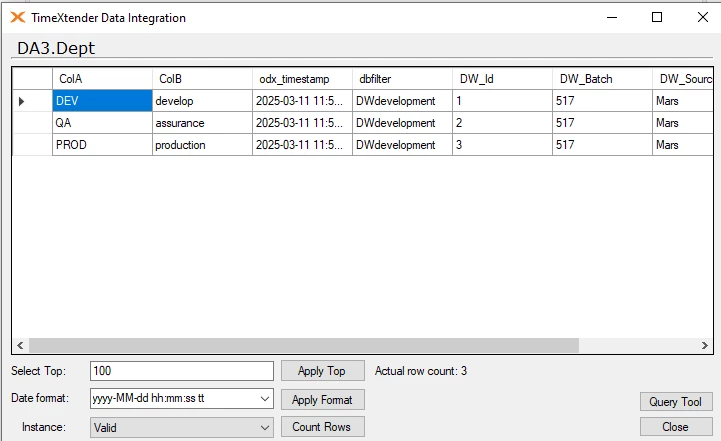
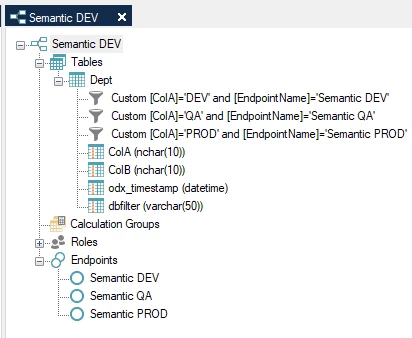
- Add the data selection rule. In my case I have 3 records in my table and would like Semantic DEV endpoint to only show the first record, Semantic QA endpoint to only show the second record and Semantic PROD to only show the third record. Therefore I add 3 separate custom data selection rules.
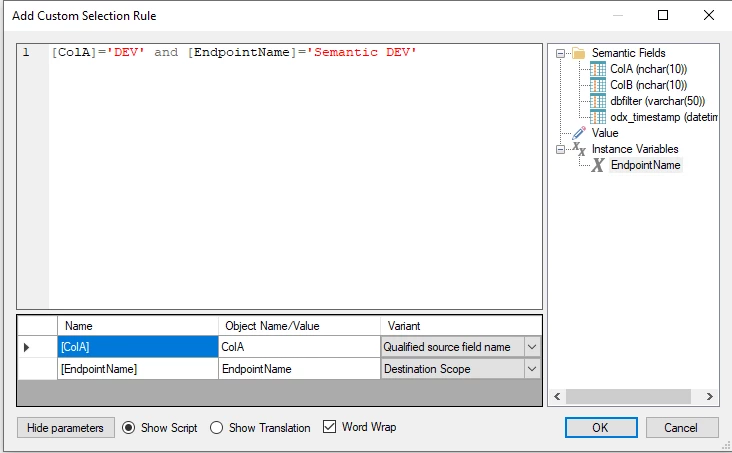
- Drag the column you would like to filter on from the right, and enter the value to filter on. Also, drag in the Endpoint Name instance variable, and enter the name of the endpoint you would like to filter on.
- Repeat this process for the other endpoints
- Then deploy and execute the deliver instance
The outcome
The end result is 3 endpoints, in my case SSAS tabular models, that each contain a subset of data from the deliver instance.
Discussed in the community
Looking for related questions…
Didn't find your answer? Ask the community about this page — questions are answered by Timextender experts, partners and other users.