Error: The locale id of the source column and the locale id of the destination column do not match
Symptoms
Executing a data area table results in an error message.
Failure
The locale id '####' of the source column '<ColumnName>' and the locale id '####' of the destination column '<ColumnName>' do not match.
Cause
There are two potential causes for this error:
- The database used for the Prepare instance and one or more of the source databases are using different collation options. Check the collation settings in SSMS to verify whether this is the case.
- A numeric field is being converted to a text field, and you are using the Ingest Instance SQL storage.
Resolution
Depending on the cause above, the error can be resolved by:
- Change the collation of the databases so that they match each other. Alternatively change the collation of the problematic columns within the database. Alternatively create a custom view specifying the collation.
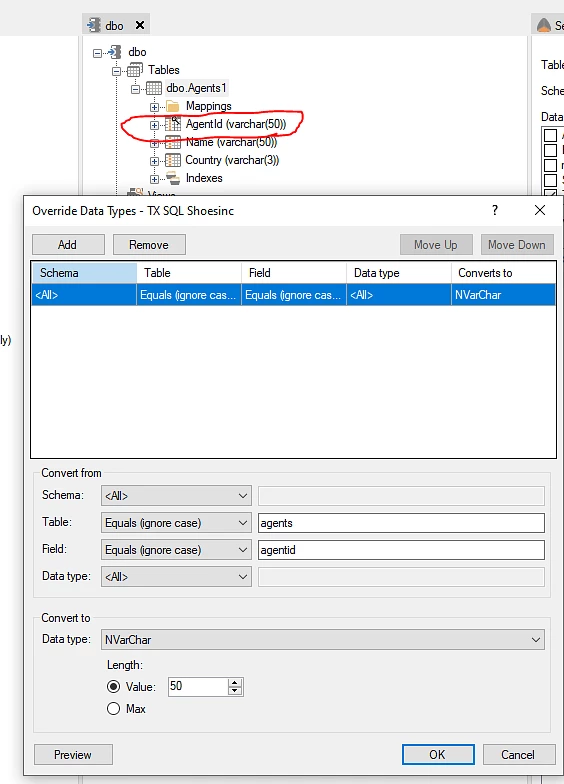
- Use a data type override for the relevant numeric column in the Ingest Instance data source similar to below in order to convert the numeric field to text prior to bringing it into your data area.
Discussed in the community
Looking for related questions…
Didn't find your answer? Ask the community about this page — questions are answered by Timextender experts, partners and other users.