How to add usage conditions to an execution package in Timextender Classic
In Timextender, you can add conditions to execution packages. These conditions must be based on a project variable. A common example we will use to illustrate this feature is preventing a nightly load from running in the development environment.
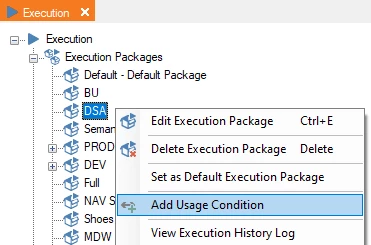
- To add the condition, right-click on the execution package and select Add Usage Condition.
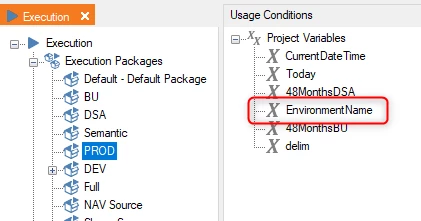
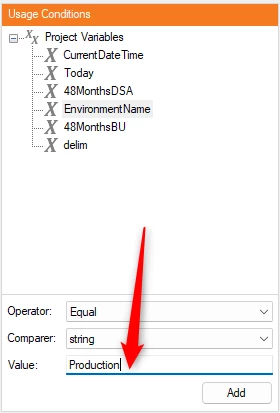
- Select the project variable you want to use from the list of project variables.
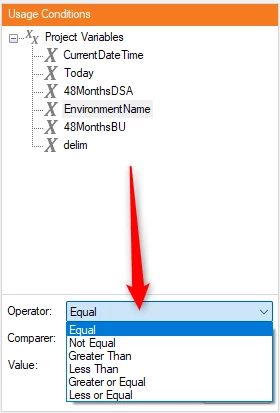
- Select the comparison you want to use from the Operator dropdown. In this case, we'll use NotEqual.
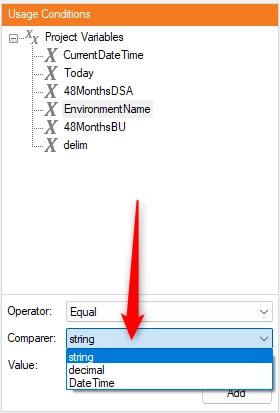
- Select the data type of your project variable from the Comparer dropdown. Because EnvironmentName is text, we'll use String.
- In Value, we'll type in the name of the environment we want to prevent the package from running in.
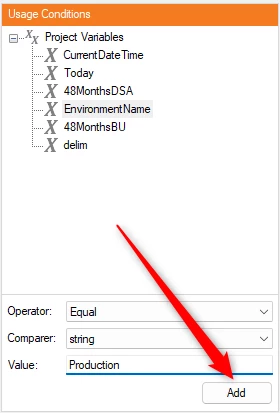
- Click Add to create the usage condition.
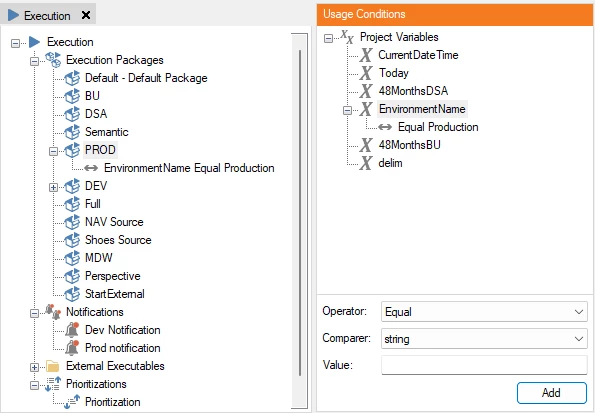
- Now you can see the rule applied on the condition in the Usage Conditions area and under the execution package itself
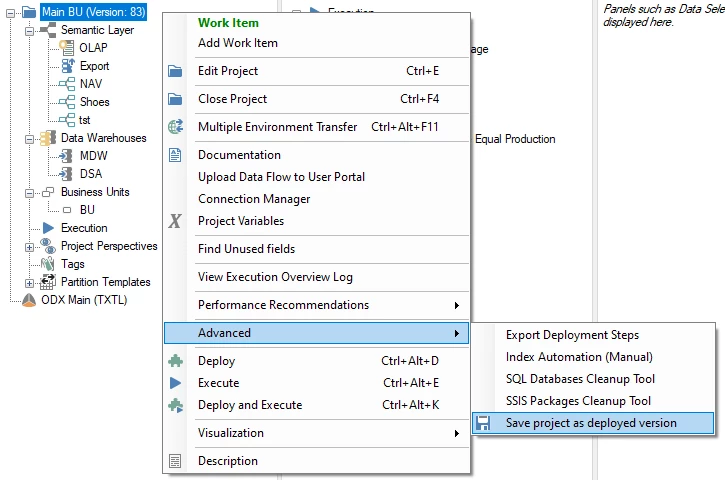
- Be sure to save your project as a deployed version for the changes to take effect.
Discussed in the community
Looking for related questions…
Didn't find your answer? Ask the community about this page — questions are answered by Timextender experts, partners and other users.