Dedicated SQL pool as a SQL data source in Business Units in Timextender Classic
When connecting to a Dedicated SQL pool SQL database using a standard SQL data source provider, you may experience some issues.
Symptoms
You are attempting to connect to Synapse Serverless as a Business Unit data source using a SQL Server provider.
On first glance, it would seem like it works.
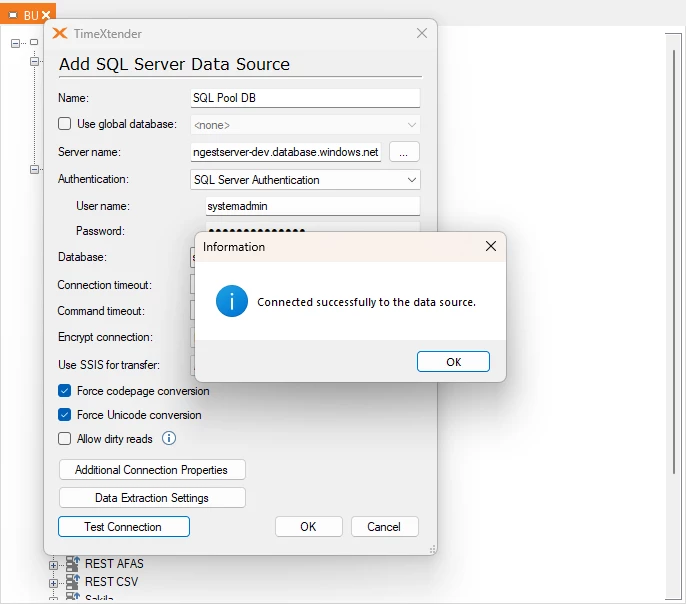
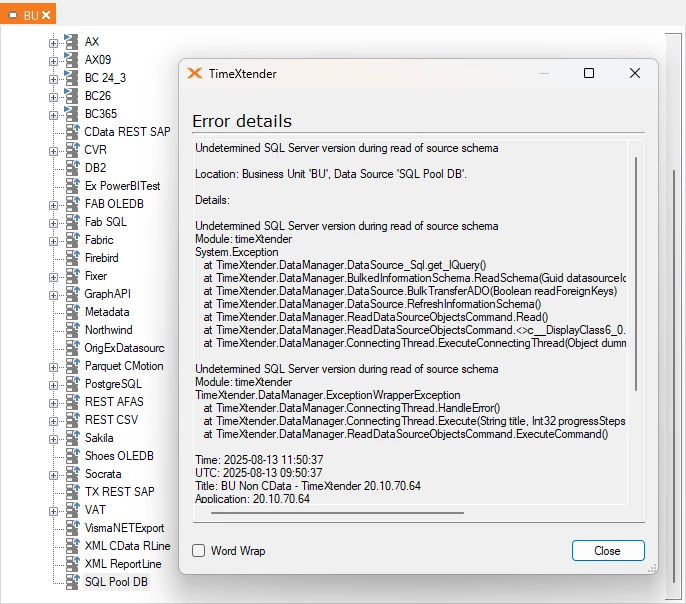
When synchronizing, you receive the following error:
Cause
The problem is due to not being able to determine the SQL server version.
Resolution
Create an Any Source ADO.NET data source with the provider set to SQLClient.
Or convert the SQL data source to an Any Source ADO.NET data source with the provider set to SQLClient.
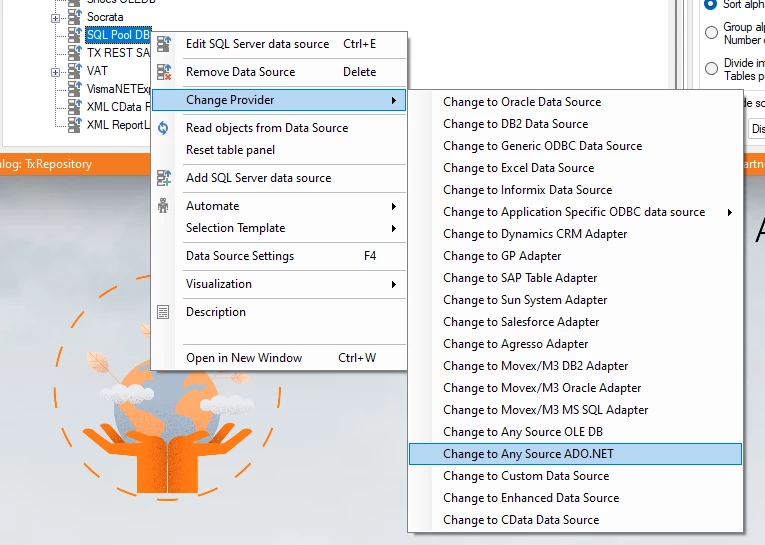
Following this, the procedure is the same for both methods.
Here is the setup.
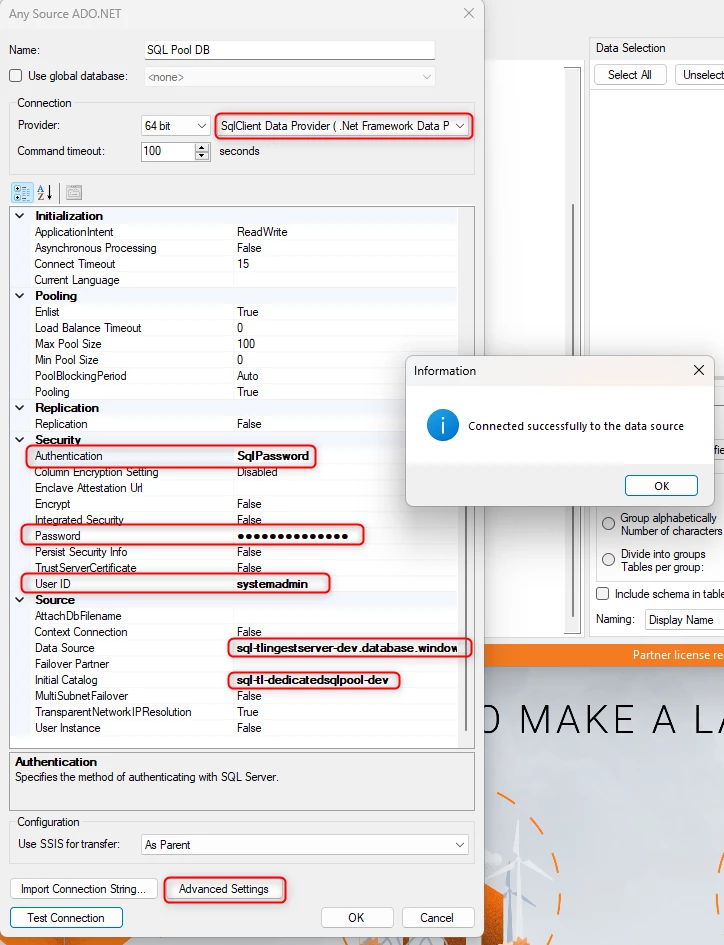
Also, if you remove some fields from the source view, the next "Synchronize Data Source" will reflect those changes in your data source and staging table as well.
In this case, I also wanted to filter on a specific schema, so I only got the tables affiliated with that. So I opened Advanced Settings and made the following rule.
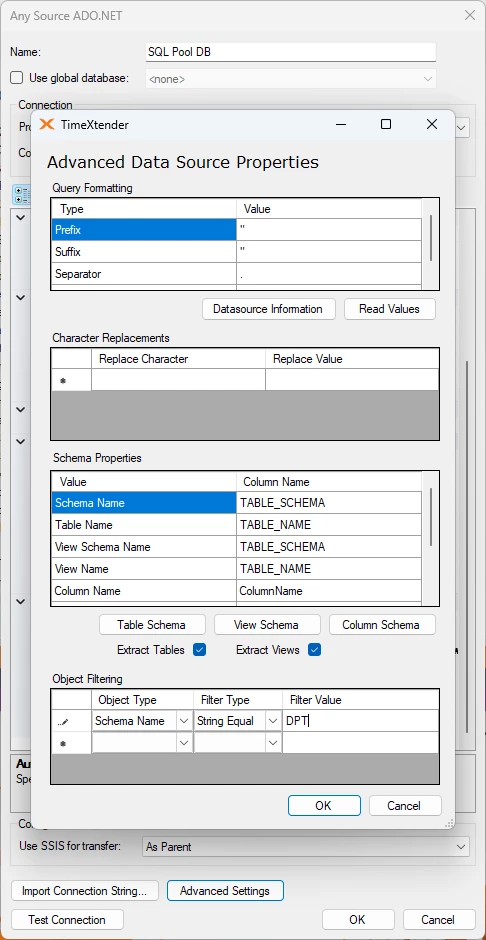
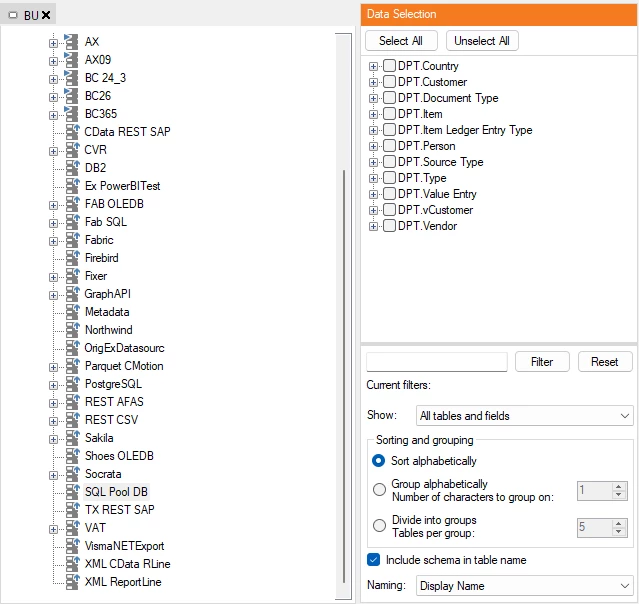
With this change or addition, I can easily connect to the Dedicated SQL Pool tables.
Discussed in the community
Looking for related questions…
Didn't find your answer? Ask the community about this page — questions are answered by Timextender experts, partners and other users.