Web - Integration with Microsoft Teams
We have optimized the Data Enrichment web experience so that you can easily integrate your data within Teams and have relevant data at your fingertips.
Step 1
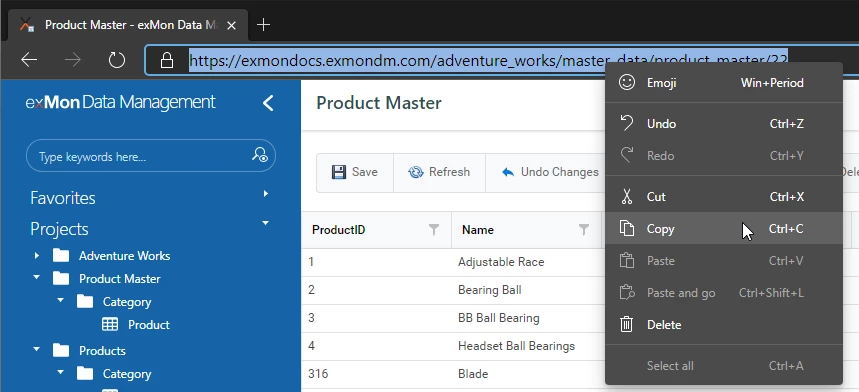
Browse to the specific view in Data Enrichment you want to add to Microsoft Teams and copy the URL.
Step 2
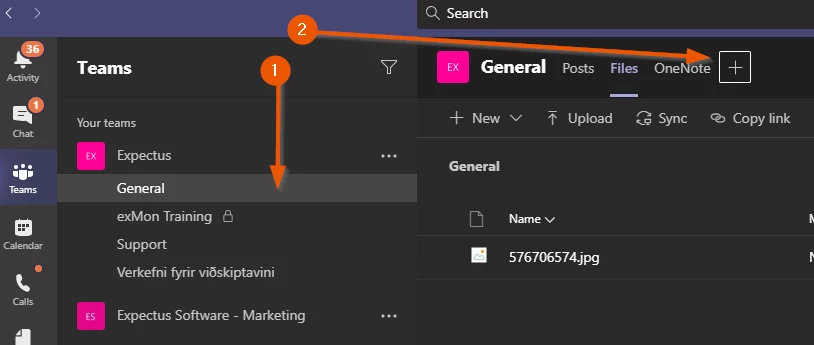
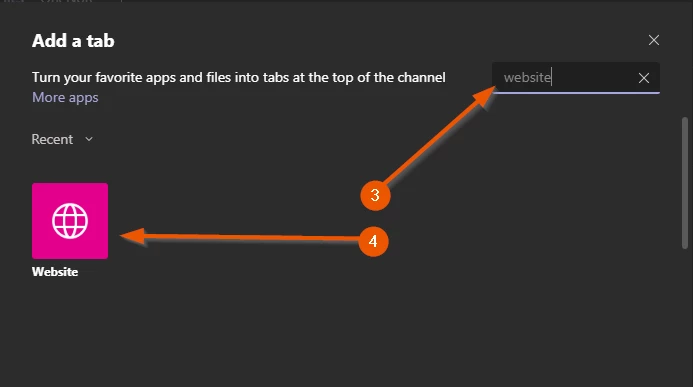
In Microsoft Teams, open the desired Channel (1) and click + to add a new tab (2). Then select Website (3-4)
Step 3
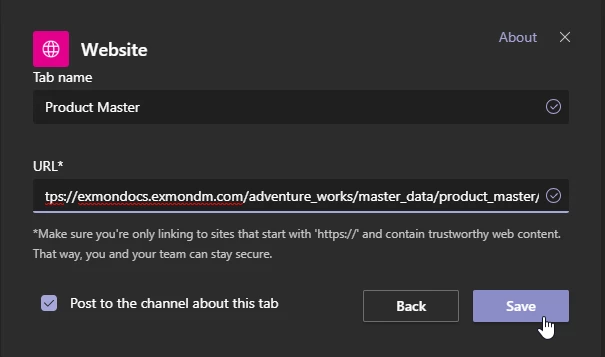
Paste the URL you copied in step 1
Step 4
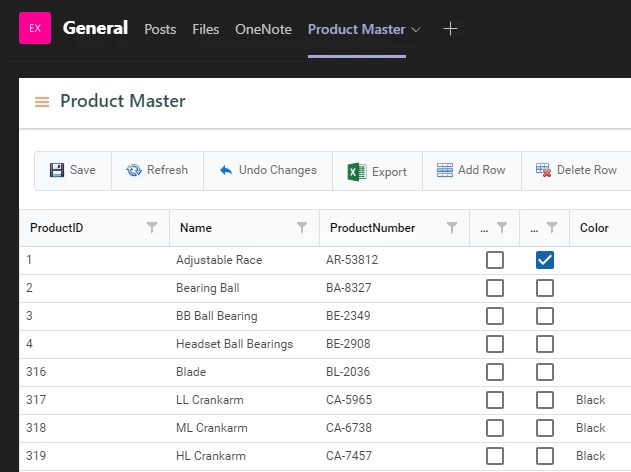
That's it! Now your data is integrated with your workflow.
The first time you open the tab you will be asked to log in (which is seamless with our Azure AD integration)
Discussed in the community
Looking for related questions…
Didn't find your answer? Ask the community about this page — questions are answered by Timextender experts, partners and other users.