Download Data Enrichment
Here are a few different methods to install new versions of Data Enrichment onto your computer.
Download from the web
If your organization has enabled Timextender DE Web client, you can download the Windows client from the web.
- Login to the web client by visiting: https://login.timextender.com/
- Click on your user name in the top right corner and click "Download Timextender DE Client"
Invitation email
When someone invites you to Timextender DE, you will receive an email with a download link to the Timextender DE client.
A Timextender DE administrator can resend you an invite when needed.
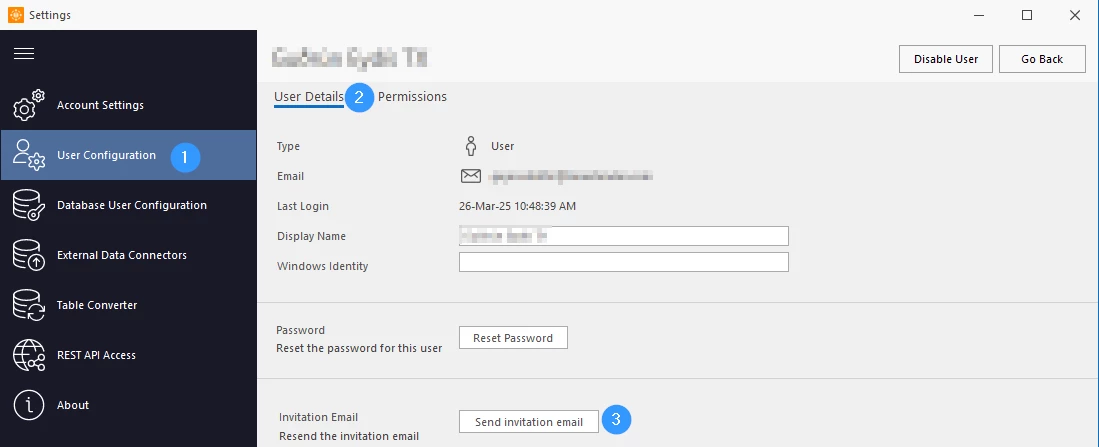
- Click the Settings button
- Select "User Configuration", select the appropriate user and click "Resend invitation email"
Copy download link
If you have access to Timextender Data Enrichment on another computer you can copy a link to the installer within Timextender DE
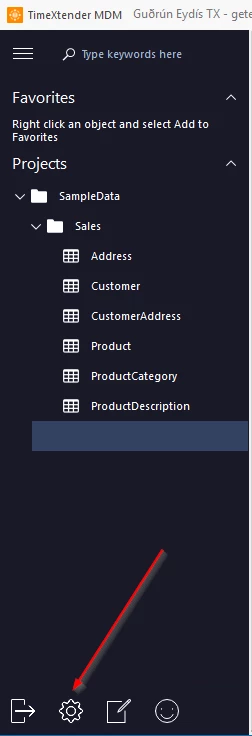
- Click Settings
- Select About and click "Download Timextender DE" and "Copy setup file to Clipboard"
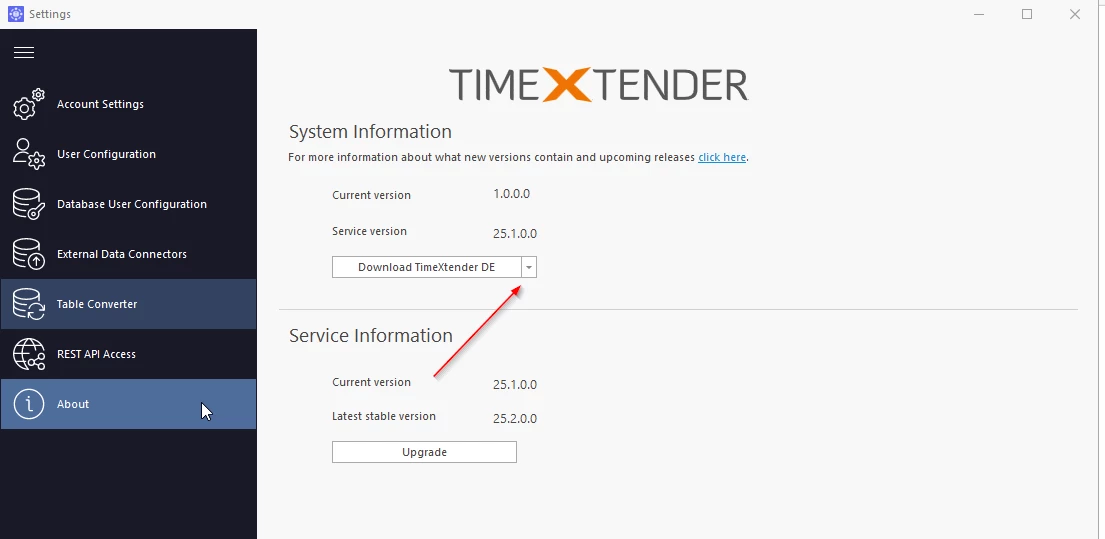
Now you have the path to the setup file on your clipboard and can either send a link to your colleague or open the link in your preferred browser to download.
Note
If you downloaded an incorrect version, Timextender will help you downgrade to the correct version.
Discussed in the community
Looking for related questions…
Didn't find your answer? Ask the community about this page — questions are answered by Timextender experts, partners and other users.