Edit vs Select Mode in Data Enrichment
In this article, you are going to read the difference between Edit and Select mode in Data Enrichment. The default interaction Mode is Edit. It is possible to do changes to multiple Rows of data using Selection Mode.
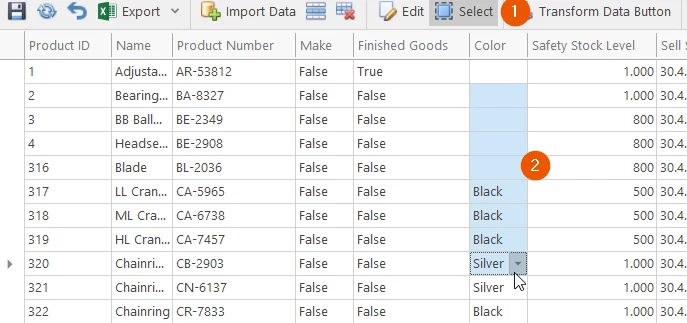
Select Multiple Cells within a Column
- To enable Select Mode click on the Select Mode on the Home Tab.
- You can now select multiple cells by holding Shift and Clicking top and bottom cell
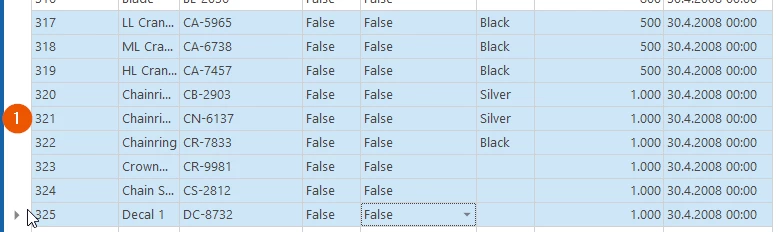
Select Multiple Rows
- To copy or Delete Multiple Rows, you can select the rows by Clicking on the left side of the Table in front of the Row and selecting Multiple by Shift+Clicking on top and bottom.
Discussed in the community
Looking for related questions…
Didn't find your answer? Ask the community about this page — questions are answered by Timextender experts, partners and other users.