Lock / Unlock Rows in Data Enrichment
In this article, you will learn how to lock and unlock rows in Data Enrichment, for editing. If a Row is locked Users can not change the row until it has been Unlocked. This can be particularly helpful when working in teams with different levels of access between participants.
Note
Locking or Unlocking a Row can only be performed if you have Administrator privileges to a Table.
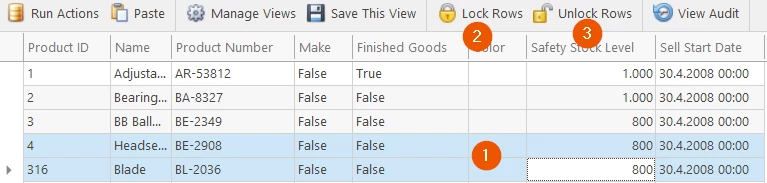
To Lock or Unlock a Row:
- Select one or multiple Rows (Ctrl+Click)
- Click the Lock
- or Unlock Button
Discussed in the community
Looking for related questions…
Didn't find your answer? Ask the community about this page — questions are answered by Timextender experts, partners and other users.