Ensure all Timextender Orchestration & Data Quality users are enabled in Active Directory
In this article, we will query to ensure all Timextender Orchestration & Data Quality users are enabled in Active Directory. You can utilise Timextender Orchestration & Data Quality to ensure all your users are active users in your corporate Active Directory.
Add Active Directory PowerShell support
To query Active Directory with PowerShell you will need to add the necessary support. Here you can find out how to configure it.
Configure the test
- Create a new Compare Query in Timextender Orchestration & Data Quality by right-clicking the Tests folder
- In the left query select the PowerShell Data Provider and add the following PowerShell script:
import-module activedirectory
$exMonResult = Get-ADUser -Filter {Enabled -eq $false} | exMon-Out-DataTable
declare @domain varchar(20)
set @domain = 'EXPECTUS'

select distinct
    substring(ad_name, len(@domain)+2, len(ad_name)) as ad_username
from dbo.c_user

- Create a column mapping where the usernames are the keys and the name is an information column so it's easier to recognize the user.

- Configure exception manager and schedule as usual.
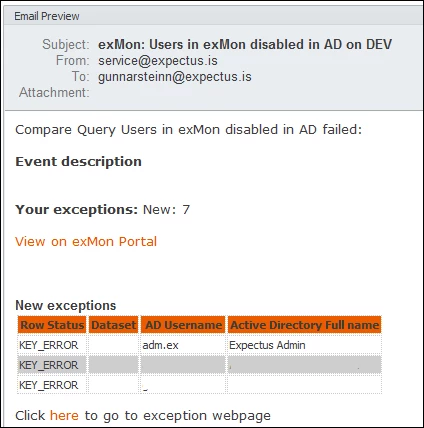
Running the Preview will show you the results:
Discussed in the community
Looking for related questions…
Didn't find your answer? Ask the community about this page — questions are answered by Timextender experts, partners and other users.