Hiding exception data in email notifications
In this article, you will read about hiding exception data in email notifications. This is sometimes necessary when monitoring sensitive company data you do not want to send via email.
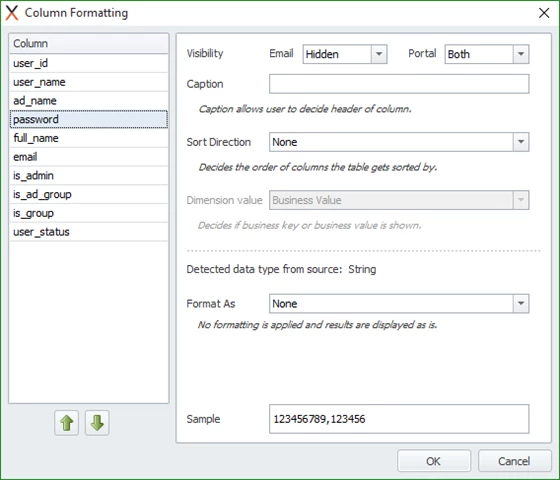
In those cases, the user can hide it through the column formatting however, Timextender Data Quality offers the option to hide the data in emails and/or on the portal. Therefore, you can hide sensitive columns only in the email, and work on the exceptions that are raised in the portal.
For sensitive data, it may be advisable to read about Clearing old exceptions
Discussed in the community
Looking for related questions…
Didn't find your answer? Ask the community about this page — questions are answered by Timextender experts, partners and other users.