Timextender Orchestration Process Maps
In this article, you will read about Timextender Orchestration Process Maps and how they can be a useful tool for you to visualize the overview movement of your data. Process maps help in meetings or other demonstrations when opening the Portal is either impossible or not recommended. For this purpose, you can download an image of the process map to use.
When we open up the process map, the address bar will look similar to the one in the picture below.
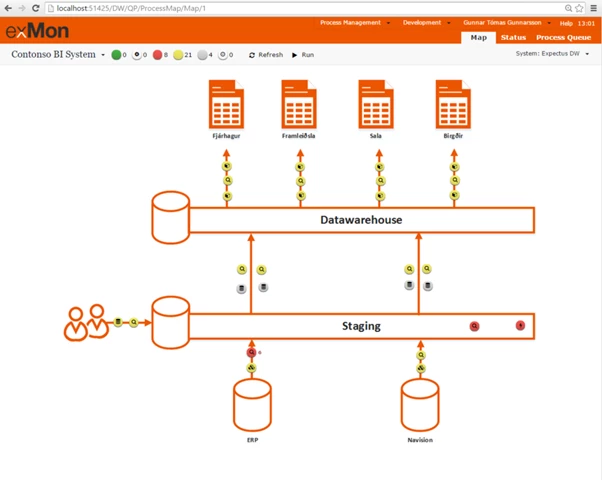
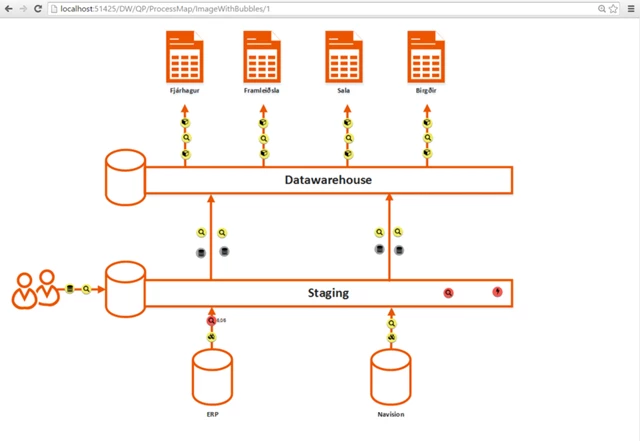
To get only an image of the process map, you need to change the part of the address bar that says “Map” to “ImageWithBubbles”. As a result, instead of an interactive process map, you get an image which you can save to your computer with the method recommended by your browser.
Discussed in the community
Looking for related questions…
Didn't find your answer? Ask the community about this page — questions are answered by Timextender experts, partners and other users.