How to test SMTP configuration in Timextender Orchestration and Data Quality
In this article, you will read about how to test SMTP configuration in Timextender Orchestration and Data Quality.
Worked example
- Open Timextender Orchestration and Data Quality
- Right-click on the Timextender Orchestration and Data Quality icon, then right-click on Timextender Orchestration and Data Quality
- Select Properties
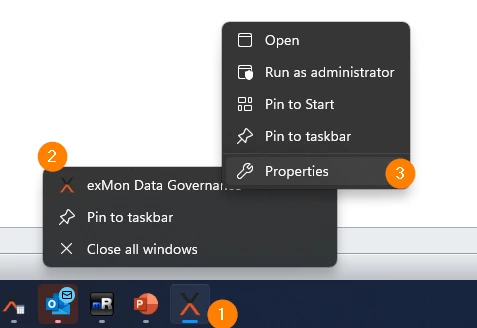
- Select the General tab
- Copy the Location path
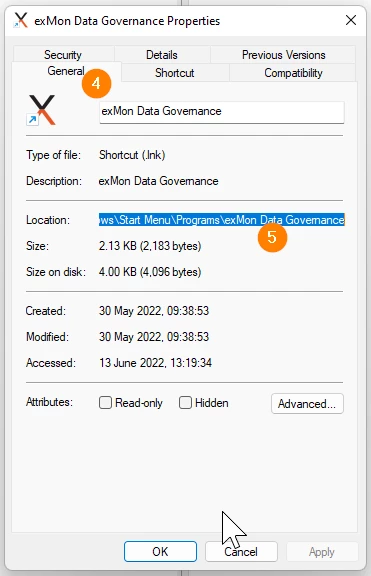
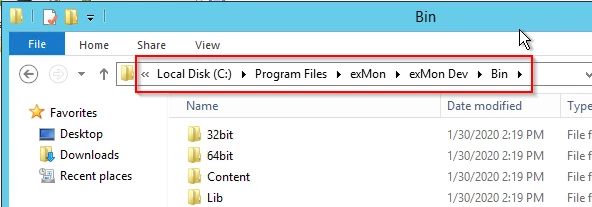
- Open File Explorer and paste in the Location Path
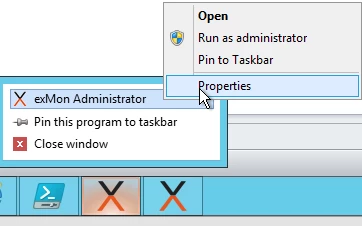
- The path can be found by right-clicking on Timextender Orchestration and Data Quality in taskbar and right-clicking again on Timextender Orchestration and Data Quality Administrator in the popup, then selecting Properties like this
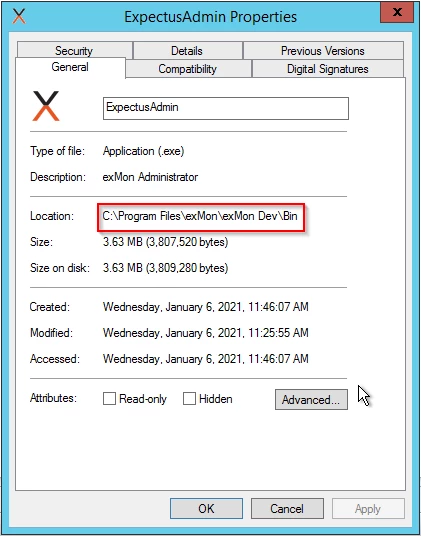
- When you have your path, enter it in folder explorer:
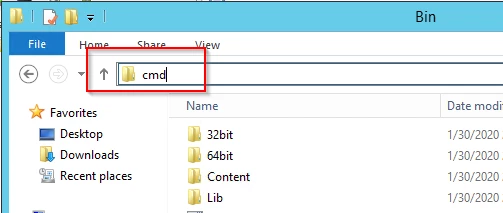
- Then type cmd in the path and press enter:
-
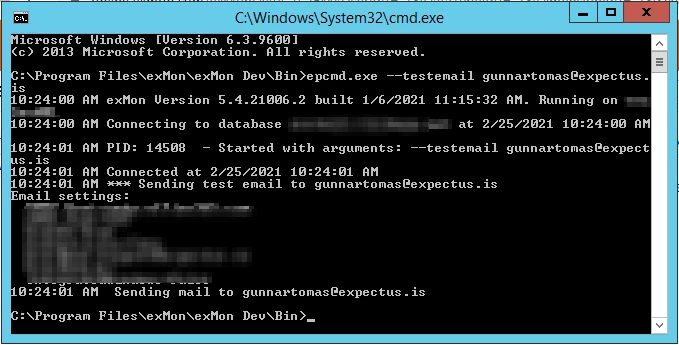
Now you have the command line open and you can type the following to test your SMTP configuration:
Discussed in the community
Looking for related questions…
Didn't find your answer? Ask the community about this page — questions are answered by Timextender experts, partners and other users.