Create an Azure PowerShell package
An Azure PowerShell package runs a PowerShell script with the Az module inside an Azure context that the package sets up for you. Use it for the Azure housekeeping that has no purpose-built package type — tagging resources after a load, checking a storage account, calling an Azure API that nothing else covers.
Azure PowerShell or PowerShell?
Searching the picker for PowerShell returns two types. Azure PowerShell — this page —
authenticates to Azure for you from a data provider and hands the script an Azure context.
PowerShell runs a plain script with no credential and no
Azure involvement.
If your script does not touch Azure, use the plain type: it needs no data provider.
What the package gives your script
Two variables, supplied from what you select in the editor:
| Variable | Contains |
|---|---|
$subscriptionId |
The id of the selected subscription |
$resourceGroupName |
The name of the selected resource group |
And, more importantly, authentication. The engine signs in using the data provider's service principal before your script runs, so the script starts already connected.
The script must not sign in itself
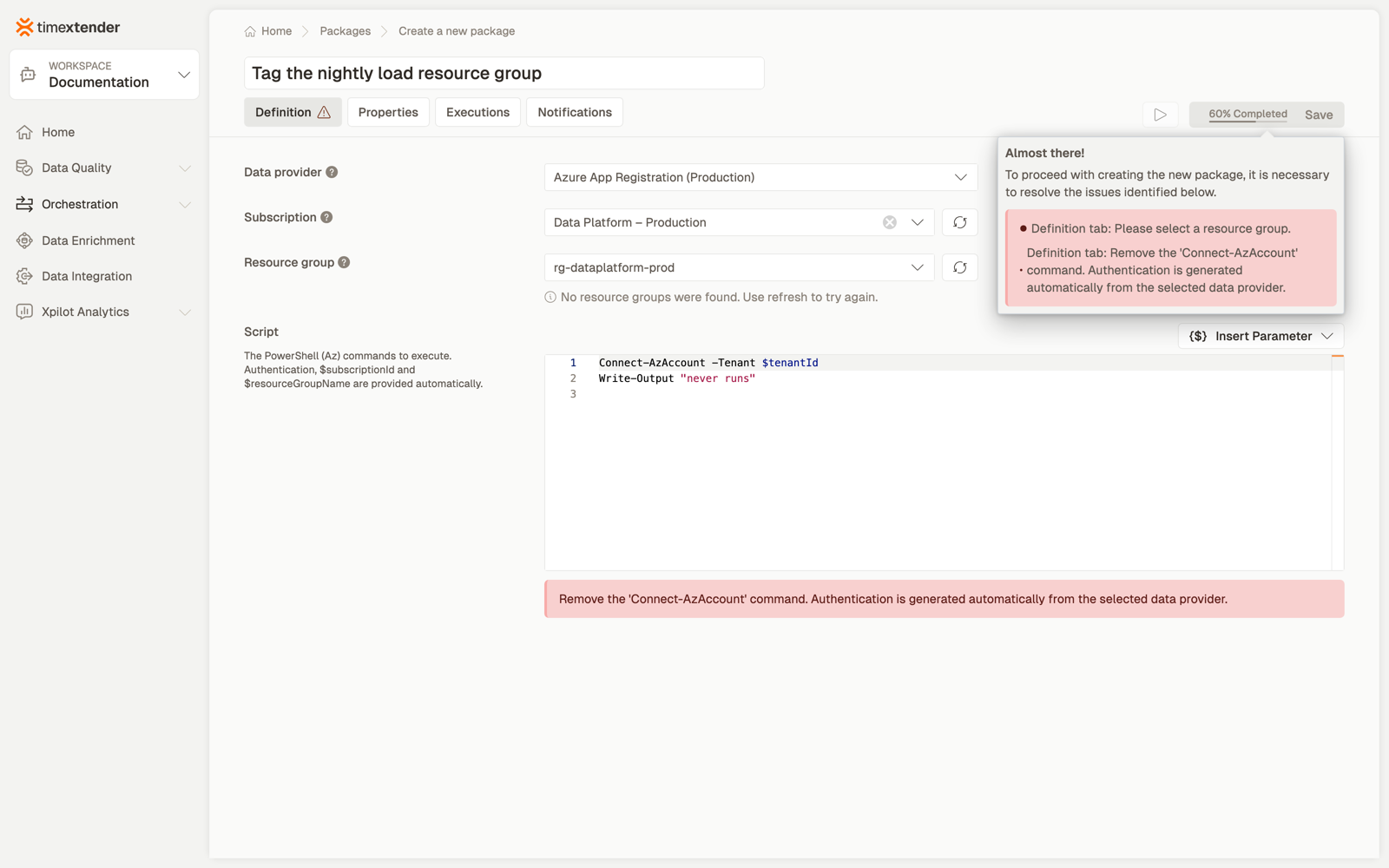
Because authentication is generated for you, a script that authenticates is rejected — not at run time, but in the editor, before you can save:
Remove the 'Connect-AzAccount' command — authentication is generated automatically from the selected data provider.
Five commands are blocked, matched case-insensitively:
Connect-AzAccount, Disconnect-AzAccount, az account, az login, az logout
These are the only blocked commands. exit, break and return are all valid, including a
final exit 0. See How success and failure are decided.
Before you start
- An Azure App Registration data provider in the workspace
- The service principal able to enumerate resource groups in the subscription. Resource group is required and selection-only, so without that permission the package cannot be completed — see Troubleshooting.
- The principal needs whatever rights the script uses, which is usually more than reading
Steps
Screenshots stop at the subscription
The images are real but end where our test environment does: no service principal
available to us can enumerate resource groups, so the resource-group selection, the save
and the package list have no screenshot yet. The prose comes from the product's own field
help and validation. See PACKAGE-DOCS-STATUS.md in this repository.
1. Create the package
Orchestration → Packages → Create, then Azure PowerShell from the Azure area.
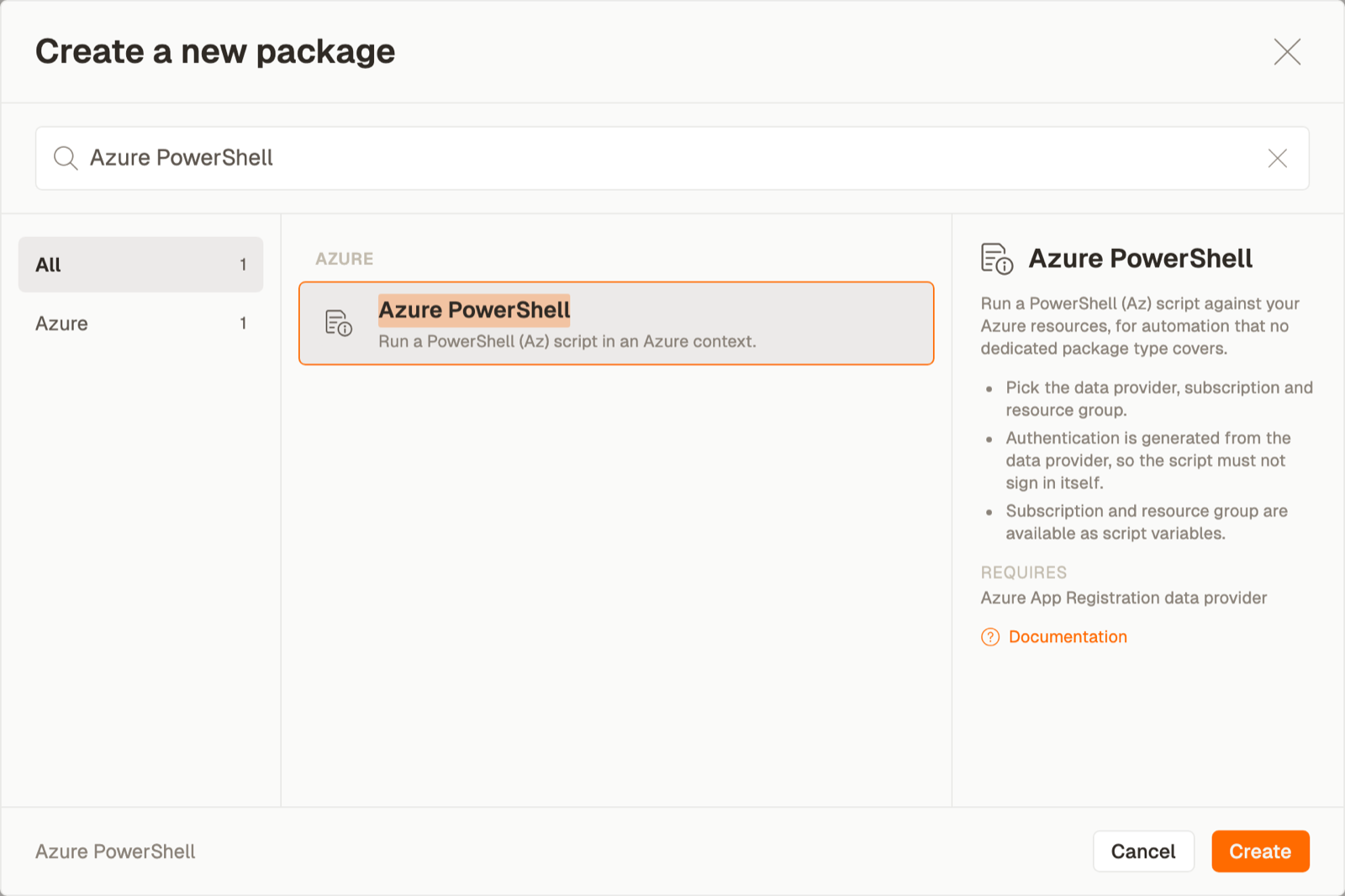
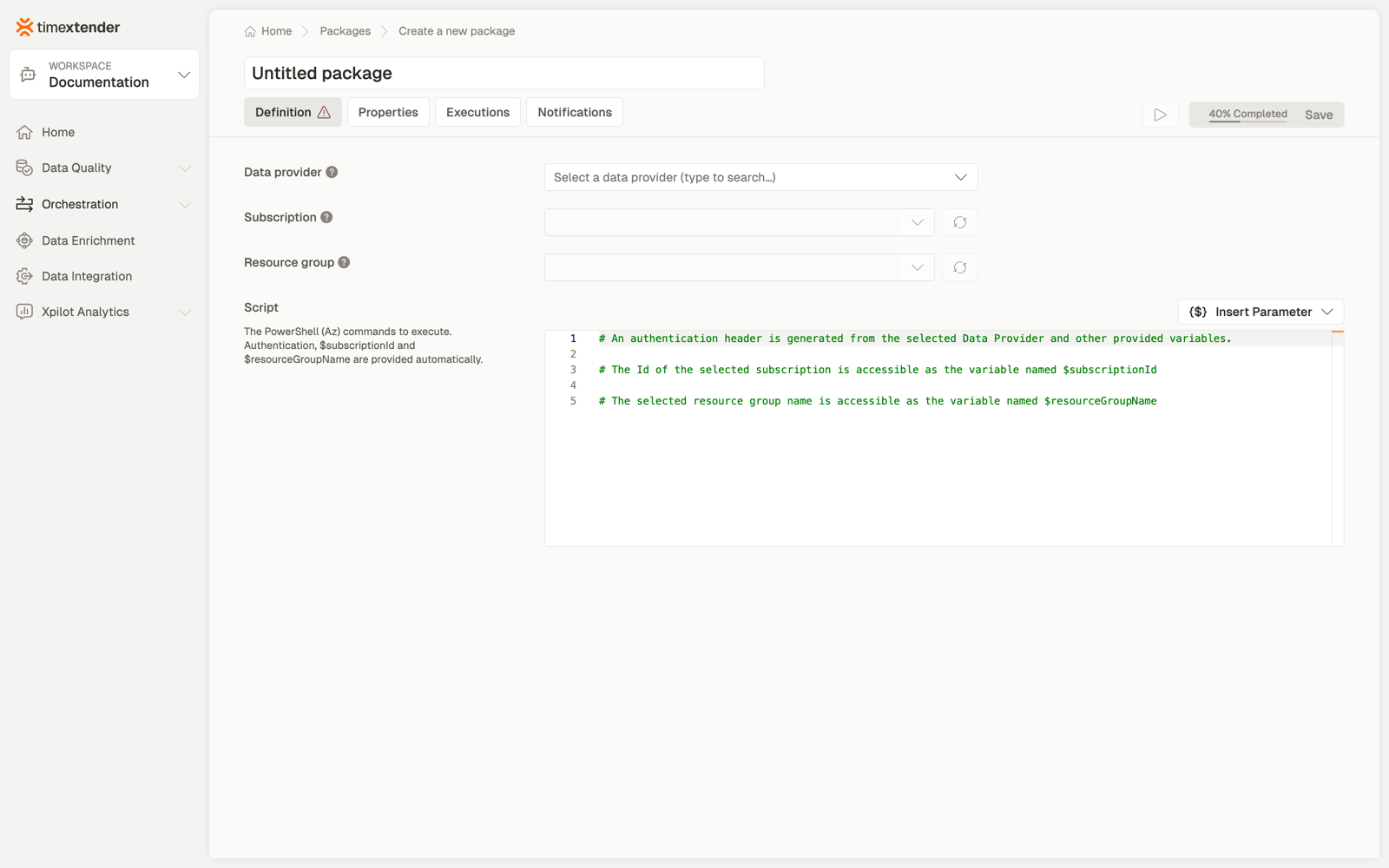
The editor opens with the selection chain collapsed — Subscription and Resource group read Select a data provider first until a provider is chosen.
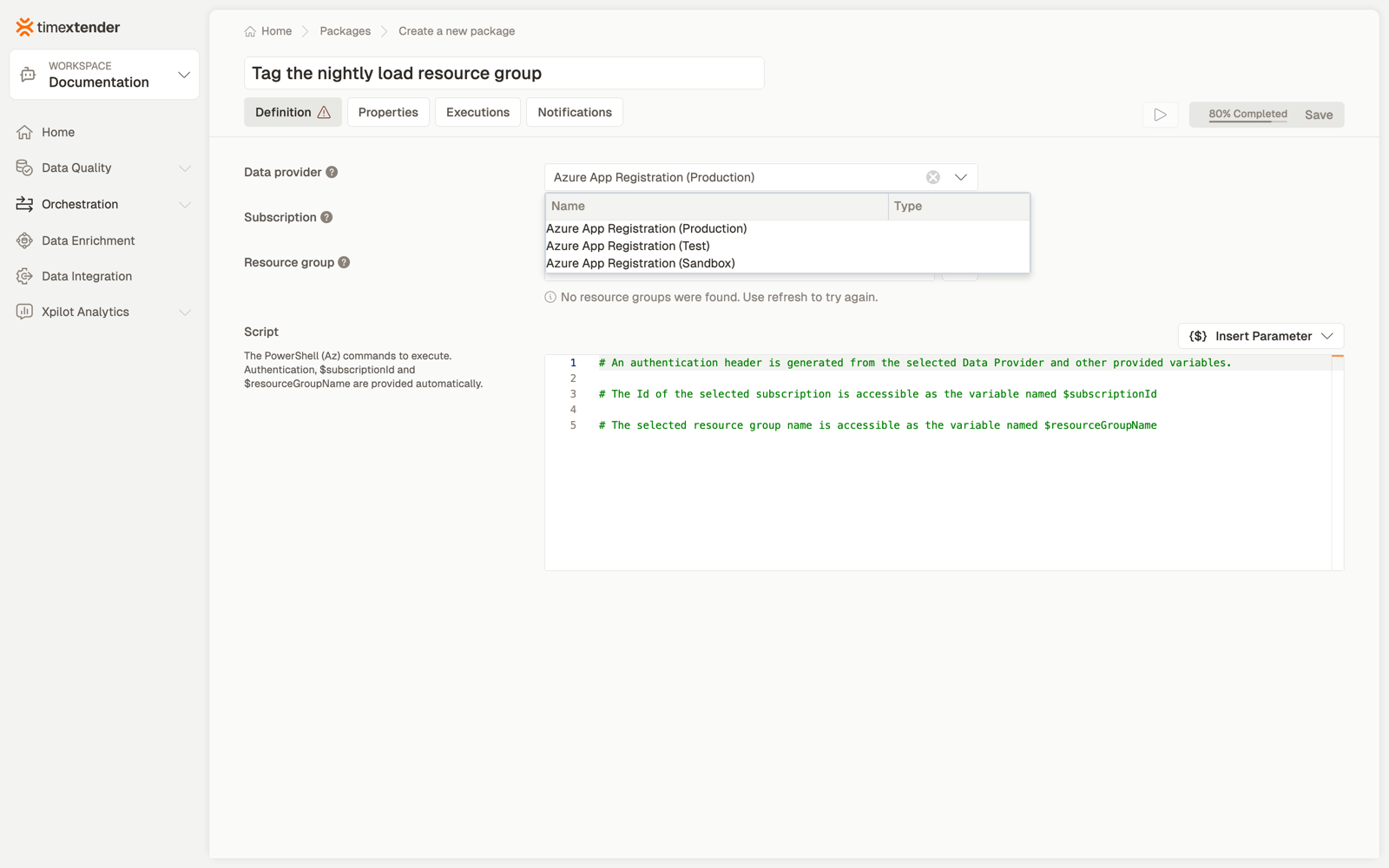
2. Name it and choose the data provider
The Azure App Registration data provider whose service principal authenticates against Azure.
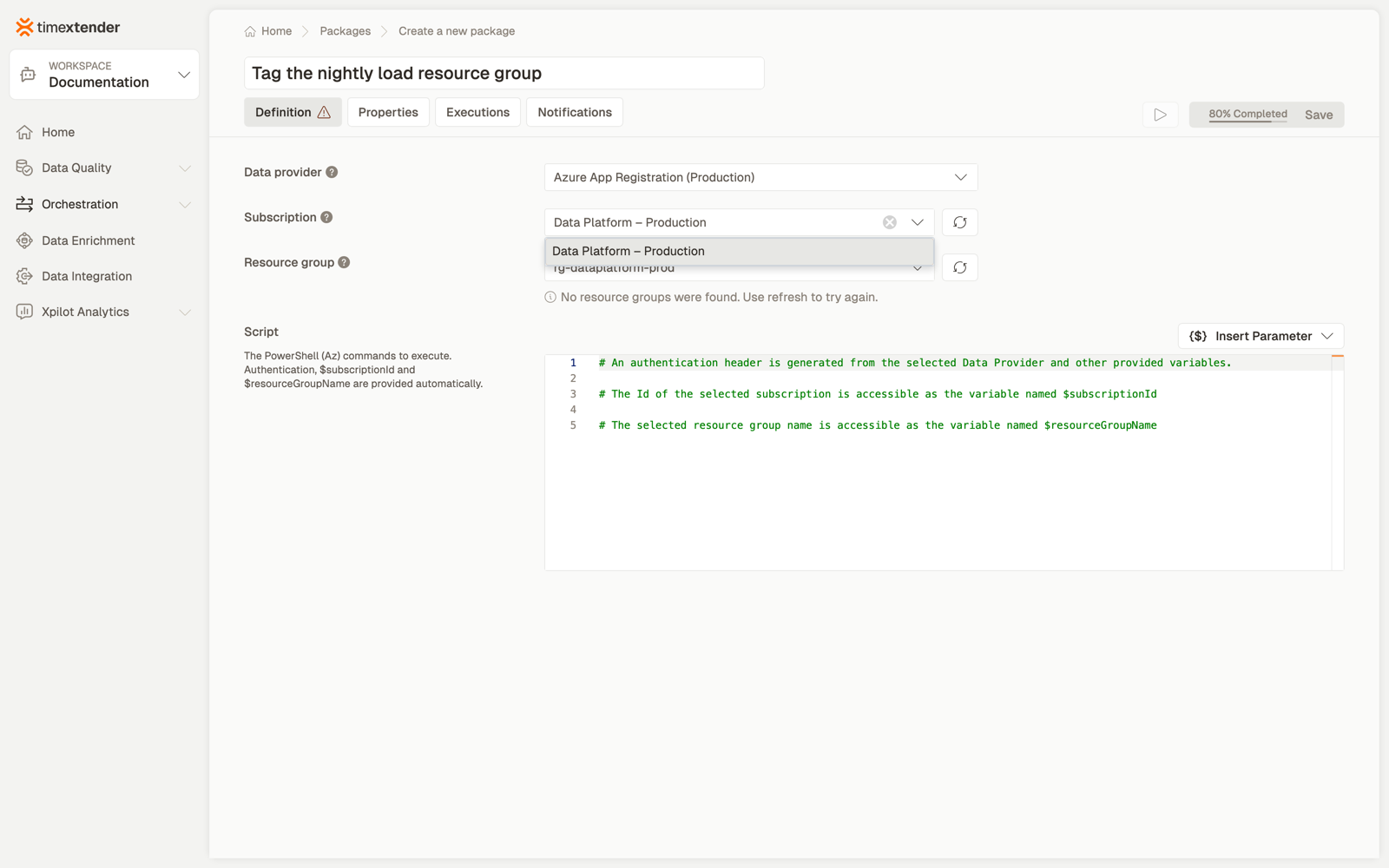
3. Choose the subscription
The Azure subscription the script runs against, loaded for the selected data provider. Its id is available in the script as
$subscriptionId.
4. Choose the resource group
The resource group within the subscription, loaded for the selected subscription. Its name is available in the script as
$resourceGroupName.
Both this list and the subscription list have a refresh button, for anything created in Azure after the page loaded.
5. Write the script
The PowerShell (Az) commands to execute. Authentication,
$subscriptionIdand$resourceGroupNameare provided automatically.
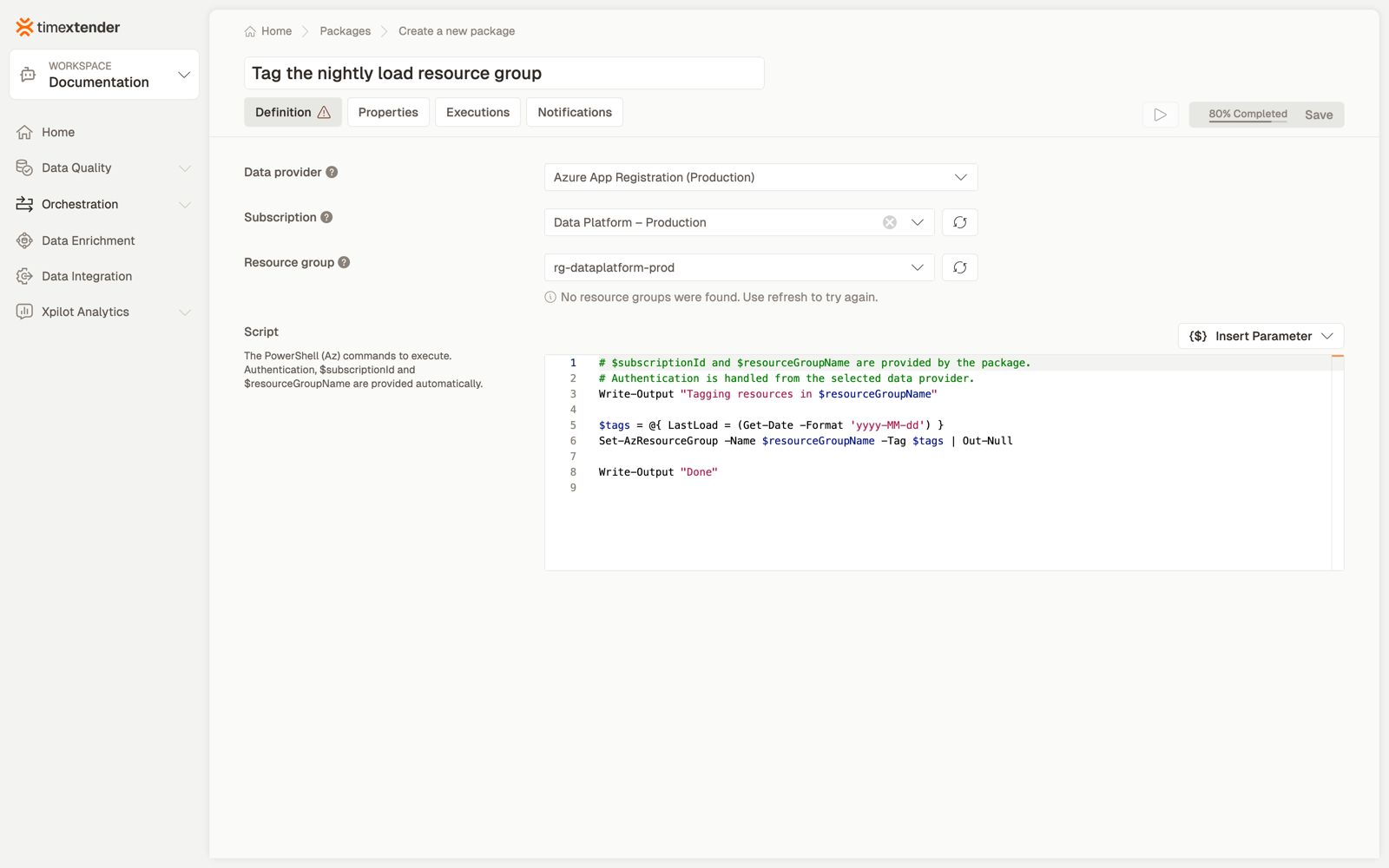
The editor is a full code editor, and Insert Parameter is available for global parameters.
If the script contains a sign-in command, saving is blocked with the error quoted above:
6. Save
The package saves as a Draft. Publish it to make it runnable on a schedule.
Examples
Tag a resource group after a load
$tags = @{ LastLoad = (Get-Date -Format 'yyyy-MM-dd') }
Set-AzResourceGroup -Name $resourceGroupName -Tag $tags | Out-Null

Write-Output "Tagged $resourceGroupName"
Fail the package when something is not as expected
$account = Get-AzStorageAccount -ResourceGroupName $resourceGroupName -Name "salesextracts"

if (-not $account) {
    throw "Storage account 'salesextracts' not found in $resourceGroupName"
}

Write-Output "Storage account present"
Either throw or exit 1 fails the package.
Act on every VM in the resource group
$vms = Get-AzVM -ResourceGroupName $resourceGroupName

foreach ($vm in $vms) {
    Write-Output "Found VM: $($vm.Name)"
}
For starting and stopping VMs on a schedule, prefer Azure Virtual Machine Start/Stop — a purpose-built type beats a script.
Best practices
Use the supplied variables rather than hard-coding a subscription or resource group. The package already knows both, and a hard-coded id survives promotion to another environment looking correct and being wrong.
Fail loudly. Use throw, or end with a non-zero exit code. A script that swallows its error
reports success.
Write one confirmation line on the happy path. Standard output goes to the execution log, and a silent success tells you nothing later.
Reach for a purpose-built type when one exists. Scaling, pausing and starting resources have their own package types with validation and no script to maintain.
Give the principal the rights the script needs, and no more. Listing resources and changing them are different grants.
Troubleshooting
"No Resource Groups found under these credentials."
The service principal cannot enumerate resource groups. Grant it subscription-level Reader,
or at minimum Microsoft.Resources/subscriptions/resourceGroups/read — a SQL-scoped role alone
returns an empty list. Because the field only accepts a selection, an empty list means the
package cannot be saved at all.
Save is blocked and mentions a command.
The script contains one of the blocked sign-in commands — Connect-AzAccount,
Disconnect-AzAccount, az login, az logout or az account. Delete it; Timextender signs in
for you using the data provider you selected. The log names the exact command that has to go.
The package fails within seconds saying there are no statements to run. The script is blank, or contains only comments — including the pre-filled example template a new package starts with. Saving with the untouched template shows "Please enter a script".
The script fails with an authorisation error from Azure. Authentication succeeded; authorisation did not. The principal can reach Azure but lacks the right for what the script does.
It worked last month and now fails immediately. The client secret on the data provider has expired. Credentials are read from the provider at run time, so fixing it there fixes every package that uses it.
How success and failure are decided
Three rules govern whether an Azure PowerShell package passes:
- A non-zero exit code fails the package. A script that ends
exit 1is reported as failed. - Writing to the error stream fails the package, even if the script then completes its work
and ends with
exit 0. A recoverable error logged withWrite-Errorstill fails the run. - A script with no executable statements fails immediately. Blank, or only comments.
exit, break and return are all valid in a script — in a loop, in a function, or as a final
exit 0.
When a package fails, the execution log names the reason.
Reference
Fields
| Field | Required | Notes |
|---|---|---|
| Execution connection | No | Defaults to Timextender Cloud |
| Data provider | Yes | Azure App Registration |
| Subscription | Yes | Fetched for the provider; refresh button |
| Resource group | Yes | Fetched for the subscription; refresh button; selection-only |
| Script | Yes | Comments count as content; only blank blocks saving |
Four required fields. Validation: Please select a data provider, Please select a subscription, Please select a resource group, Please enter a script, and the forbidden-command message.
What is stored
ExecConnectionId, DataProviderId, SubscriptionId, ResourceGroupName and the script.
Credentials are not stored on the package — they are read from the data provider at run time.
Subscription and resource group are selection-only — neither accepts a typed value. If your service principal cannot enumerate resource groups, the package cannot be created.
Related
- Packages overview
- Create a PowerShell package — for scripts with no Azure context
- Azure Virtual Machine Start/Stop — and the other resource-sizing package types, for actions that have a purpose-built type
Discussed in the community
Looking for related questions…
Didn't find your answer? Ask the community about this page — questions are answered by Timextender experts, partners and other users.