Create a Microsoft Fabric Notebook package
A Microsoft Fabric Notebook package runs a notebook in a Fabric workspace as an orchestrated step.
The service principal needs a role in the Fabric workspace
Unlike the other Azure types, this one uses a Microsoft Fabric data provider rather than a plain App Registration — and the workspace list depends on Fabric permissions, not Azure ones:
Only workspaces the data provider's service principal has been given a role in are listed.
An empty workspace list means the principal has not been added to the workspace in Fabric. As with Power BI, service-principal access may also need enabling at tenant level.
Before you start
- A Microsoft Fabric data provider in the workspace
- The principal given a role in the Fabric workspace holding the notebook
- A notebook that can run unattended — a notebook expecting interactive input will hang
Custom JSON
Beyond the workspace and notebook, the editor accepts an optional custom JSON payload, which is how you pass parameters and configuration through to the notebook run. It is validated before saving; invalid JSON is rejected with Custom JSON is not valid JSON.
Keep it small. A notebook that needs a large configuration blob is usually better reading that configuration itself from a lakehouse table, so that changing it does not mean editing a package.
Steps
Screenshots stop at the data provider
The images are real but end there: none of the Fabric providers on our test environment can see a workspace, so the workspace, notebook and JSON steps have no screenshot yet. The prose comes from the product's own field help and validation.
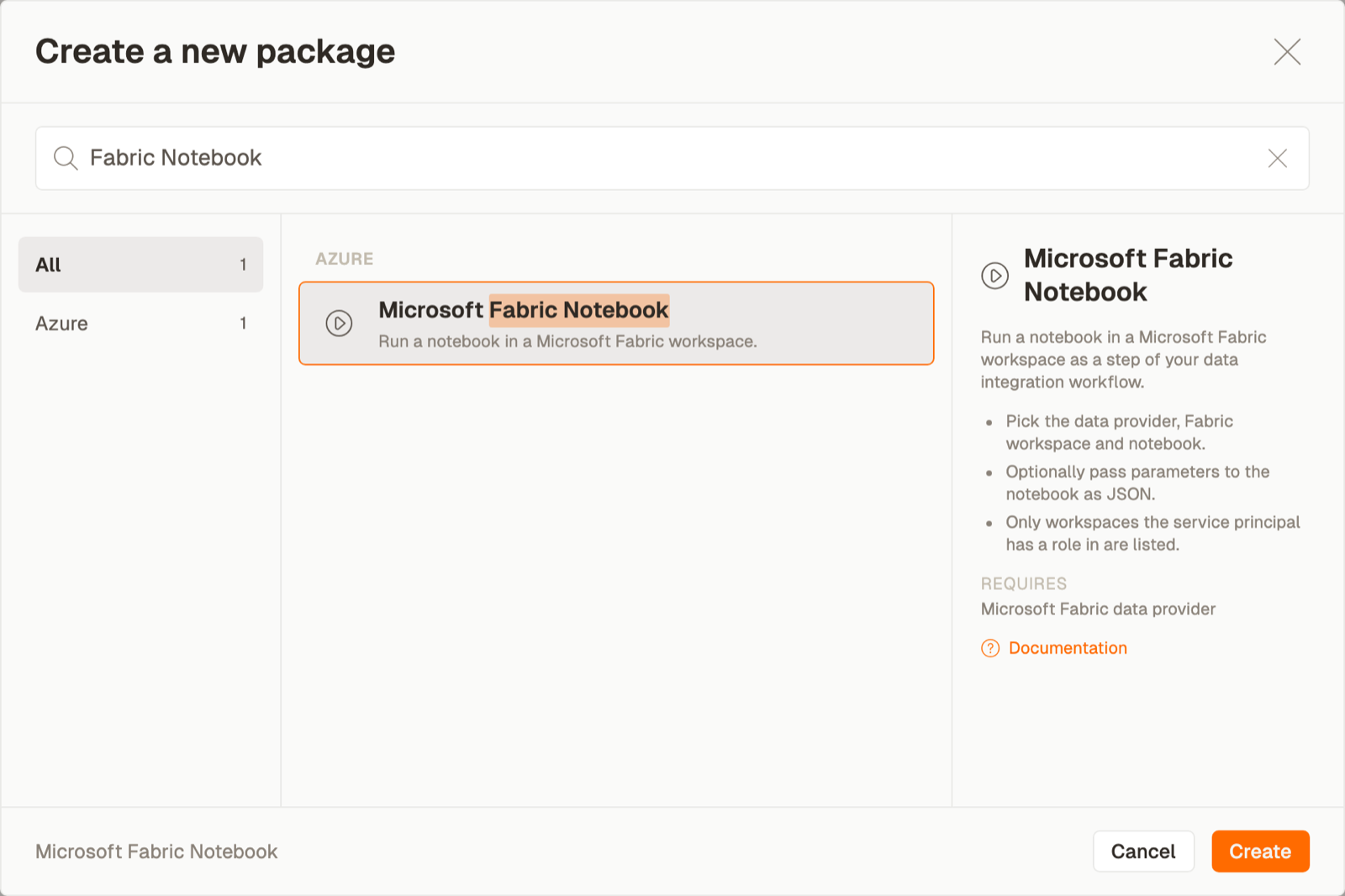
1. Create the package
Orchestration → Packages → Create, then Microsoft Fabric Notebook from the Azure area.
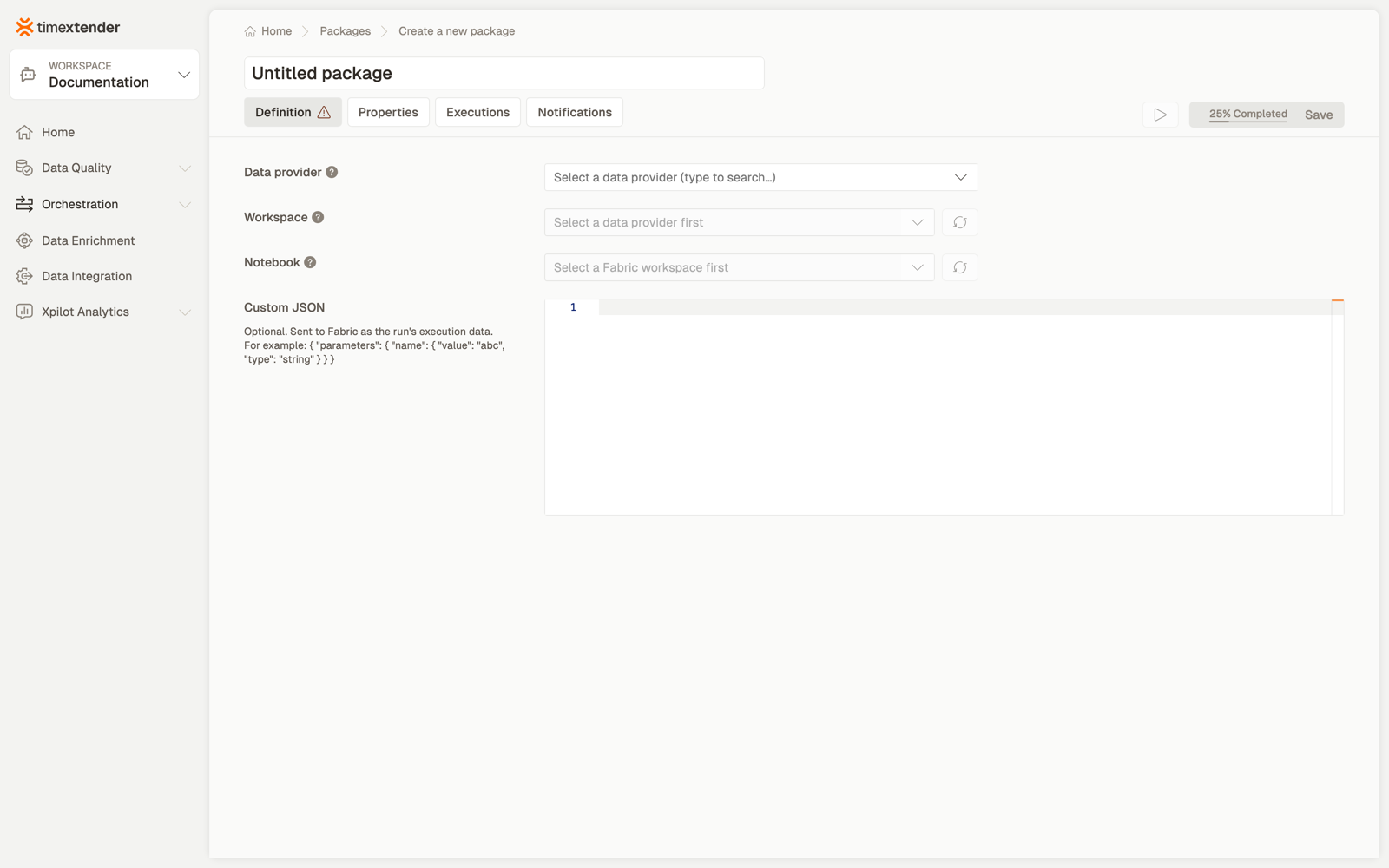
2. Choose the data provider
The Microsoft Fabric data provider whose service principal authenticates against Fabric.
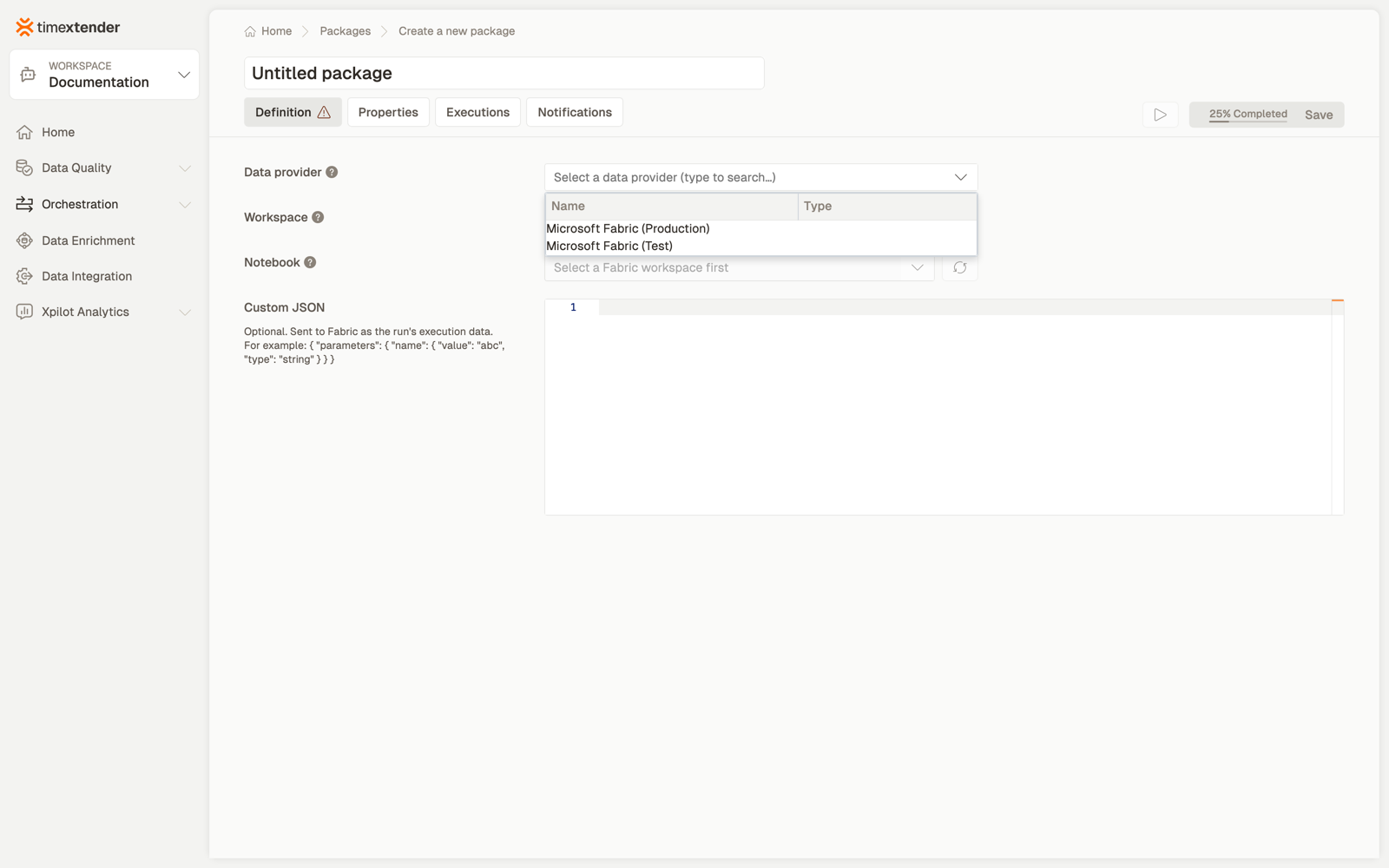
3. Choose the workspace, then the notebook
Both lists have refresh buttons. If the workspace list is empty, see the admonition above.
4. Optionally add custom JSON
5. Save
Saves as a Draft.
Best practices
Make the notebook idempotent. Orchestration retries; a notebook that appends rather than replaces will double-count on a second run.
Have the notebook fail loudly. A notebook that catches an exception and continues will report success, and the next step in the flow will run against incomplete data.
Keep configuration in the lakehouse, not in the package, unless it genuinely varies per run.
Consider capacity. A notebook run consumes Fabric capacity; scheduling several at the same moment can throttle all of them. The Fabric Capacity Scaling package type exists partly for this.
Troubleshooting
The workspace list is empty. The principal has no role in any Fabric workspace, or service principals are not enabled for the Fabric APIs at tenant level.
The workspace lists but the notebook does not. The item may not be a notebook — a pipeline or a dataflow will not appear — or it sits in a folder the principal cannot read.
Custom JSON is rejected. Custom JSON is not valid JSON. Paste it through a validator; a trailing comma is the usual culprit.
The run starts and never finishes. The notebook is waiting for something. Check for interactive widgets or an unbounded loop, and set a package timeout so a hung run does not block the schedule.
Reference
Fields
| Field | Required | Notes |
|---|---|---|
| Execution connection | No | Defaults to Timextender Cloud |
| Data provider | Yes | Microsoft Fabric, not a plain App Registration |
| Fabric workspace | Yes | Only workspaces the principal has a role in |
| Notebook | Yes | Listed from the selected workspace |
| Custom JSON | No | Validated before saving |
Validation: Please select a data provider, Please select a Fabric workspace, Please select a notebook, Custom JSON is not valid JSON.
Related
- Packages overview
- Create a Fabric Capacity Scaling package
- Trigger Fabric data pipelines with Timextender Orchestration
Discussed in the community
Looking for related questions…
Didn't find your answer? Ask the community about this page — questions are answered by Timextender experts, partners and other users.