Uneven Mappings feature in Timextender Classic
Use the Uneven Mappings to highlight any missing field mappings, for example a table might be mapped to 3 source tables but some fields within the destination table might be only mapped to 2 of the source tables. The Uneven Mappings features makes it easier to spot discrepancies between table mappings and field mappings.
Select Uneven Mappings in the ribbon under View to display the mappings for each data warehouse table.
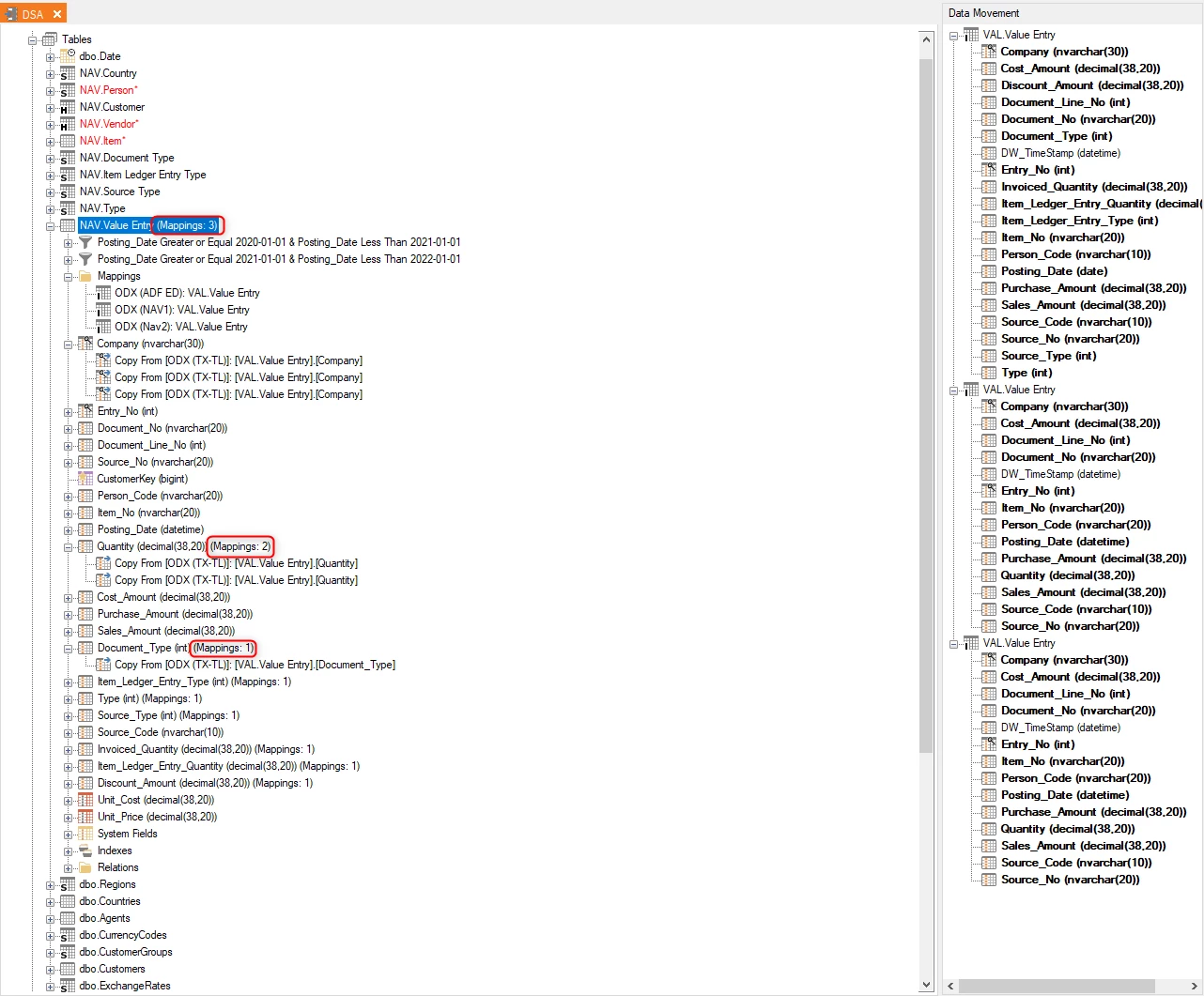
In the example above, the data warehouse table is mapped to 3 source tables. However some fields within the data warehouse table are only mapped to 2 source fields.
This can potentially happen when a source and destination field have a different name. To add the missing mapping to the field, click on the data warehouse table and then drag the missing source field mapping (from the Data Movement pane on the right) onto the data warehouse field name.
Discussed in the community
Looking for related questions…
Didn't find your answer? Ask the community about this page — questions are answered by Timextender experts, partners and other users.