Data Factory packages in Timextender Orchestration
In this article, you will learn how to create an app in Azure, connect it to your Data Factory and then load it in Timextender Orchestration.
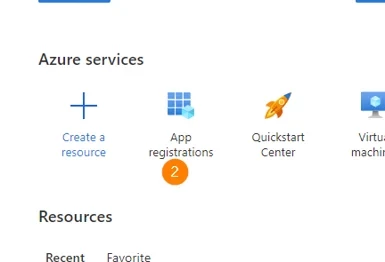
In the Azure Portal, we need to create an App registration which we will use to access our Data Factory. This is done under the Azure Portal –> Azure Active Directory –> App Registration
- Go to the Azure Portal
- Open App Registrations
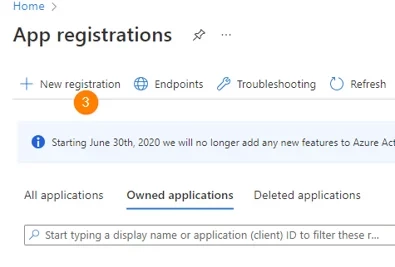
- Select New Registrations
- Name your app Azure_Demo and click Register
- The next window presents some key information that Timextender Orchestration will use to authenticate our later execution.
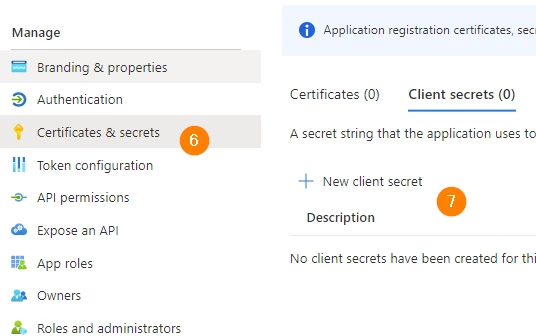
- In the left panel, click Certificates & Secrets
- Then select New Client Secret
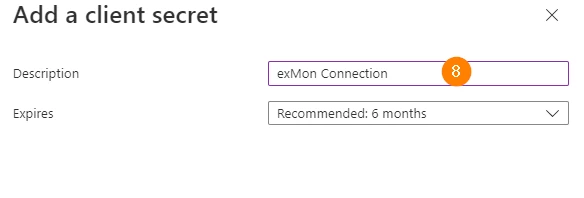
- Add the description Timextender Connection and click Add at the bottom of the window
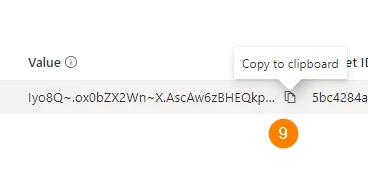
- Copy the secret value by clicking the Copy to Clipboard button
Add app to Data Factories
- Next navigate to Data Factories, in Azure
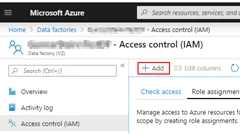
- Then move to Access Control(IAM) –> Role Assignments and select the Add button.
- Make your new App registration a Contributor to your Data factory.
Add app to Timextender Orchestration
- Next, open up Timextender Orchestration
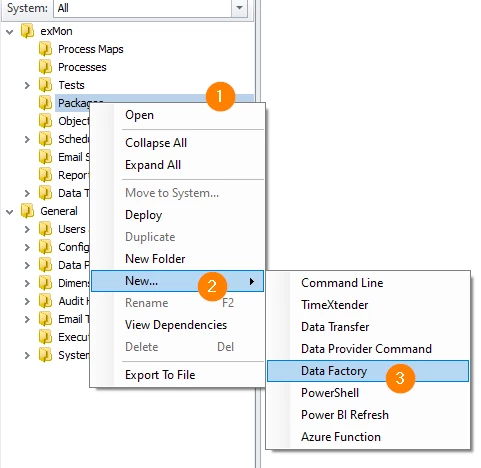
- Right-click packages, select new -> Data Factory
- Then select a name for the Data Factory package
- Select an Execution connection
- Fill in the Tenant-id, App-id and the Client secret
- Then click login, this should fill in the rest of the required fields.
- Then click the Save
- Finally, Run the Data Factory Package.
Discussed in the community
Looking for related questions…
Didn't find your answer? Ask the community about this page — questions are answered by Timextender experts, partners and other users.