Data Provider Command packages in Timextender Orchestration
In this article you will learn what Data Provider Command packages are and how you can use them
Data Provider Command package allows users to execute predefined scripts(i.e. stored procedures) or custom scripts against Data Providers.
To create a Data Provider Command:
- Open Timextender Orchestration and Data Quality Desktop
- Right-click "Packages" in the Object Explorer
- Select "New" and "Data Provider Command"
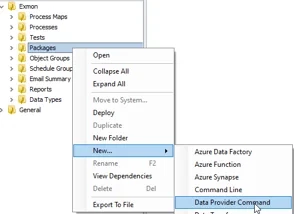
- Give your Data Provider Command a name
- Select a Execution Connection that you'd like to execute your package on - Some Data Providers are only accessible on certain servers and therefor you need to select the correct server to execute the package on
-
Select a Data Provider that you'd like to execute your script against - If your Data Provider does not exist you can create it under General -> Data Providers
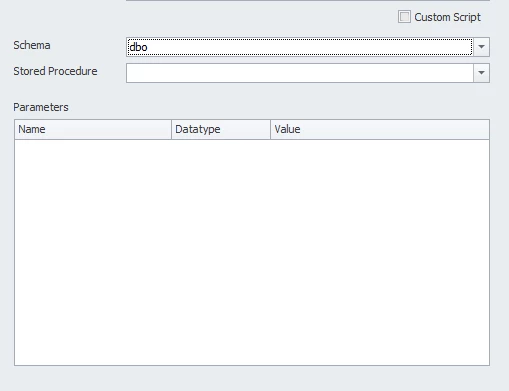
!!! note "Note" Currently Data Provider Command can only execute against SQL servers 7. Now you can select your predefined script or check the Custom Script checkbox to create a custom script
!!! note "Note" If your predefined script uses parameters you can fill them in using static data or use package parameters
Discussed in the community
Looking for related questions…
Didn't find your answer? Ask the community about this page — questions are answered by Timextender experts, partners and other users.