How can I remove the Expectus Command Service Trace Log file?
In this article, you will read about how to remove the Expectus Command Service Trace Log file. Logging Timextender Orchestration and Data Quality through the trace log file has been depreciated. Now, Timextender Orchestration and Data Quality uses another logging environment to create more detailed logs and has restrictions on log sizes.
- To remove the trace log, the first thing you must do is open the file ExpectusCommandServiceHost.exe.config
- Inside this file is a code similar to this:
<system.diagnostics>

  <sources>

    <source name="System.ServiceModel" switchValue="Warning, ActivityTracing"

        propagateActivity="true">

      <listeners>

        <add type="System.Diagnostics.DefaultTraceListener" name="Default">

          <filter type="" />

        </add>

        <add name="ServiceModelTraceListener">

          <filter type="" />

        </add>

      </listeners>

    </source>

  </sources>

  <sharedListeners>

    <add initializeData="C:\Expectus\Logs\expectus_command_service_app_tracelog.svclog"

        type="System.Diagnostics.XmlWriterTraceListener, System, Version=2.0.0.0, Culture=neutral, PublicKeyToken=b77a5c561934e089"

        name="ServiceModelTraceListener" traceOutputOptions="Timestamp">

      <filter type="" />

    </add>

  </sharedListeners>

</system.diagnostics>
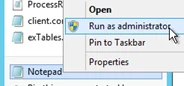
- After that is done, you need to restart the Command Service under Services:
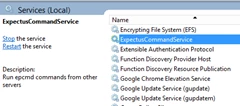
Now you can safely delete the Trace Log file itself and it will not get recreated in the future.
Discussed in the community
Looking for related questions…
Didn't find your answer? Ask the community about this page — questions are answered by Timextender experts, partners and other users.