Monitor website SSL certificate expiration
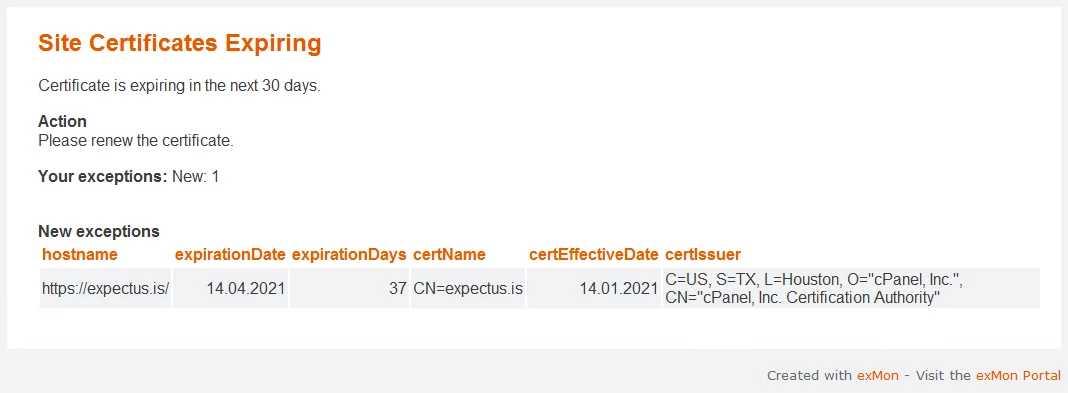
In this article, you will read about monitoring website SSL certification expiration with Timextender Orchestration and Data Quality. If you are responsible for a website you know how important it is to monitor that your SSL Certificates do not expire. With Timextender Orchestration and Data Quality, you are able to receive automatic notifications if your certifications need to be renewed or are approaching expiry.
Worked example
- Create a new Query in Timextender Data Quality and select the PowerShell data provider
- Paste the following snippet into the query window
$minCertAge = 30 # days
$sites = @(
    "https://expectus.is/",
    "https://exmon.com/",
    "https://yourdomainshere.com/"
)


$timeoutMs = 10000

# Disable certificate validation
[Net.ServicePointManager]::ServerCertificateValidationCallback = {$true}


# Create the result DataTable
$timeXtenderResult= New-Object system.Data.DataTable
# Create column definition
$hostname = New-Object system.Data.DataColumn hostname,([string])
$timeXtenderResult.columns.add($hostname)
$expirationDate = New-Object system.Data.DataColumn expirationDate,([datetime])
$timeXtenderResult.columns.add($expirationDate)
$expirationDays = New-Object system.Data.DataColumn expirationDays,([int])
$timeXtenderResult.columns.add($expirationDays)
$certName = New-Object system.Data.DataColumn certName,([string])
$timeXtenderResult.columns.add($certName)
$certEffectiveDate = New-Object system.Data.DataColumn certEffectiveDate,([datetime])
$timeXtenderResult.columns.add($certEffectiveDate)
$certIssuer = New-Object system.Data.DataColumn certIssuer,([string])
$timeXtenderResult.columns.add($certIssuer)

foreach ($site in $sites)
{
    Write-Host Check $site
    $req = [Net.HttpWebRequest]::Create($site)
    $req.Timeout = $timeoutMs

    try {
        $req.GetResponse() |Out-Null
    } catch {
        Write-Host URL check error $site`: $_ -f Red
    }

    $expDate = $req.ServicePoint.Certificate.GetExpirationDateString()

    $certExpDate = Get-Date $expDate
    [int]$certExpiresIn = ($certExpDate - $(get-date)).Days

    $certName = $req.ServicePoint.Certificate.GetName()
    $certThumbprint = $req.ServicePoint.Certificate.GetCertHashString()
    $certEffectiveDate = $req.ServicePoint.Certificate.GetEffectiveDateString()
    $certIssuer = $req.ServicePoint.Certificate.GetIssuerName()


    if ($certExpiresIn -gt $minCertAge)
    {
        Write-Host The $site certificate expires in $certExpiresIn days [$certExpDate] -f Green
    }
    else
    {
        Write-Host The $site certificate expires in $certExpiresIn days [$certExpDate] -f Red

    # Add Row
    $row = $timeXtenderResult.NewRow();
    $row.hostname = $site;
    $row.expirationDate = $expDate;
    $row.expirationDays = $certExpiresIn;
    $row.certName = $certName;
    $row.certEffectiveDate = $certEffectiveDate;
    $row.certIssuer = $certIssuer;
        $timeXtenderResult.Rows.Add($row);
    }

}

$timeXtenderResult
Discussed in the community
Looking for related questions…
Didn't find your answer? Ask the community about this page — questions are answered by Timextender experts, partners and other users.