How to run DAX Queries in Timextender Orchestration and Data Quality
SYMPTOMS
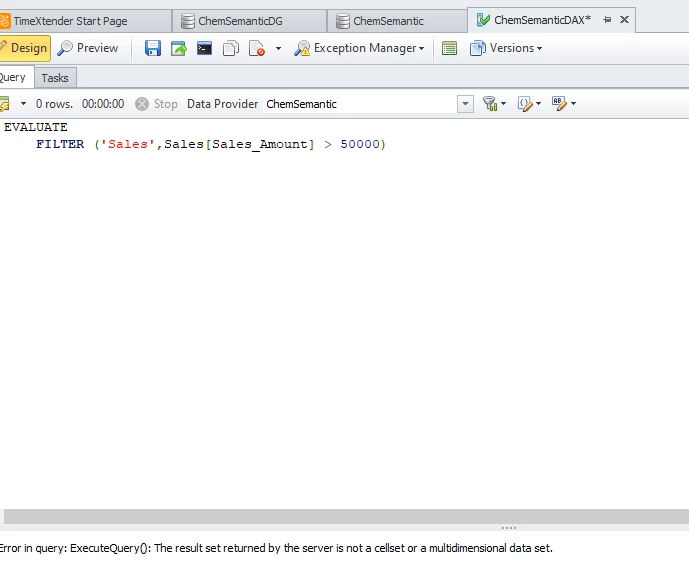
When trying to run DAX Queries using Timextender Orchestration & Data Quality Version 25.1 against a Analysis Services Tabular Model data provider, the query is unable to return any results and the following error is displayed at the bottom in the status window.
Failure
Error in query: ExecuteQuery(): The result set returned by the server is not a cellset or a multidimensional data set.
An example of this error is below.
CAUSE
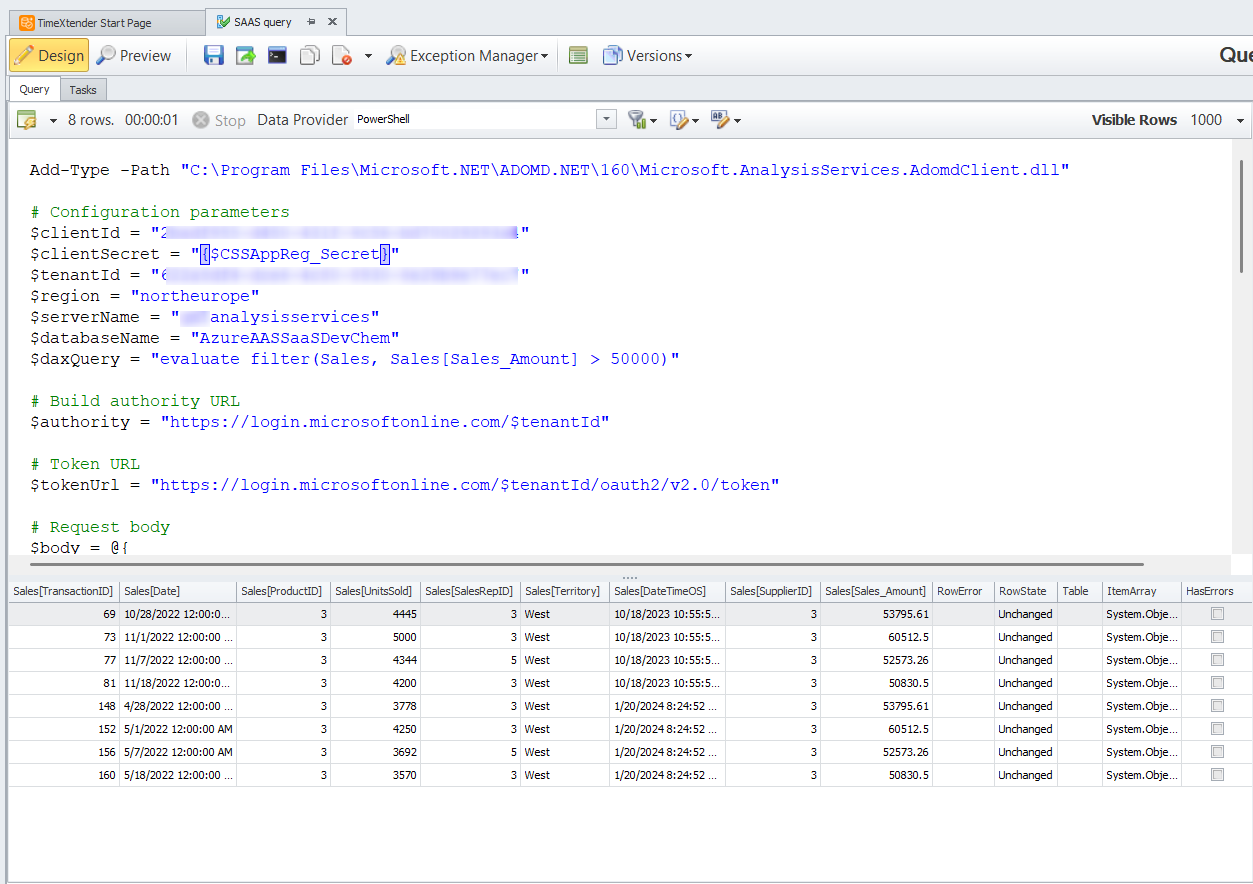
As of June 2025, our Product Team is looking into the cause of this error and may address it in a future release. In the meantime, a PowerShell query can be used as a workaround in order to run the DAX queries similar to the following screenshot.
 Resolution
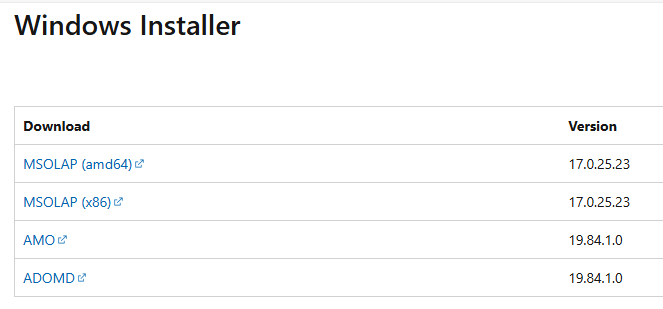
The specific steps needed to set up the Powershell workaround are as follows: 1. Install the Adomd msi from here: Analysis Services client libraries | Microsoft Learn
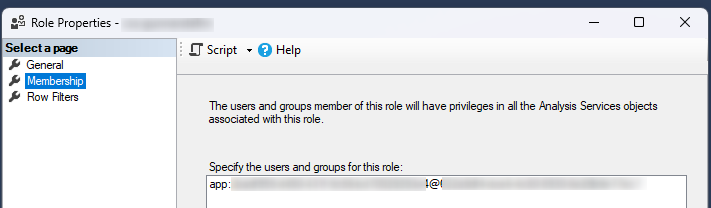
- Create an app registration in Azure and set the clientid and client secret in Global Parameters in Timextender Data Quality 3. In SSMS in Analysis Services add a new Role with a membership id: app:ClientId@TenantId
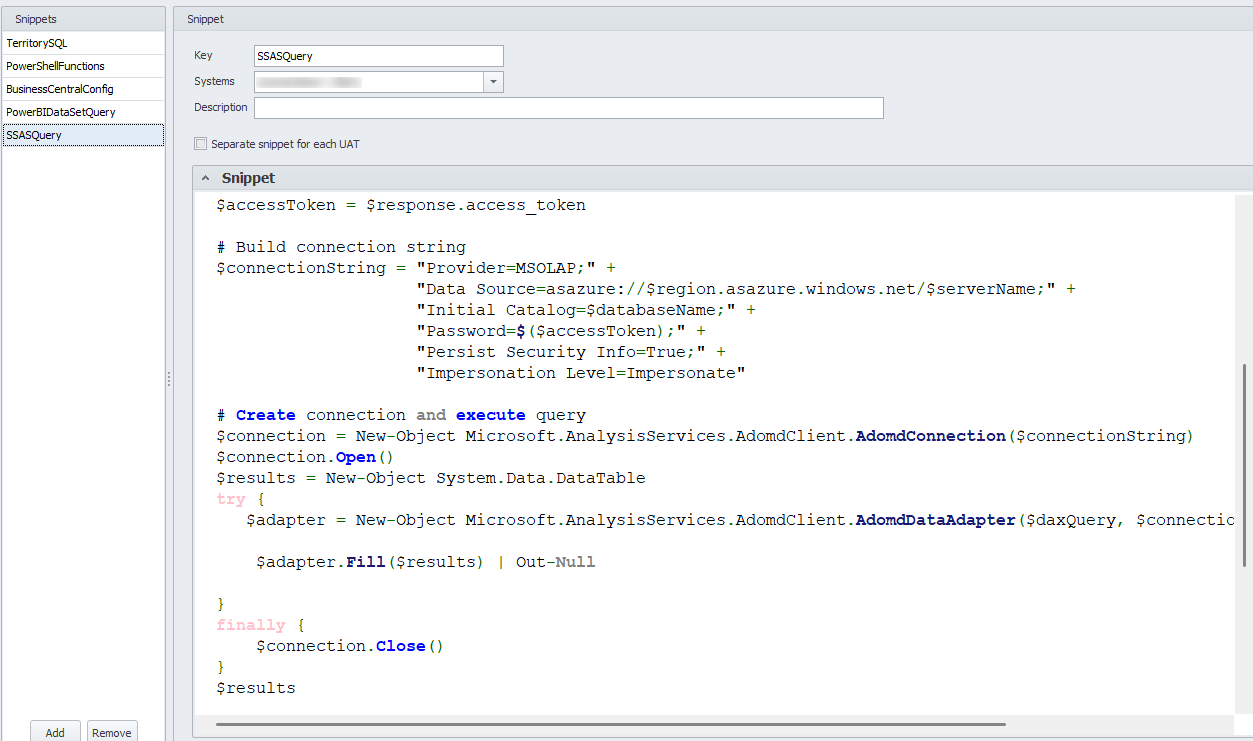
- Create a Query Snippet under Tests with the main code (below):
- If you are running the cloud version (as opposed to on-prem), then you need to create a PowerShell data provider on a Gateway and install the necessary DLL there. Then in the Query you need to select that data provider.
- Then you can create queries on this format:
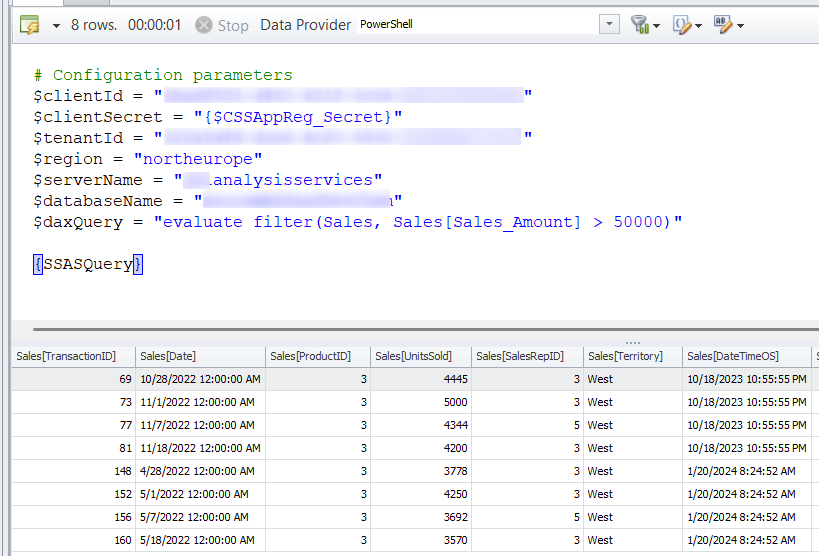
Note that you can probably move most of the variables (like tenantid and region) into the query snippet. Just keep the things that are unique for each query in the query it self Code. Query Snippet Add-Type -Path "C:\Program Files\Microsoft.NET\ADOMD.NET\160\Microsoft.AnalysisServices.AdomdClient.dll" # Build authority URL $authority = "https://login.microsoftonline.com/$tenantId" # Token URL $tokenUrl = "https://login.microsoftonline.com/$tenantId/oauth2/v2.0/token" # Request body $body = @{ grant_type = "client_credentials" client_id = $clientId client_secret = $clientSecret scope = "https://northeurope.asazure.windows.net/.default" } # Get access token $response = Invoke-RestMethod -Uri $tokenUrl -Method Post -Body $body $accessToken = $response.access_token # Build connection string $connectionString = "Provider=MSOLAP;" + "Data Source=asazure://$region.asazure.windows.net/$serverName;" + "Initial Catalog=$databaseName;" + "Password=$($accessToken);" + "Persist Security Info=True;" + "Impersonation Level=Impersonate" # Create connection and execute query $connection = New-Object Microsoft.AnalysisServices.AdomdClient.AdomdConnection($connectionString) $connection.Open() $results = New-Object System.Data.DataTable try { $adapter = New-Object Microsoft.AnalysisServices.AdomdClient.AdomdDataAdapter($daxQuery, $connection) $adapter.Fill($results) | Out-Null ** } finally { $connection.Close**() } $results Query: # Configuration parameters $clientId = "XXXXXXXXXXXXXXXXXXXXXXXXX" $clientSecret = "{$CSSAppReg_Secret}" $tenantId = "XXXXXXXXXXXXXXXXXXXXXXXX" $region = "northeurope" $serverName = "XXXXXXXXXXXXXXXXXXXXX" $databaseName = "XXXXXXXXXXXXXXXXXXX" $daxQuery = "evaluate filter(Sales, Sales[Sales_Amount] > 50000)" {SSASQuery} In the query above, the "XXXXXXXXXX" items would be replaced by the specify GUID or Server/Database Names that are relevant to you. The $region parameter could also be updated in appropriate.
Discussed in the community
Looking for related questions…
Didn't find your answer? Ask the community about this page — questions are answered by Timextender experts, partners and other users.