Process maps not visible in Turnkey
Symptoms
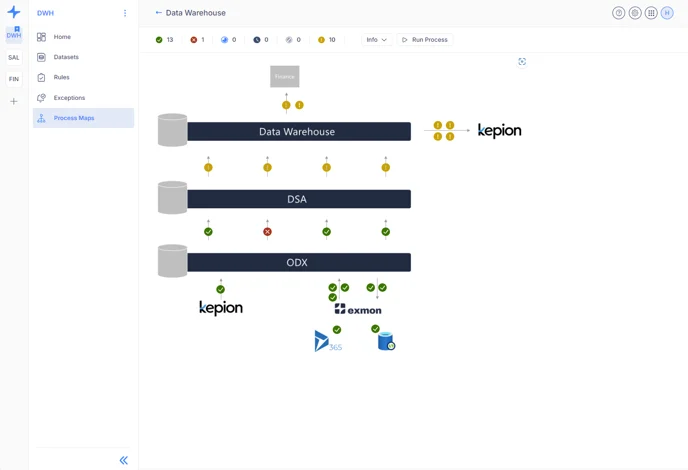
While accessing process maps in Turnkey, the process maps designed in the O&DQ client application are not visible.
Resolution
To ensure that process maps appear in Turnkey, follow these steps:
-
Create a Workspace in Turnkey:
- Access the Turnkey environment and create a new workspace.
- Make sure to choose a unique name (not the same as systems in the O&DQ client)
-
Move the process map in DG to the new workspace
- In the O&DQ client, Workspaces equal systems, so refresh the client to see the newly created workspace under systems.
- Move the desired process maps to the new system created in Turnkey.
-
Verify Appearance:
- Refresh the browser.
- The process maps should now appear in the Turnkey environment.
Reference Ticket
32770
Reference Links
Interacting with Process Maps in Turnkey
Discussed in the community
Looking for related questions…
Didn't find your answer? Ask the community about this page — questions are answered by Timextender experts, partners and other users.