Add an IBM DB2 provider using the Any Source OLE DB provider in Timextender Classic
We have a guide for the std DB2 provider here. You can also convert an existing DB2 provider using the Change Provider option
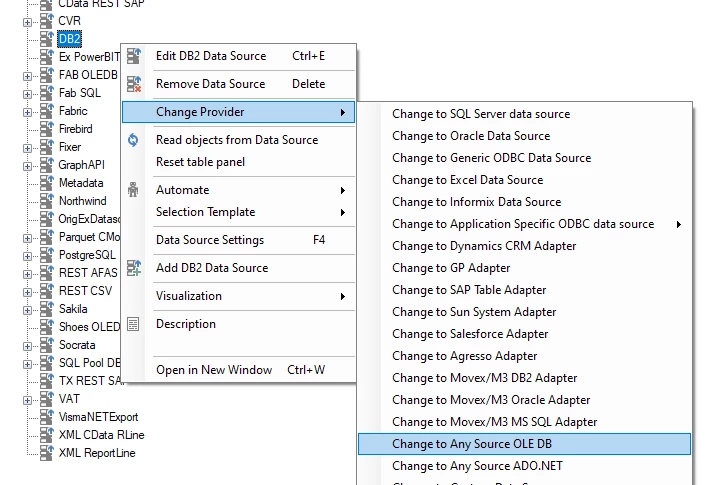
Using Any SourceOLE DB Data Source:
- Install this provider on the Timextender Server: Microsoft OLE DB Provider for DB2 Version 6.0
- Close and reopen Timextender
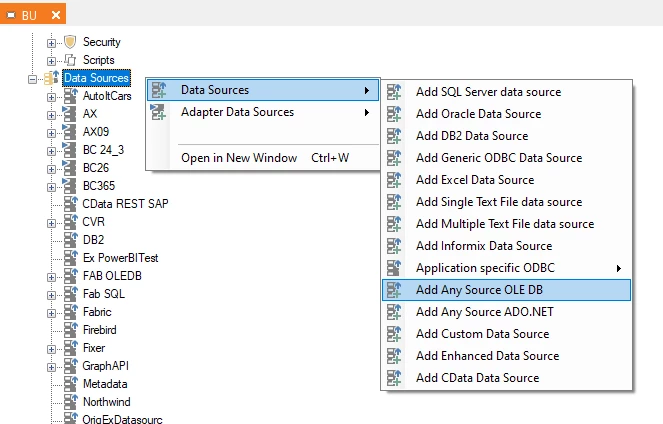
- Add an Any Source OLE DB Data Source, select the newly installed provider from the drop down.
- Your setup options will look like this.
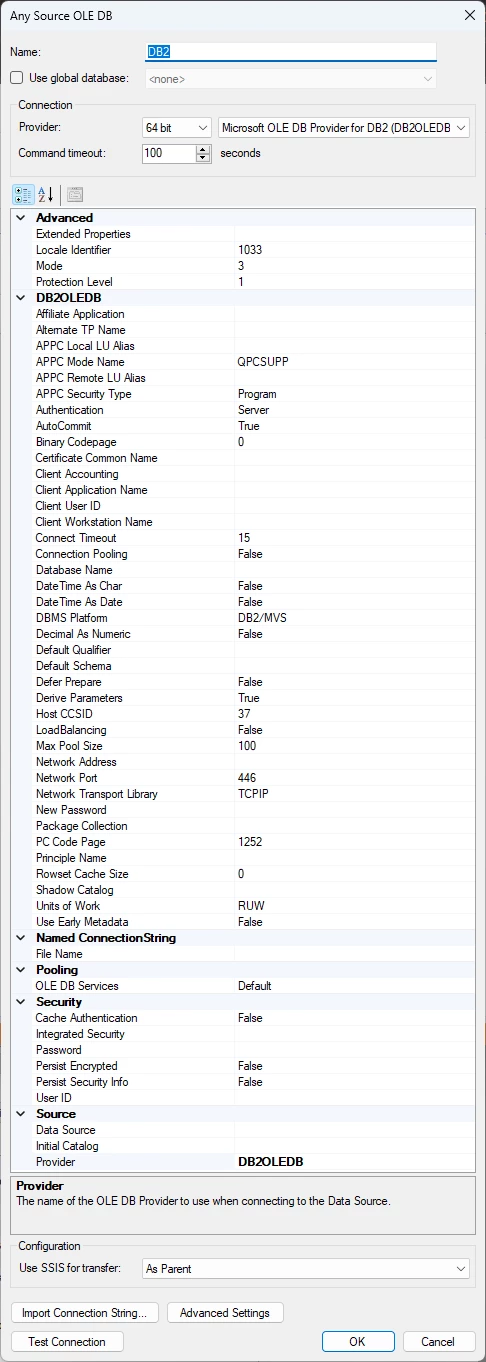
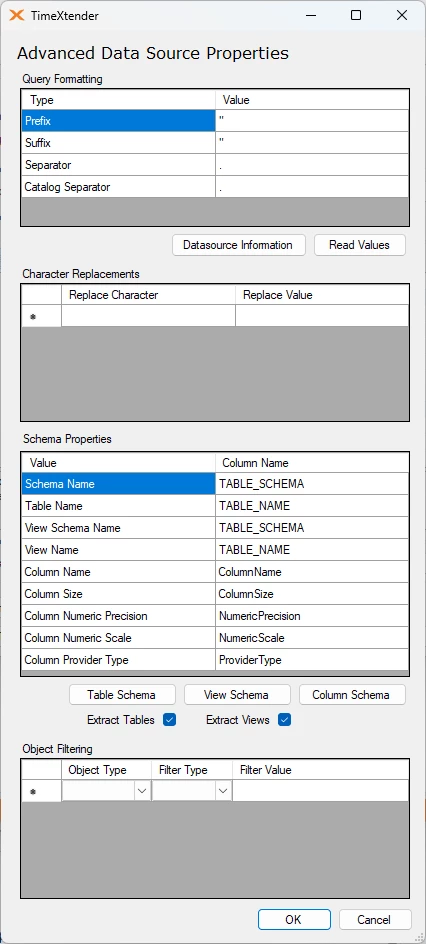
Choose those needed for gaining access. 5. Consider opening the Advanced Settings menu and making sure the correct Schema name and View Schema names are chosen.
- Review this article for additional information on the provider: Installing Data Provider Version 6.0
Discussed in the community
Looking for related questions…
Didn't find your answer? Ask the community about this page — questions are answered by Timextender experts, partners and other users.