Calling a JSON service from Timextender Orchestration and Data Quality
In this article, you will read about calling a JSON service from Timextender Orchestration and Data Quality. In this example, we will use data from OpenWeatherMap.org.
Using JSON files or web services as Data Providers is handled with the PowerShell Data Provider. If the JSON data is located in a file on the server or accessible on a network drive, you can use "Get-Content" to retrieve the data.
Query text:
$items = Get-Content -Path C:\TEMP\JsonWeather.txt | ConvertFrom-Json

$items.list | Select-Object -Property name,visibility,@{label="temperature";expression={$_.main.temp}}
If the JSON data is accessible from the web, you can use "WebClient" to download the data. Query text:
$queryString = "https://samples.openweathermap.org/data/2.5/group?id=524901,703448,2643743&units=metric&appid=b6907d289e10d714a6e88b30761fae22"

$web_client = new-object system.net.webclient
$items = $web_client.DownloadString($queryString) | ConvertFrom-Json

$items.list | Select-Object -Property name,visibility,@{label="temperature";expression={$_.main.temp}}
Worked example
- Open Timextender Orchestration and Data Quality
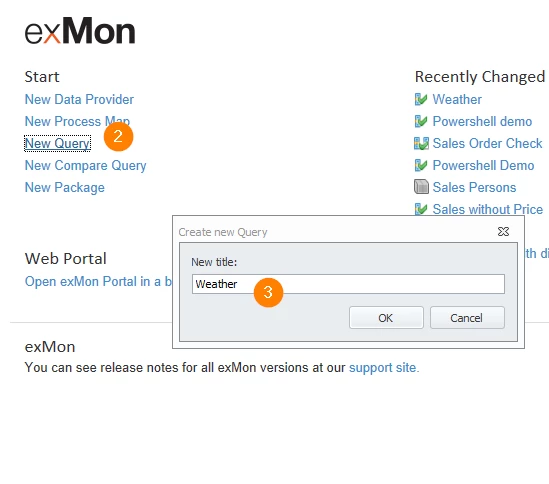
- Click on 'New Query' on the homepage
- Name this query Weather
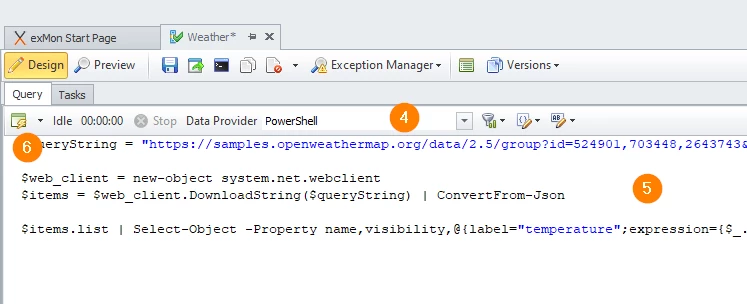
- Select the PowerShell Data Provider
- Paste the JSON query from the example above
- Click Execute
Discussed in the community
Looking for related questions…
Didn't find your answer? Ask the community about this page — questions are answered by Timextender experts, partners and other users.