Configure a data quality control to an Excel document
How to connect to an Excel document to create a data quality control directly
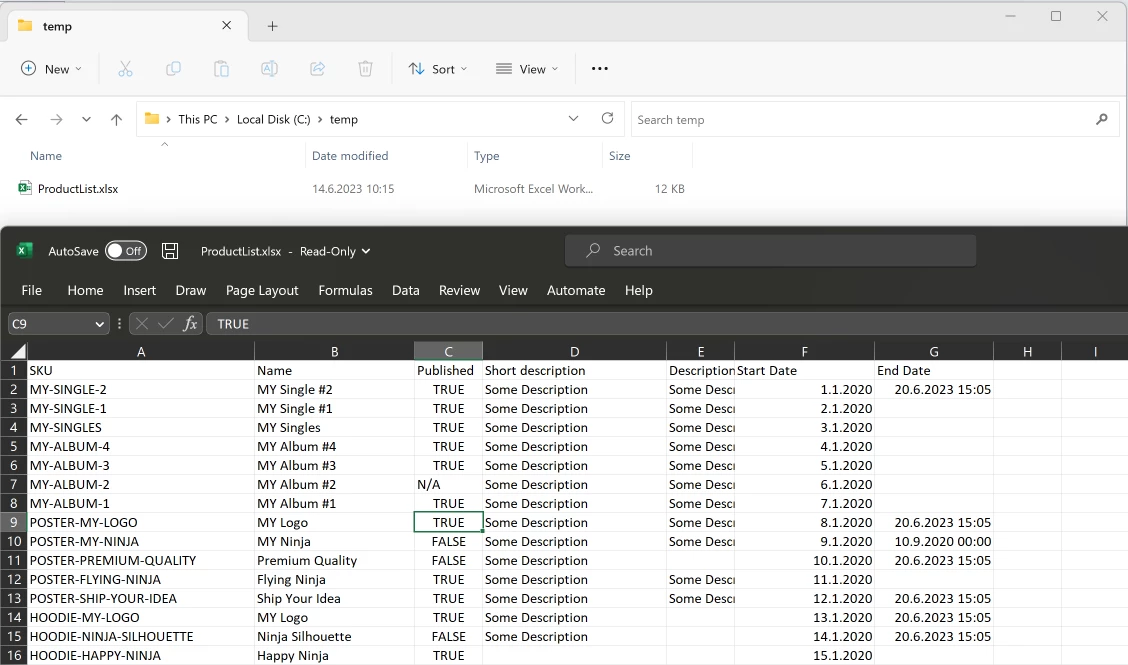
In this example there is an Excel document on the local filesystem that you want to monitor with a Query in Timextender Data Quality.
Other uses for this could be to transfer the data automatically to a SQL Server database by using a Data Transfer package within Timextender Orchestration.
Create a Data Provider
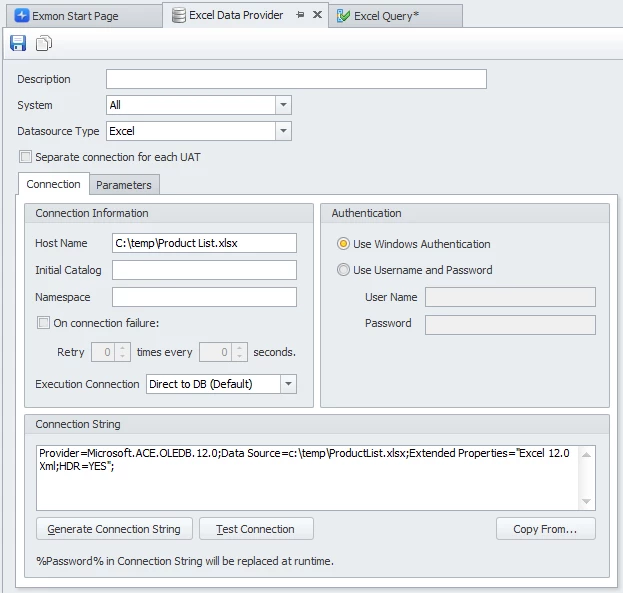
First step is to create an Excel Data Provider in Timextender Orchestration and Data Quality, select Excel as Datasource Type and in the Connection String add the following, and replace the path to the Excel document:
Provider=Microsoft.ACE.OLEDB.12.0;Data Source=c:\temp\ProductList.xlsx;Extended Properties="Excel 12.0 Xml;HDR=YES";
The HDR=YES property configures that the first row contains column names. If that is not the case, remove that property.
Query the data
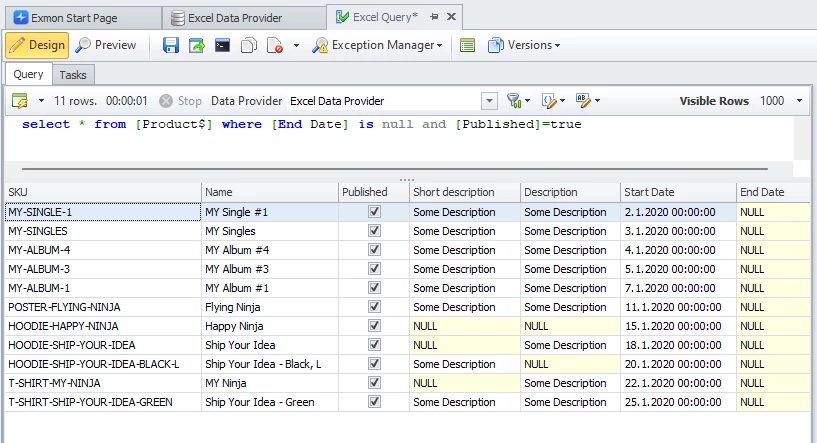
Query the data using a subset of the SQL query language, where the area selected is [SHEETNAME$AREA]
Examples are:
- SELECT * FROM [Product$]
- SELECT * FROM [Product$A1:F1]
- SELECT Name, SKU, ListPrice FROM [Product$] WHERE ListPrice > 0
Discussed in the community
Looking for related questions…
Didn't find your answer? Ask the community about this page — questions are answered by Timextender experts, partners and other users.