Scheduled Executions
Orchestration, what execution packages are in Timextender Data Integration, and how to configure and schedule them.
In this module: configuring multiple environments · instance migration · instance documentation · data lineage · meta collections
What is orchestration?
Timextender Orchestration automates complex data workflows, reducing manual errors and improving operational efficiency. It integrates with existing systems and offers real-time monitoring, customizable notifications and advanced resource management — such as scheduling scripts and API calls to optimize performance and minimize costs.
Orchestrate and visualize data processes. Orchestrate your entire data landscape in one place and across environments or technologies, cloud or on-premises, to ensure they work in harmony. Live and historical documentation of the data integration.
Continuous monitoring and real-time detailed alerts. Monitor completeness, consistency, timeliness, accuracy, validity and uniqueness so exceptions are detected before they become data downtime. Spend less time on root-cause error search and fix pipeline errors faster with a complete, detailed log and impact description.
Transparency and collaboration. These processes are a collaboration between IT and the business users. Users can run self-service refreshes of data, and data process owners get their exceptions assigned directly so they can maintain data enrichment.
Timextender Orchestration can orchestrate your tasks and execution packages directly. This eliminates redundant groupings, making setup easier and more intuitive — you spend less time figuring out what to run and more time getting results.
What are execution packages
An execution package is a configurable group of tables or other objects that automates and organizes task execution. It lets you schedule, control and monitor which items run, how they are processed and in what sequence — so data refreshes across your environment are fast, reliable and fully orchestrated.
What are all the components of an execution package?
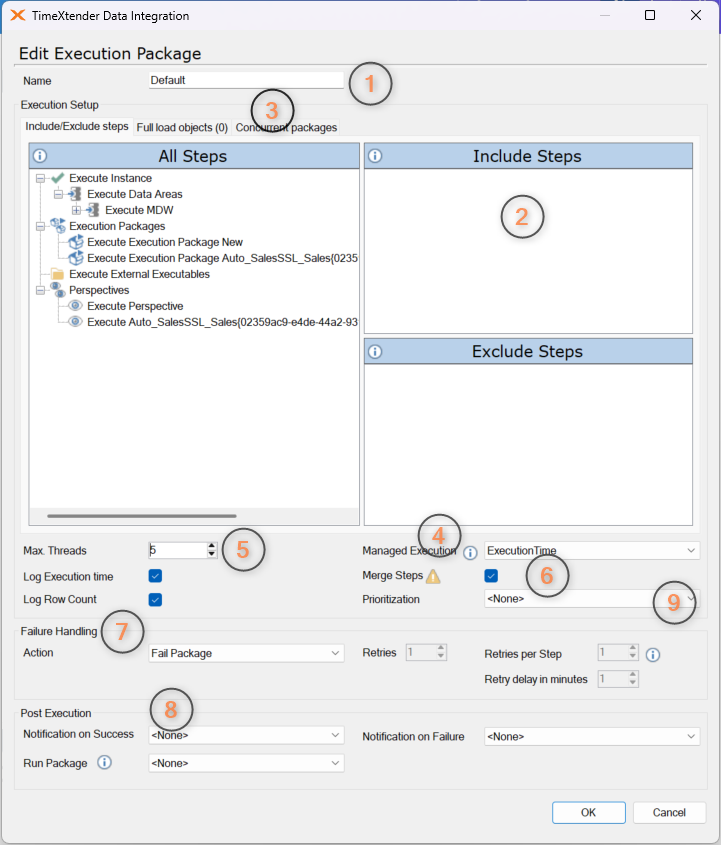
| # | Component | What it does |
|---|---|---|
| 1 | Name | Assigns a unique name for identifying packages. |
| 2 | Include/Exclude steps | Select which tables and tasks are included or intentionally left out of package execution. Drag and drop objects to designate inclusion or exclusion for granular control. |
| 3 | Concurrent packages | Specifies which other packages can execute at the same time, enabling parallel processing for increased efficiency. |
| 4 | Managed executions | Controls execution order for objects within the package using options like execution number, classification or average execution time. |
| 5 | Max threads | Sets the maximum parallel threads for optimized performance and resource use. |
| 6 | Merge steps | Combines individual sub-steps into unified execution blocks, streamlining and accelerating overall processing. |
| 7 | Failure handling | Define retry rules, stop on error, or trigger alerts for failed processes. |
| 8 | Post executions | Triggers follow-up actions on successful or failed execution — sending notifications, or automatically launching additional packages for chained workflows. |
| 9 | Prioritization | Gives priority to certain objects for fast refresh or early access. |
Best practice
To make task execution more efficient, configure managed execution based on execution time
and set Max Threads to 5. This prioritizes tasks according to their duration, letting
longer tasks start earlier and boosting overall performance.
For error handling in execution packages in a cloud solution, use the retry steps feature. That is especially useful for temporary issues such as data sources being locked during updates or backups, which are common in cloud environments.
Create tasks in the Ingest instance
The first step is to include the tables from the AdventureWorks database as a data source in the Ingest instance. See Ingest instance for how to configure and add the data source. If the tables are not already part of the Ingest instance, follow the steps below.
Create a transfer task
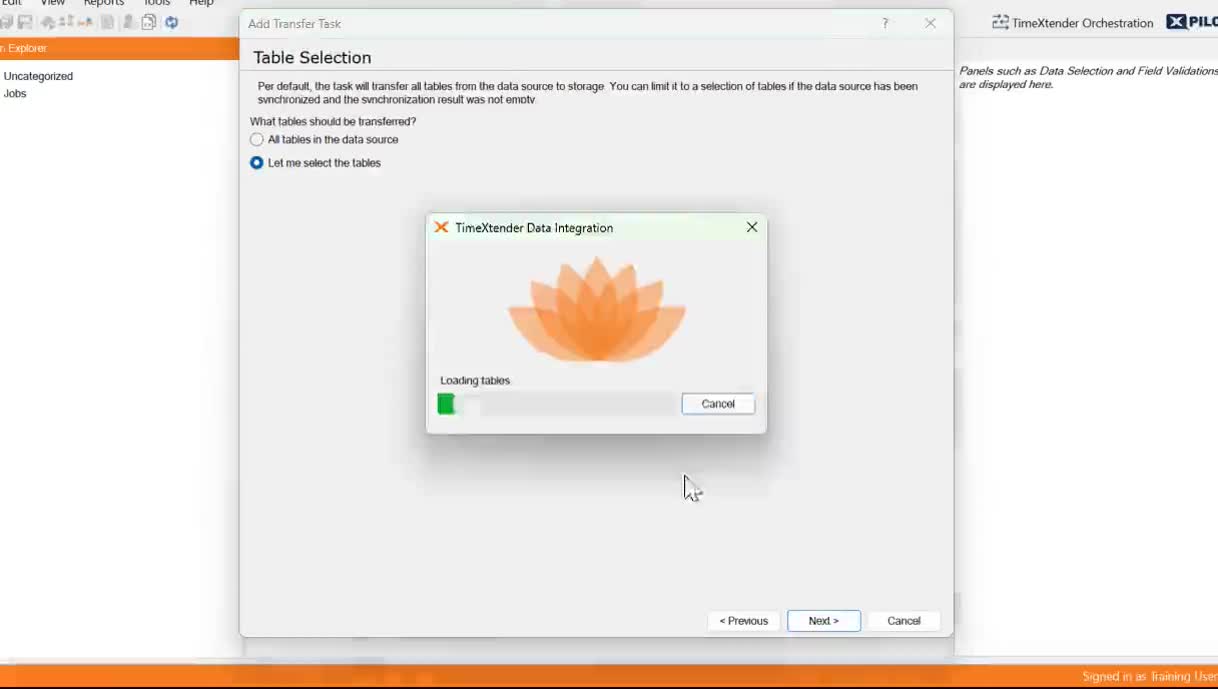
- Open the Ingest instance in Data Integration.
- Right-click the data source → Add Transfer Task.
- Add a name (
Transfer Tables) and description, then click Next. - Select Let me select tables.
- Add
Product,ProductCategory,ProductSubcategory,SalesOrderDetailandSalesOrderHeader. - Click Finish.
- Execute the transfer task.
Create execution packages
Before creating an execution package, the tables need to be available in the Prepare instance. If you haven't added them yet, follow Prepare instance first.
Create an execution package for the Prepare instance
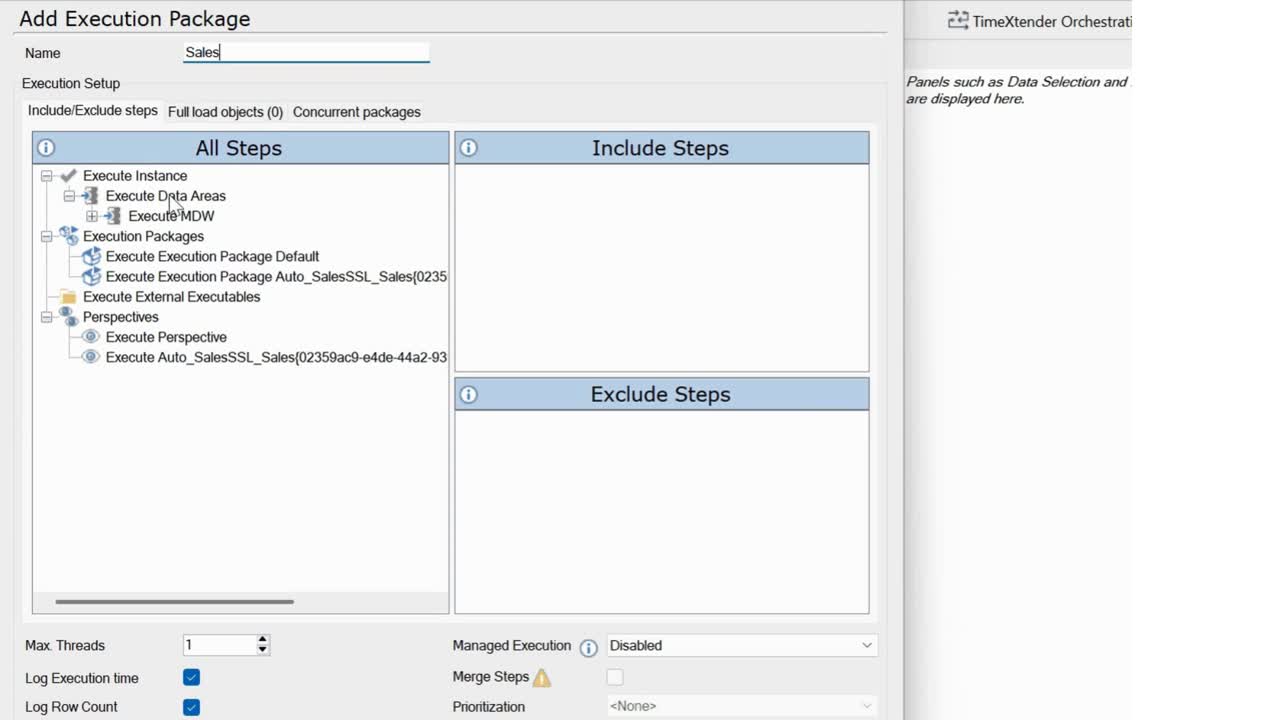
- Double-click Execution under the Prepare instance.
- Right-click Execution Package → Add execution package.
- Enter the name
Sales. - Add the data areas and tables you need in Include steps.
- Select Execution Time from the Managed Execution drop-down.
- Set Max Threads to
5. - Save and deploy the execution package.
Create an execution package for the Deliver instance
Next, bring the tables into the Deliver instance before creating an execution package — see Deliver instance if you haven't added them yet.
- Double-click Execution under the Deliver instance.
- Right-click Execution Package → Add execution package.
- Enter the name
Sales. - Add the data areas and tables you need in Include steps.
- Select Execution Time from the Managed Execution drop-down.
- Save and deploy the execution package.
Alternative: end-to-end execution package
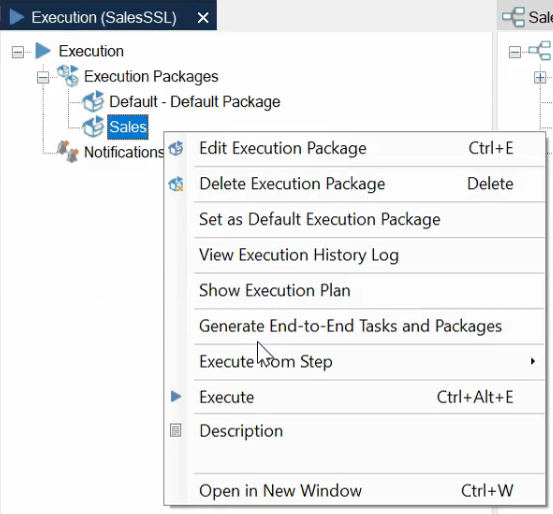
You can process data from source to destination and refresh a single model in one step by generating an end-to-end package. Create a Deliver package and click Generate end-to-end packages: a new perspective is created in the data warehouse and a new task in the Ingest instance. The generated perspective and tasks only execute the tables required to populate the model.
Related reference
- Multiple Environments — promoting these packages between environments.
- Agile Team Development — promotion-specific full-load packages.
- Optimization — reading the execution log after a run.
Discussed in the community
Looking for related questions…
Didn't find your answer? Ask the community about this page — questions are answered by Timextender experts, partners and other users.