Customer Dimension
Setting up conditional transformations, and updating conditional lookups from multiple fields.
In this module: adding customer tables · field transformations · lookups and conditions
The problem
AdventureWorks sells products to stores that resell them — resellers — and also sells online directly to individuals — retail customers. Its customers therefore include both people and stores, and we want to tell them apart to analyse purchasing patterns.
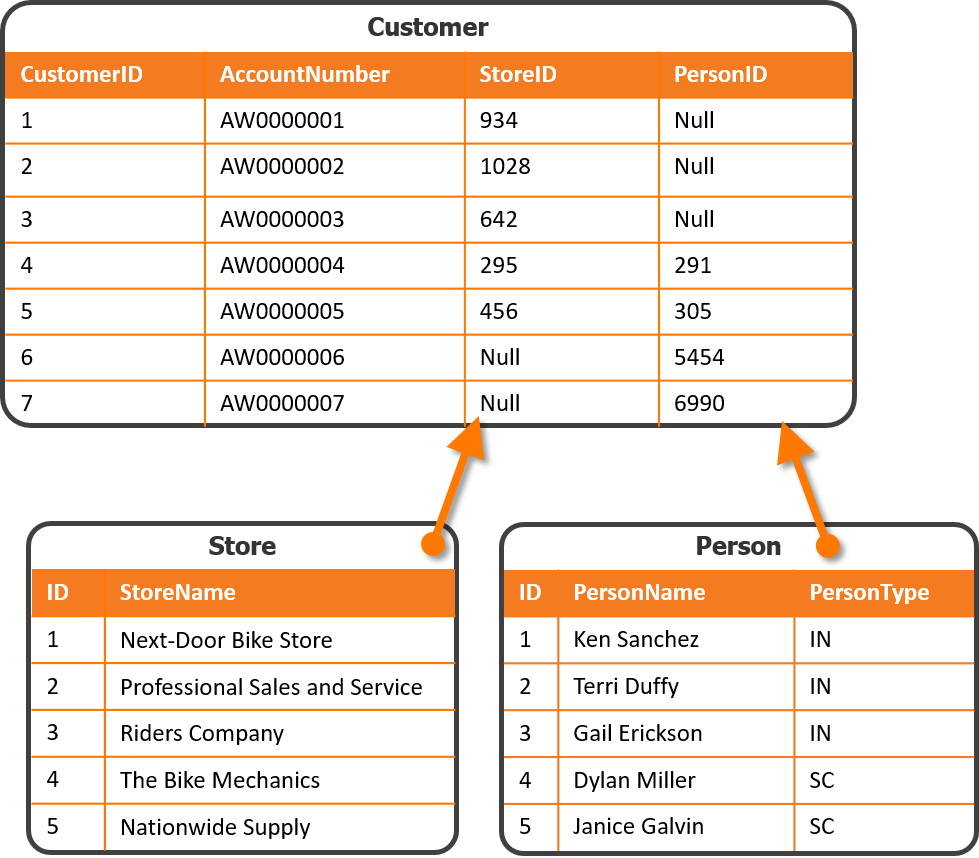
There are many ways to handle this. In this training we denormalize both the person name and the store name into a single field on the Customer dimension, so all the information about each customer sits in one organized table with a clearly defined grain.
Important considerations about the data:
- The Person table contains different types of people, indicated by the
PersonTypefield. The two that matter here areSC(store contacts) andIN(individuals — retail customers). - The Customer table contains some records with both a
PersonIDand aStoreID. In those cases thePersonIDrefers to a store contact, not a retail customer.
Add the customer tables
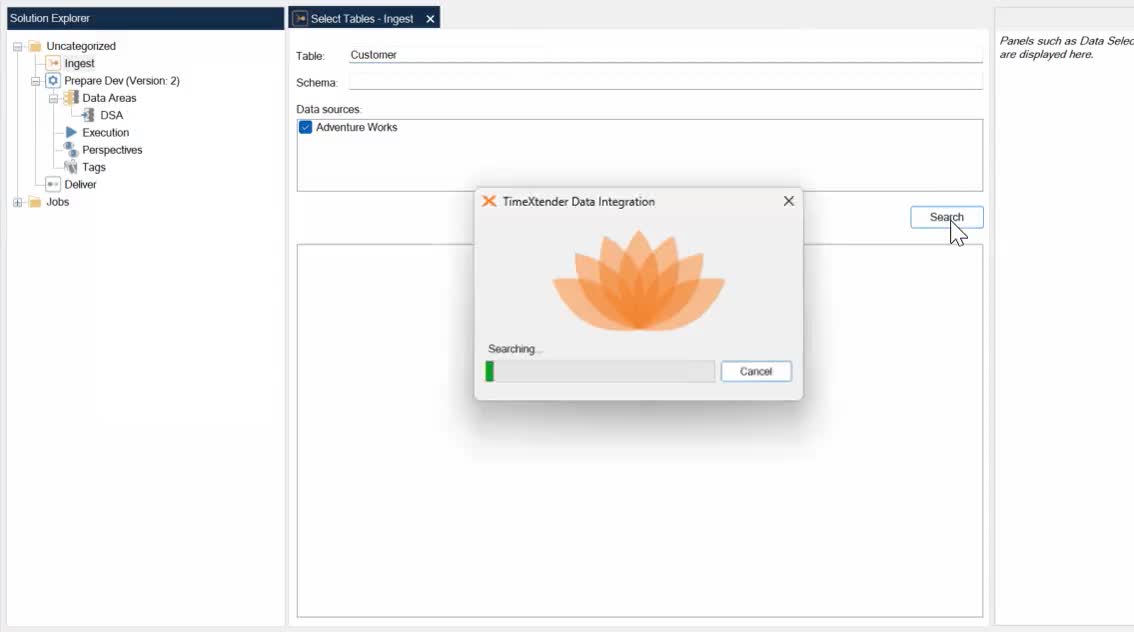
- Open
DSA. - Open the Table Selector on the Ingest instance.
- Search for
Customerand dragSales.CustomerintoDSA.Tables. - Search for
Storeand dragSales.StoreintoDSA.Tables. - Search for
Personand dragPerson.PersonintoDSA.Tables. - Reorder the tables as:
Store,Person,Customer.
Look up store names
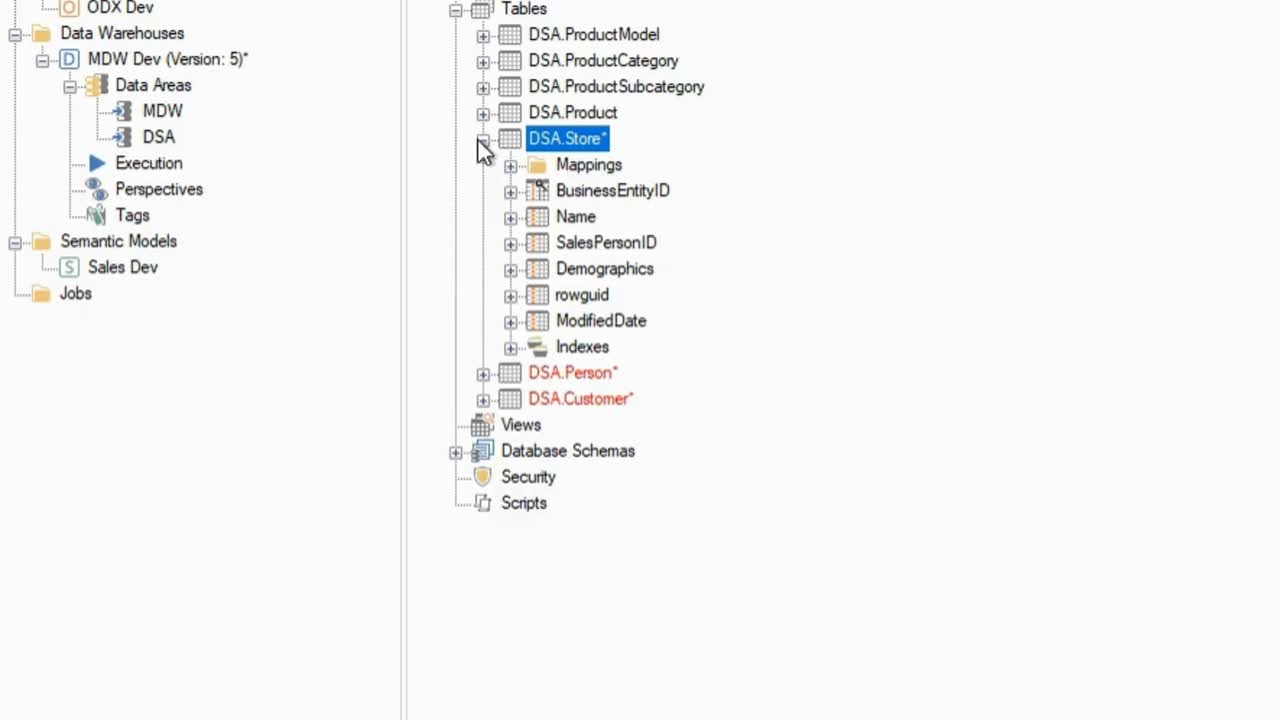
- Under
DSA.Tables.Store, rename theNamefield toStoreName. - Create a relation from
Tables.Store.BusinessEntityIDtoTables.Customer.StoreID. - Create a lookup from
Tables.Store.StoreNameonto theCustomertable. - On the
Customertable, rename theStoreNamefield toCustomerName.
What are field transformations?
Transformations change the values within a field — anything from flipping a number's sign to complex calculations using other fields in the table.
| Transformation | What it does |
|---|---|
| Custom Value | Executes custom SQL code |
| Fixed | Inserts a fixed value you specify (no string quotation needed) |
| Upper / Lower | Converts text to upper or lower case |
| First / Last | Returns the given number of beginning or ending characters |
| TrimLeft / TrimRight / Trim | Trims padded spaces from the left, right, or both |
| ReverseSign | Reverses the sign of numeric values |
| TimeOnly / DateOnly | Returns only the time or the date portion of a datetime field |
| Replace | Replaces one character, or a set of characters, with another |
Reference: Data Transformation
Create a new PersonName field
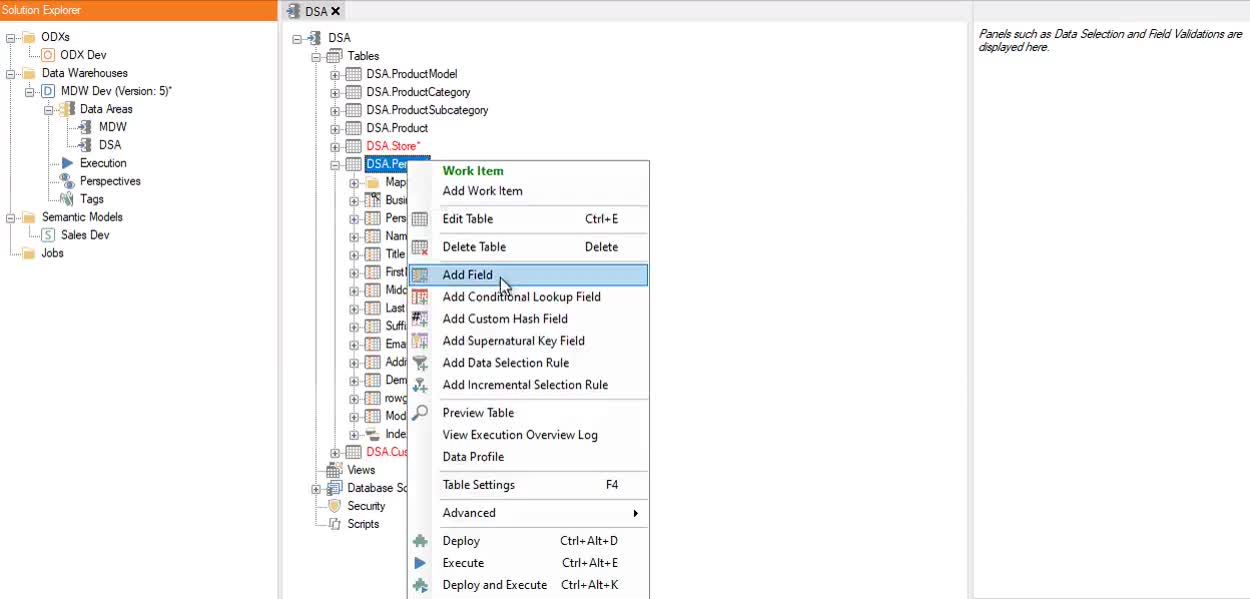
- Right-click
DSA.Tables.Person→ Add Field. - Enter the field name
PersonName. - Set text length to
150. - Right-click the
PersonNamefield → Field Transformations. - Set Operator to Custom Value and click Add.
- Concatenate the names by dragging the first and last name fields into the coding box, so the code reads:
- Click OK.
Reference: Custom Fields · Customized Code and Custom Scripting
Why take the first non-empty value?
When building a data warehouse you are usually ingesting from multiple sources, which often produces duplicate records for the same real-world entity — the same customer, for instance.
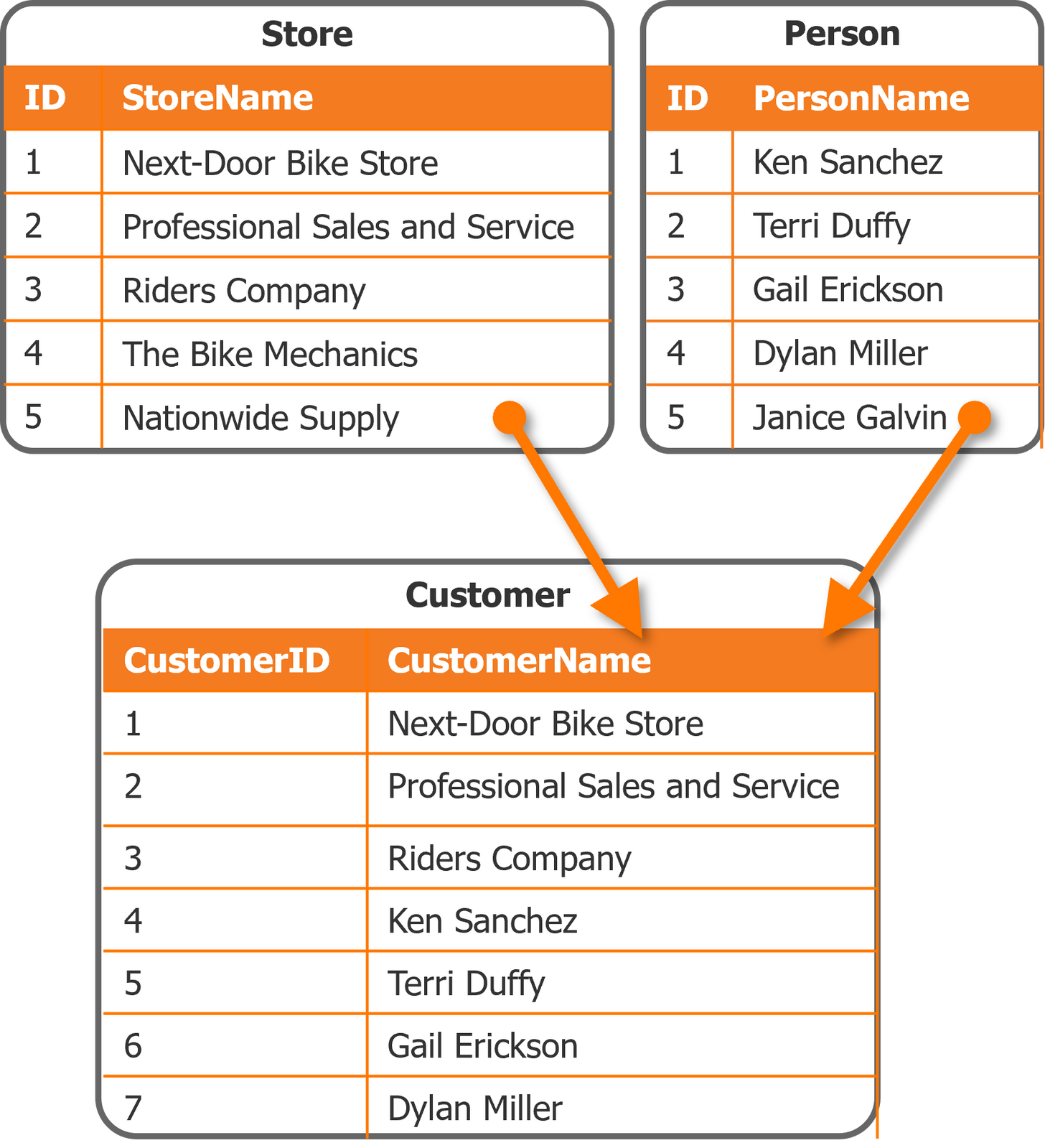
The Take the first non-empty value option lets you keep one customer record while looking up data from several different source tables. If one source lacks some information, another fills it in, giving a fuller picture of the customer.
When both source tables contain data, you control which value wins by reordering the fields in the Lookup Fields folder.
In the example above, the Customer table's CustomerName field is populated by first trying the
Store table's StoreName via CustomerID. If no matching StoreName is found — the value is
empty — the lookup falls back to the Person table's PersonName. Each customer record therefore
gets the most relevant available name, whether the customer is a store or a person, producing a
complete and accurate CustomerName column.
Next in the course
Sales Transactions · Finalize the Presentation Layer
Discussed in the community
Looking for related questions…
Didn't find your answer? Ask the community about this page — questions are answered by Timextender experts, partners and other users.