What is Data Enrichment
The data enrichment process enhances existing data by adding relevant information from internal and external sources, improving its accuracy, completeness and value for analysis.
In this module: what data enrichment is · the benefits of data enrichment · connect and import source data
Note
The source module's contents list also advertises "Guarantee a first high-level data integrity", "Advanced features for the engineer" and "How business users benefit: the exMon web version". Those sections are not yet published on timextender.training, so they are not covered here.
What is data enrichment?
Timextender Data Enrichment is a platform that enhances data integrity within existing systems. It integrates with current data frameworks, allowing flexible data integration and the creation of master records with dynamic hierarchy, mapping, reference data management and data enrichment. It makes data cleaning, standardization and deduplication easy, with automated exception assignment to data stewards and a complete change and history log for audits — eliminating the problems of unorganized, unmanaged data.
Timextender Data Enrichment provides an intuitive, familiar interface backed by a robust SQL database, so you no longer need spreadsheets to add extra attributes such as KPIs, budgets and forecasts. By leveraging SQL Azure, it integrates across various database configurations, guaranteeing adaptability and efficiency.
| Strength | What it means |
|---|---|
| Effortless collaboration | "Easy data enrichment" fosters collaboration between IT and business, handling data management tasks that need input from both. Two versions are available — desktop and web client — catering to different user preferences. |
| Table format front end | Users get a table-format front end for managing and enriching data, along with the power of SQL for efficient model development. |
| The home for homeless data | The definitive solution for managing homeless Excel sheets: a single source of truth where data enrichment, attribute addition, hierarchy creation and high-level quality checks all happen. |
| Seamless integration | Integrates with existing data systems, extending functionality to organize and oversee all data in one unified location. |
| Versatile usage | Used by customers to replace Excel worksheets, create hierarchies, import data from legacy systems, and serve as a user-friendly data enrichment interface. |
The benefits of data enrichment
Mapping and maintaining local SKUs or items into global structures is a daunting task, and moving away from Excel spreadsheets to a centralized solution is essential for efficiency. Easy data enrichment streamlines SKU mapping, data enrichment, hierarchical enhancement and KPI integration.
| Benefit | What it gives you |
|---|---|
| Effortless SKU mapping | Simplify mapping and maintaining local SKUs into global structures. |
| Streamlined data enrichment | Enhance data without relying on unfit tools, ensuring accuracy. |
| Dynamic hierarchical enhancement | Easily add additional hierarchies to datasets for better organization. |
| Seamless KPI integration | Manage KPIs and data lacking a home with ease. |
| Unique IT and BI interfaces | Easy collaboration between IT and BI professionals. |
| Automated exception handling | Ensures the accuracy, consistency and reliability of master data across an organization. |
| Cost-effective option | Supplements SQL Master Data Services at an attractive price point. |
| Excel replacement | Say goodbye to local Excel sheets and welcome a centralized data solution. |
| Ideal for manual data maintenance | Simplify manual data maintenance tasks efficiently. |
| Integration with Data Integration | Collaborate with data governance through Timextender integration. |
Connect and import source data
The Timextender Data Enrichment desktop client is tailored for data engineers and stewards. Within the application, users manage tables, with projects as the cornerstone for an organization.
Projects not only organize tables — they also control user access to specific sets of tables. Categories further limit access for certain users, so tables can be managed meticulously within designated areas.
Note
If you don't have access to Data Enrichment, contact your SSP or sign up for a free trial.
Create a new project
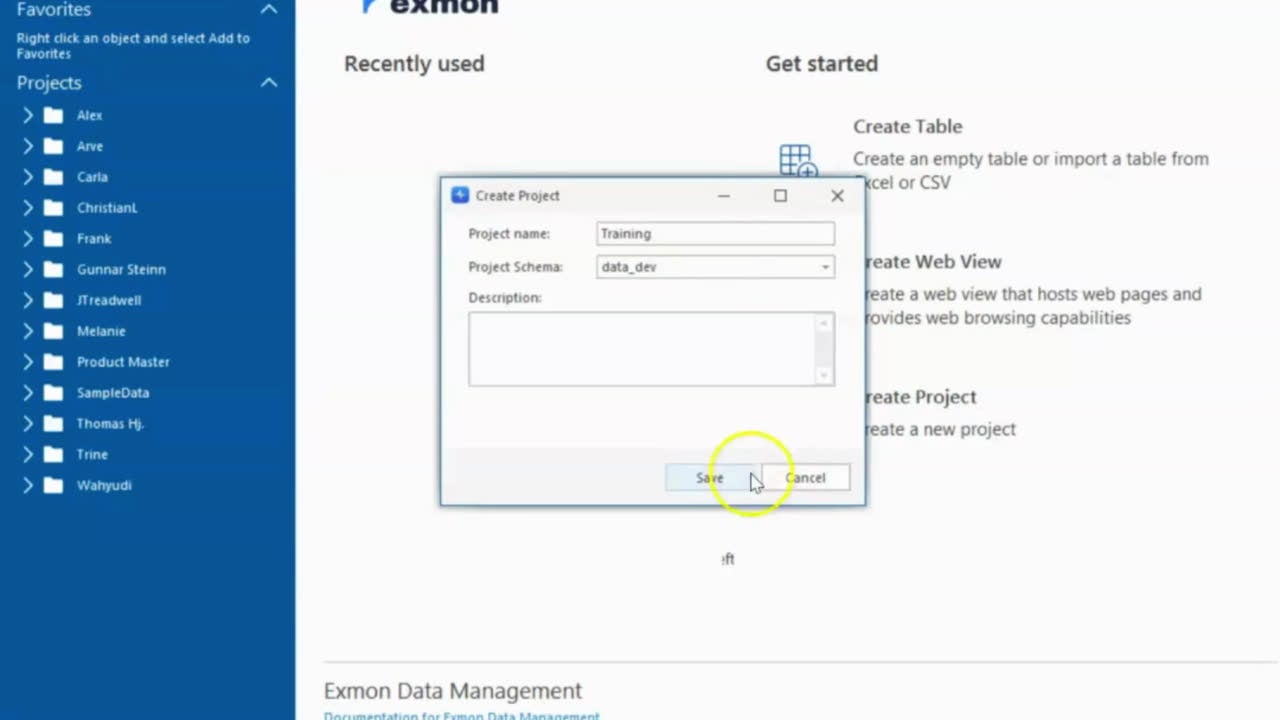
- Download the Excel sheet from the source module.
- Open the Timextender Data Enrichment client.
- Choose Create Project on the right-hand side of the start screen.
- Choose a project name, and take the default schema
data-dev. - Click Save.
Importing product data
Users can craft their own tables and data models, or import existing ones from any data source. You can start a new table from an empty template and customize fields and types, or import tables from diverse sources. Through database connectivity you can extract initial datasets, and you can either upload a master table list for manual management or start from scratch and populate it as required.
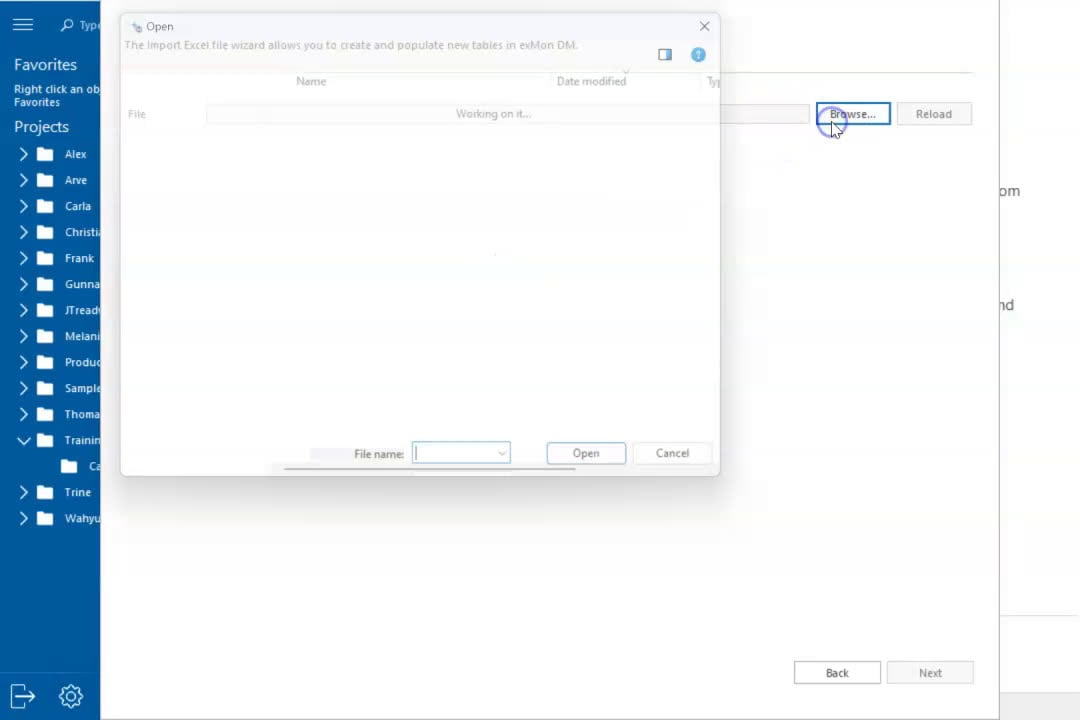
- Right-click on Category → Add → New Table.
- Choose Import Table from Excel or FlatFile.
- Browse for the Excel sheet and select the sheets you want to import.
- Change the table names to something unique.
- Click Next.
- Change the data types:
ProductID,SafetyStockLevelandReorderPointas Number;SellStartDateandSellEndDateas DateTime;StandardCostandListPriceas Decimal. - Click Verify.
- You'll see a preview of the data — choose Confirm.
Related reference
- What is Data Quality — the governance side of the same data.
- Data Cleansing — cleansing in the Data Integration pipeline.
Discussed in the community
Looking for related questions…
Didn't find your answer? Ask the community about this page — questions are answered by Timextender experts, partners and other users.