Product Dimension
Deployment, execution and conditional lookups, learned while building a Product dimension.
In this module: adding data areas · denormalizing product tables · conditional lookups · finalizing the Product dimension
Data areas
Data areas let you create separate data warehouse areas in the same database, separated by schemas. Depending on business needs you can create one or several.
Add a data area
- Open the Prepare instance.
- Right-click Data Area → Add Data Area.
- Enter the name
DSA(Data Staging Area). - Click OK.
Reference: Reverse Data Area · Data Area Security
Select the product tables
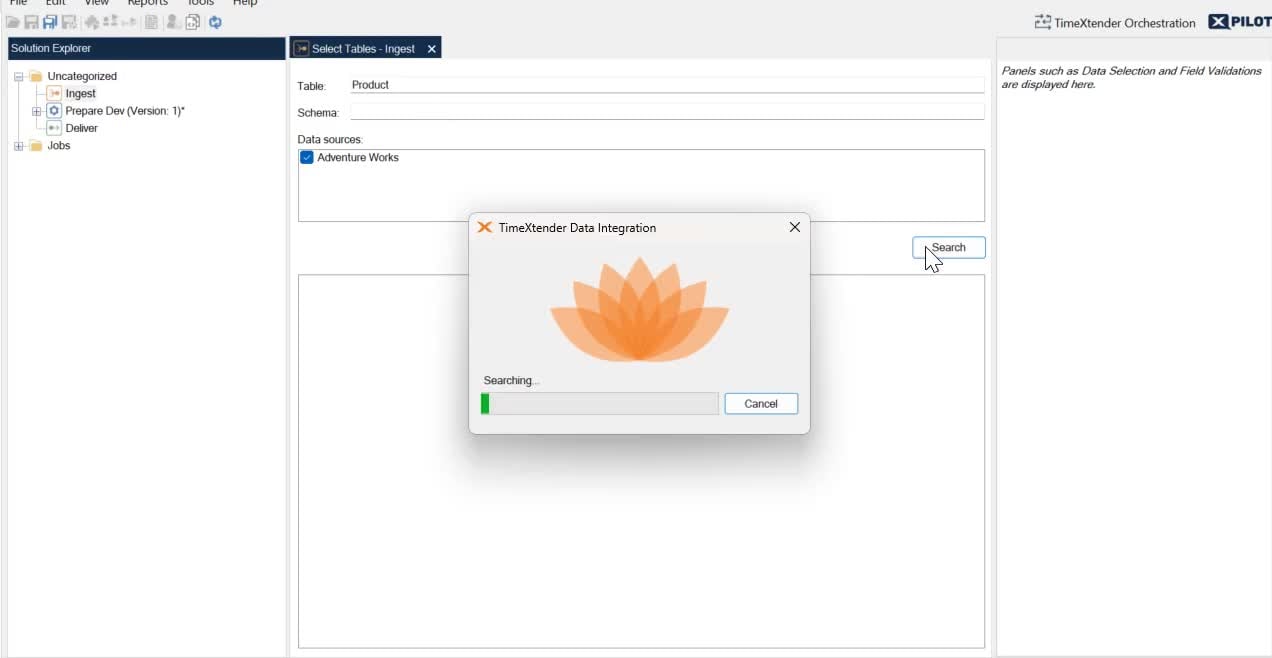
- Right-click the Ingest instance and choose Open Table Selector.
- Enter the table name
Product. - Select the database and click Search.
- Open
DSA. - Drag and drop these tables into Tables under
DSA:Production.ProductProduction.ProductCategoryProduction.ProductModelProduction.ProductSubcategory
Reorder the tables
When modelling in Timextender it helps to organize tables so that the lowest granularity is at the top and the final denormalized tables with the highest grain are at the bottom. That way, when creating relations and lookups, you are always dragging downwards.
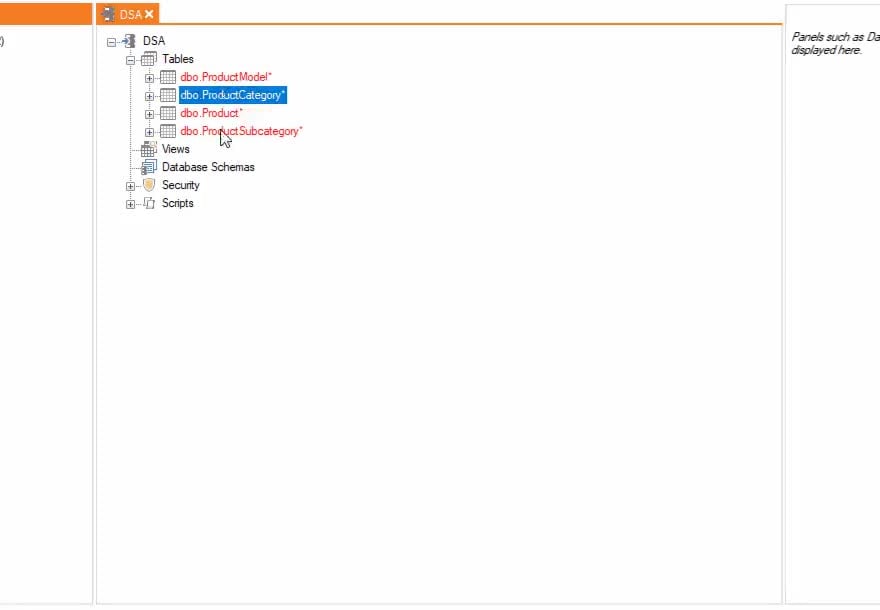
Reorder the product tables as:
Production.ProductModelProduction.ProductCategoryProduction.ProductSubcategoryProduction.Product
Deploy and execute
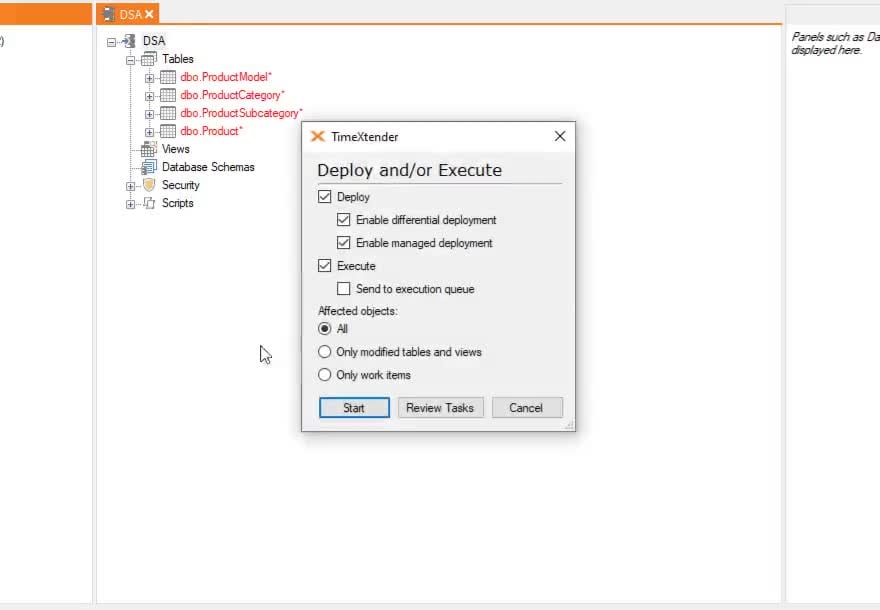
- Right-click
DSA→ Deploy and Execute. - Click Start.
- Add a version note.
- Click Save, then Close.
Reference: Deploy tables · Execute tables
What are conditional lookups?
Relations specify how two tables are related, most often so you can then add a lookup. Create one by dragging a primary key field from the source table (the one side) onto the related foreign key field on the destination table (the many side).
Conditional lookups are fields in a table whose values are populated from another table based
on that relation. This is how a traditional SQL LEFT JOIN is expressed in Timextender. With the
relation in place, drag any field from the one side table onto the many side table — that
creates the conditional lookup field, using the related fields as the join. After execution the
field is populated.
Make sure your join criteria is unique
A traditional SQL JOIN can add or remove rows, which can produce undesired results. A
Timextender conditional lookup never affects the row count, and only populates when a
resulting value is found in the source table. But if the join criteria is not unique, the
lookup pulls in any one of the possible values.
Reference: Conditional Lookup Fields · Table relations · Related Records
Rename product fields
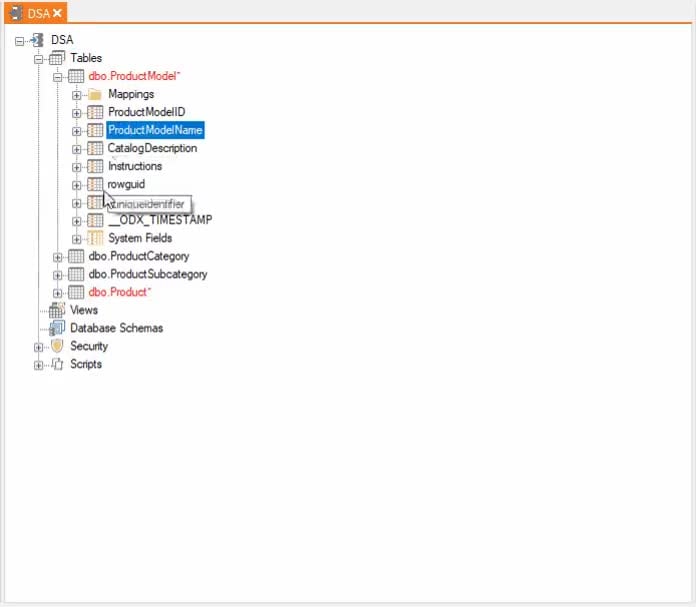
- Expand
DSA → Tables → ProductModel. - Select the
Namefield and press F2 to rename itProductModelName. - Expand the
Producttable. - Select the
Namefield and press F2 to rename itProductName.
Next in the course
Customer Dimension · Sales Transactions
Discussed in the community
Looking for related questions…
Didn't find your answer? Ask the community about this page — questions are answered by Timextender experts, partners and other users.